Figure 1
08 09
EstateView makes it much easier to control multiple devices as
you can send the same command to many devices (e.g. setting
up/initialising the devices), power loss alerts all come in to one
central place and from EstateView these alerts can be emailed
out. Note – not all commands for Powertxt® are within
EstateView, just the main control commands. For a free trial of
EstateView please contact your supplier.
Features and Accessories
1.1. Main Functions
• Powertxt® needs a live SIM card
• Powertxt® is operated remotely by SMS command
• It supports 1 master user and 4 additional users
• Automatic Time / Date Synchronisation (from the SIM mobile
network provider)
•
Output Max: 13 Amp for UK version and 16 Amp for EU version
• Power Button: To manually control the power (output) on/off
• Control power (output) by SMS command
• Automatic power (output) loss/restore SMS alert
• Automatic power (output) control by time/day
• Automatic power (output) control by temperature
• Automatic power (output) control by time delay
• Automatic temperature SMS alert
• Signal strength check
1.2. List of Contents
1 x Powertxt® GSM Power Socket
1 x Plug In Temperature Sensor
1 x User Manual
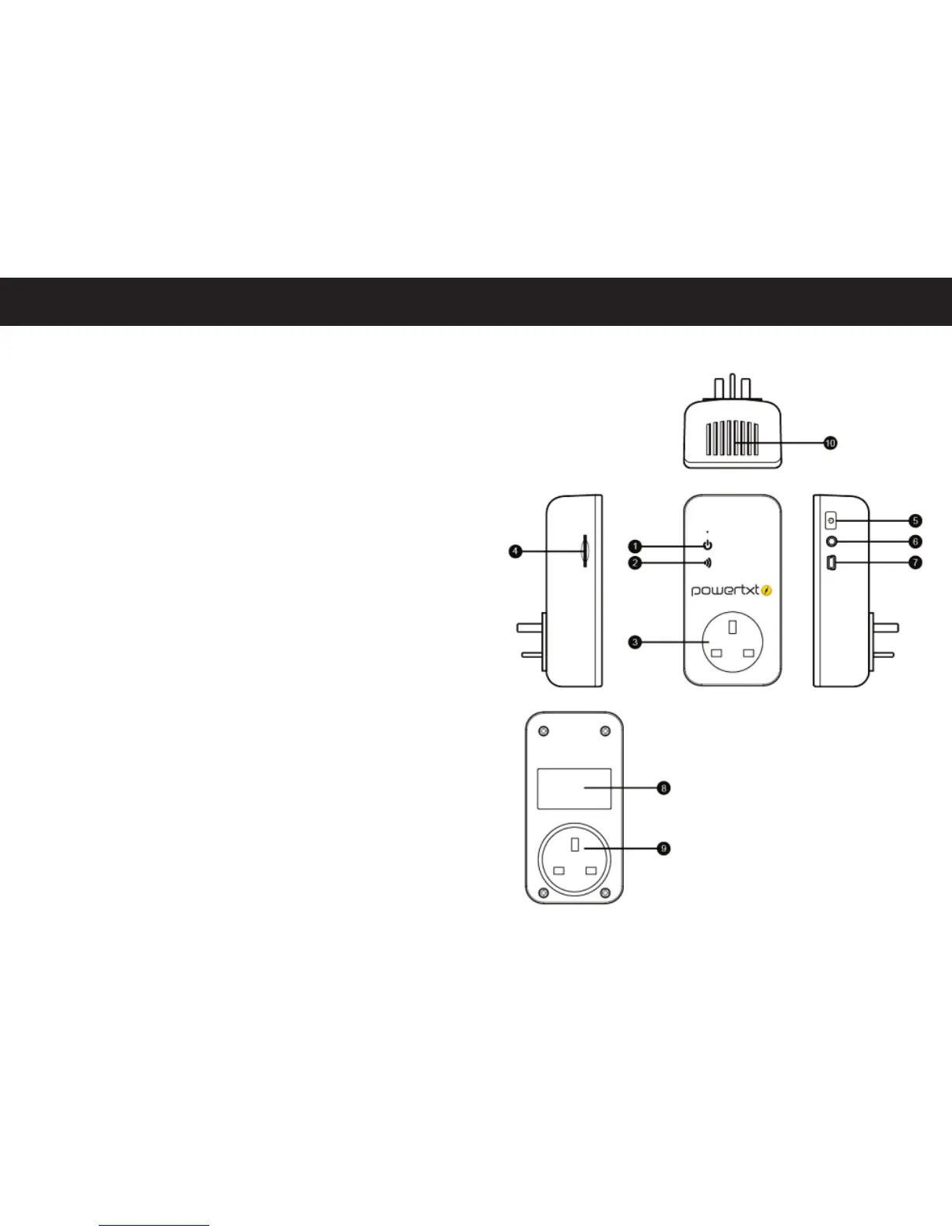
1.3. Schematic Drawing
1 – Power indicator
2 – GSM indicator
3 – Power outlet
4 – SIM card slot
5 – Power Button
6 – Temperature sensor connection
7 – Firmware port only
8 – Product label
9 – Power plug
10 – Air Vents


 To Next Page