- 18 -
GB
SPLITSPLIT
SPLITSPLIT
SPLIT 7000
The air conditioner is provided
with an environment thermostat having a
minimum working temperature of 16°C.
Below this temperature, the thermostat does not
enable operation of the compressor. This
prevents the risk of ice developing inside the
air conditioner; the fans and the heating function
continue to be enabled.
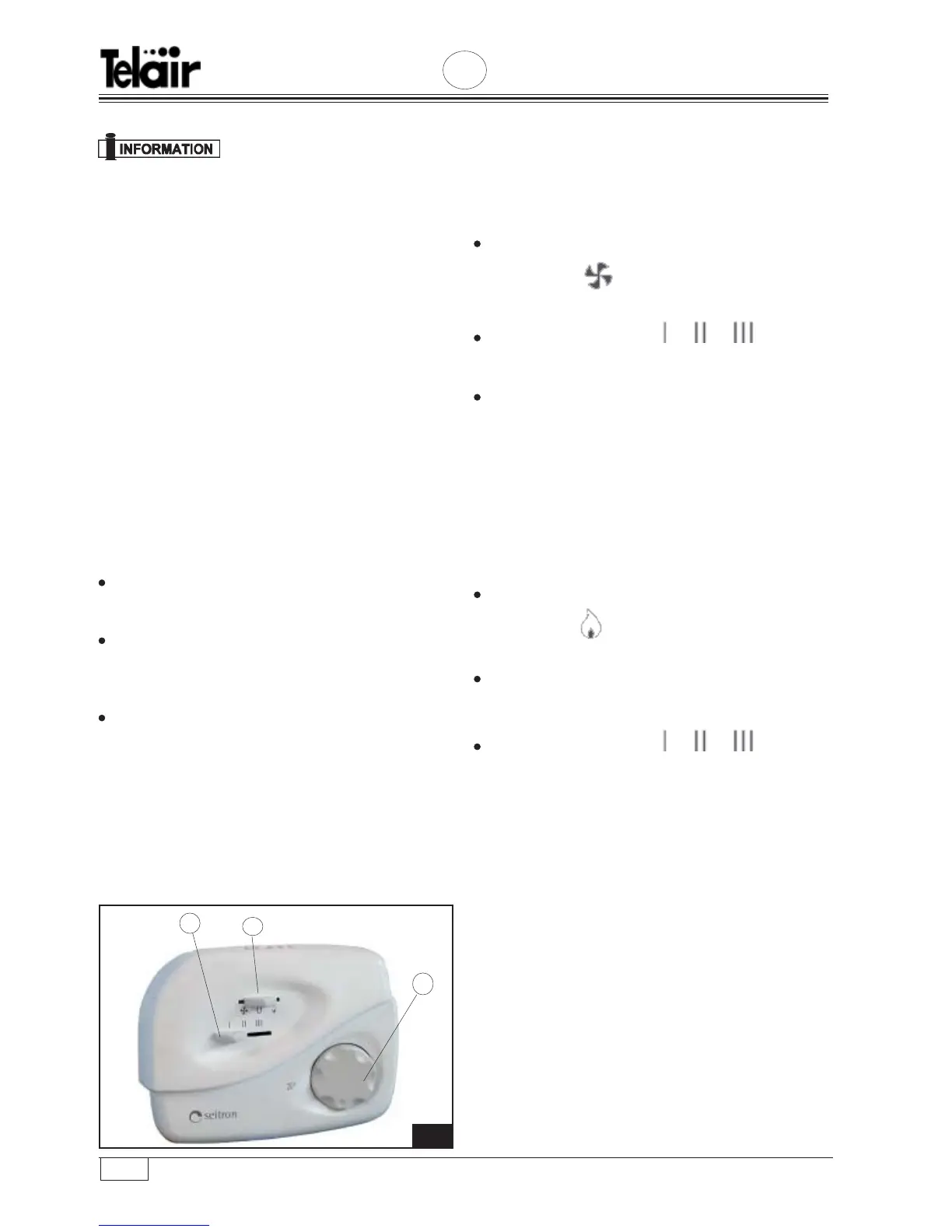
To start up the air conditioner, put the ON-OFF
switch Fig. 20 Ref. (2) in its cool air position; then
turn the thermostat Fig. 20 Ref. (3) and set it at the
temperature you require.
The thermostat keeps the temperature of the air
inside the vehicle constant, turning the air conditioner
compressor (cool air) or the heating resistor (warm
air) on and off.
The speed of the fans is set by hand: use the
relevant selector Fig. 20 Ref. (1)
.
To use the air conditioner more efficiently, we
suggest you proceed as follows:
First select the maximum ventilation speed with
the thermostat at minimum.
When you reach the temperature you want, select
medium ventilation speed, then turn the
thermostat knob until the compressor goes off
For night time use, we suggest you use the
minimum ventilation speed.
6.4 Ventilation
If you want to circulate air inside the vehicle without
heating or cooling, proceed as follows.
Put the Cool Air / Hot Air selector Fig. 20 Ref. (2)
in the position
Select ventilation speed ( ) you want
Fig. 20 Ref. (1).
Set the thermostat Fig. 20 Ref. (3) at maximum
temperature (35°C).
6.5 Heating
The electric heater of the air conditioner is no
replacement for the boiler heating system, but it is
good for warming the air in the morning or in cool
days.
Put the Cool Air / Hot Air selector
in the position
Set the thermostat Fig. 20 Ref. (3) at the
temperature you require.
Select ventilation speed ( ) you want
Fig. 20 Ref. (1).
2020
3
2
1


 To Next Page