Blinking (green/red) -> activity/maintenance.
LAN Switch Tricolor Green -> connected. Blinks with connection data activity.
Red -> disconnected.
Eth WAN Tricolor Green -> connected. Blinks with connection data activity.
Amber -> blinking: auto-test.
Red -> disconnected.
Cell Tricolor This is not used on this router.
Coverage
(1, 2, 3, 4)
Monochrome Blue This is not used on this router.
3.1.2 Rear Panel
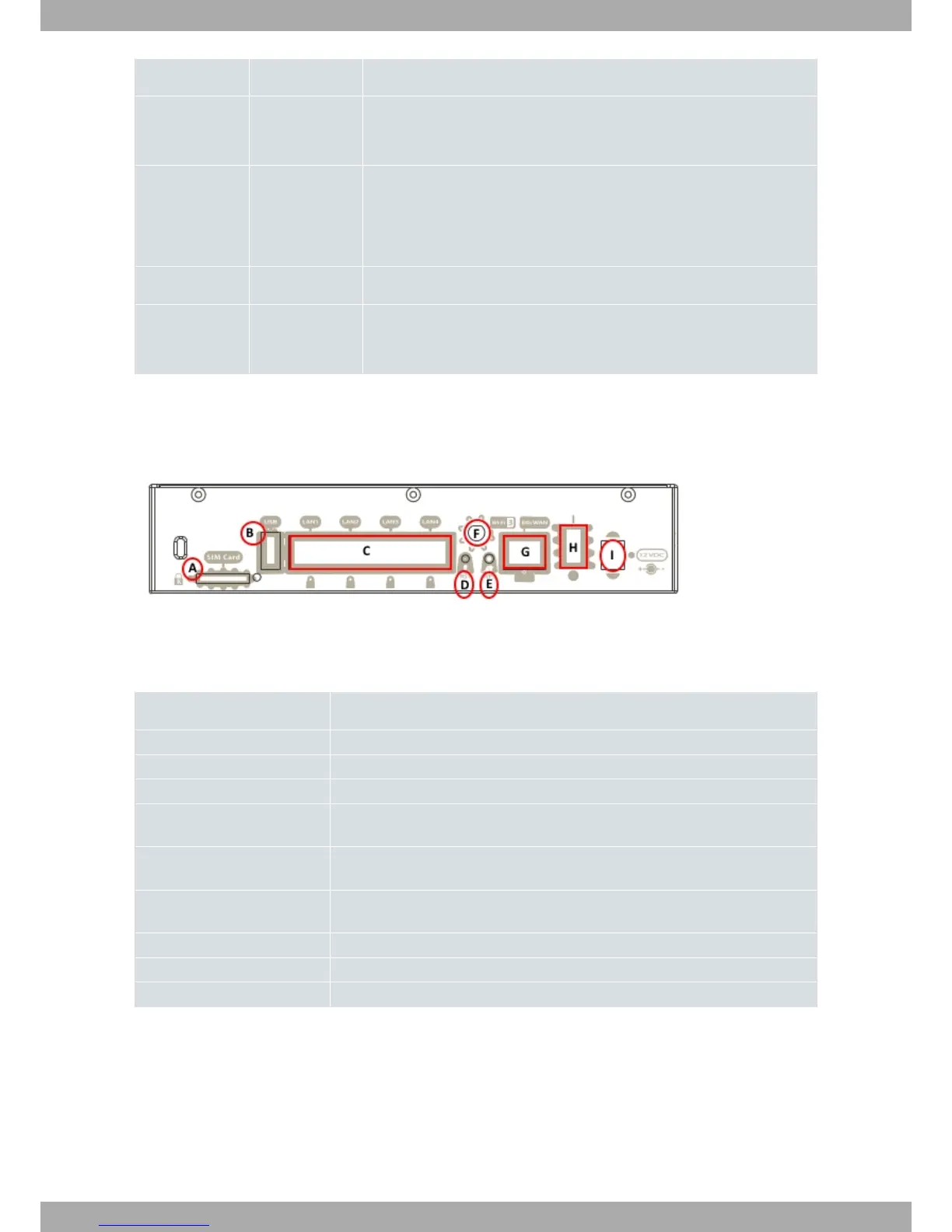
The following figure shows the rear panel. Here you will find most of the Teldat Connect-104KF router connectors.
Fig. 2: Rear panel
The following table describes the various connectors:
Rear panel elements
Item Description
A SIM Card. This is not used on this router.
B USB. This is not used on this router.
C 4-port Gigabit Ethernet Switch.
D RST. Reset button. Please see the RST Button on page 9 in this chapter for more
information on how the reset button works.
E WPS (Wireless Protected Setup). This allows for easy and secure configuration of
the WiFi network parameters.
F WiFi antenna no. 3. Whether this connector is used or not depends on the type of
WiFi card in the router.
G Eth WAN. Gigabit Ethernet WAN.
H On/Off switch.
I Power source connection (PSU).
3.1.3 Side Panels
Each side panel contains one Wifi antenna connector and one 3G antenna connector.
Teldat S.A.
3 Components and Power Supply
Teldat Router Connect-104KF 5



 To Next Page