EasyManua.ls Logo

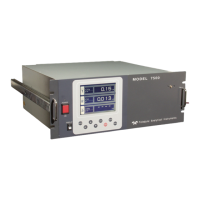
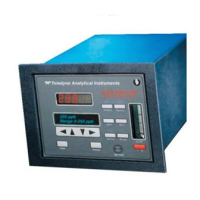
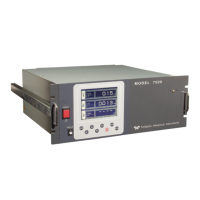
Teledyne 7500 Series - User Manual

Teledyne 7500 Series
80 pages
Print Icon
To Next Page IconTo Next Page
Loading...
TELEDYNE
ANALYTICAL INSTRUMENTS
OPERATING INSTRUCTIONS
Series Model 7500
Infrared Gas Analyzer
DANGER
HIGHLY TOXIC AND OR FLAMMABLE LIQUIDS OR GASES MAY BE PRESENT IN THIS
MONITORING SYSTEM.
PERSONAL PROTECTIVE EQUIPMENT MAY BE REQUIRED WHEN SERVICING THIS SYSTEM.
HAZARDOUS VOLTAGES EXIST ON CERTAIN COMPONENTS INTERNALLY WHICH MAY PERSIST
FOR A TIME EVEN AFTER THE POWER IS TURNED OFF AND DISCONNECTED.
ONLY AUTHORIZED PERSONNEL SHOULD CONDUCT MAINTENANCE AND/OR SERVICING.
BEFORE CONDUCTING ANY MAINTENANCE OR SERVICING CONSULT WITH AUTHORIZED
SUPERVISOR/MANAGER.
P/N
07/07/11

Questions and Answers

  • K
    Kaylee RodriguezJul 31, 2025
    What to do if Teledyne 7500 shows Error No. 6?
    • C
      Chelsea TaylorJul 31, 2025
      If Teledyne Analytical Instruments displays Error No. 6, it could be due to several reasons. First, check if the span gas is being supplied properly. Next, verify that the calibrated concentration setting matches the cylinder concentration; if not, adjust it accordingly. Ensure that zero calibration was performed correctly. A dirty cell can also cause span deflection, so cleaning the cell might resolve the issue. Lastly, if the detector sensitivity has deteriorated, consider testing and replacing the detector.
  • A
    Antonio BondAug 6, 2025
    What to do if Teledyne 7500 displays Error No. 4?
    • J
      Joshua MeyerAug 6, 2025
      If your Teledyne Analytical Instruments unit is showing Error No. 4, several issues could be the cause. Begin by ensuring that zero gas is being supplied correctly. If the zero point is significantly deflected due to a dirty cell, cleaning the cell might solve the problem. If these steps don't resolve the error, the detector might be faulty and require testing or replacement.
  • C
    Carolyn AdamsAug 12, 2025
    How to fix Error No. 1 on Teledyne 7500 Analytical Instruments?
    • D
      David DuncanAug 12, 2025
      If your Teledyne Analytical Instruments unit displays Error No. 1, it could be due to several issues: * The infrared ray light source might be faulty, requiring a check and possible replacement. * The sector motor rotation may be faulty or stopped, necessitating an inspection. * The motor rotation detector circuit could be faulty, requiring testing and repair. * The amplifier circuit might be faulty, needing examination and repair.
  • U
    uhubbardAug 18, 2025
    What to do if Teledyne Analytical Instruments displays Error No. 10?
    • R
      Rick SchaeferAug 18, 2025
      If you are getting Error No. 10 on your Teledyne Analytical Instruments, it means the wiring between the analyzer and interface module is detached or disconnected. Reconnect the wiring to resolve the issue.
  • D
    Danielle JonesAug 25, 2025
    What to do if Teledyne 7500 Analytical Instruments shows Error No. 3?
    • D
      Derek DunnAug 25, 2025
      If Teledyne Analytical Instruments shows Error No. 3, the circuit is faulty. Check the circuit for faults and repair it as necessary.

Summary

PREFACE

SAFETY PRECAUTIONS

DANGER, CAUTION, PROHIBITED

Explanation of safety warning levels and their implications.

Caution on installation and transport of gas analyzer

Safety measures for handling and installing the analyzer unit.

Piping and Wiring Safety

Caution on piping

Precautions for connecting gas pipes to prevent leakage and accidents.

Caution on wiring

Safety guidelines for electrical wiring to prevent shocks and fires.

Caution on use

Important safety considerations during analyzer operation.

Operational and Maintenance Safety

Caution on maintenance and check

Safety measures to follow during maintenance and inspection.

Others Safety Precautions

Additional safety notes not fitting other categories.

1. OVERVIEW

2. NAME AND DESCRIPTION OF EACH PART

2.1 Description of each unit

Detailed explanation of individual parts of the analyzer unit.

3. INSTALLATION

3.1 Installation conditions

Requirements for the installation environment and power supply.

Installation Safety Warnings

Critical safety warnings related to installation procedures.

Analyzer Installation Methods

3.2 Installation of analyzer

Describes different methods for installing the analyzer unit.

3.3 Piping

Guidelines and precautions for connecting gas piping.

3.4 Sampling Gas Conditions

3.5 Wiring method

Noise Considerations and Signal Input

Handling noise sources and O2 sensor input wiring.

Terminal Block Connectivity Details

Explains contact inputs, outputs, and communication interface.

List of Terminal Blocks 1 to 5

A comprehensive list of all terminal blocks and their pin assignments.

8) Description on terminal block

Terminal block 1 <TN1> Description

Specific functions and connections for Terminal block 1.

Terminal block 2 <TN2> Description

Specific functions and connections for Terminal block 2.

Terminal block 3 <TN3> Description

Terminal block 4 <TN4> Description

Terminal block 5 <TN5> Description

(9) Timing of calibration contact output

4. OPERATION

4.1 Preparation for operation

Steps required before starting the analyzer.

4.2 Warm-up operation and regular operation

How to perform warm-up and normal operation.

5. DISPLAY AND OPERATION PANEL

5.1 Name and description of operation panel

Identifies and explains the functions of each key and display element.

5.2 Overview of display and operation panel

5.3 Overview of display screen

5.4 General operation

6. SETTING AND CALIBRATION

6.1 Changeover of range

How to select and change measurement ranges for components.

6.2 Calibration setting

Setting calibration concentrations, zero, range, and components.

6.3 Alarm setting

6.3.2 Hysteresis setting

Setting hysteresis to prevent alarm chattering.

6.4 Setting of auto calibration

6.4.2 Forced stop of auto calibration

Procedure to manually stop an ongoing auto calibration.

6.5 Setting of auto zero calibration

6.5.2 Forced stop of auto zero calibration

Procedure to manually stop an ongoing auto zero calibration.

6.6 Peak alarm setting

6.7 Parameter setting

6.8 Maintenance mode

6.9 Calibration

6.9.1 Zero calibration

Steps for performing manual zero point calibration.

6.9.2 Span calibration

Steps for performing manual span point calibration.

7. MAINTENANCE

7.1 Daily check

Daily inspection items for the analyzer.

7.2 Daily check and maintenance procedures

Procedures for scheduled daily maintenance.

7.3.1 Disassembly and assembly of measuring cell

7.3.2 How to clean cell

8. TROUBLESHOOTING

8.1 Error message

List of error messages, their causes, and probable solutions.

Error Log File

9. SPECIFICATIONS

9.1 Specifications

Detailed technical parameters of the analyzer.

9.2 Code symbols

9.3 Outline diagram

(1) Main unit Diagram

Shows the physical layout of the main analyzer unit.

Accessory Slide Rail and Rack Mounting

(2) Accessory slide rail

Details on slide rail accessories for mounting.

19-inch rack mounting method

Guidelines for installing the analyzer in a 19-inch rack.

Appendix

Drawing List

Lists the available technical drawings for the instrument.

Teledyne 7500 Series Specifications

General IconGeneral
BrandTeledyne
Model7500 Series
CategoryAnalytical Instruments
LanguageEnglish

Related product manuals