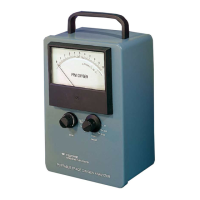
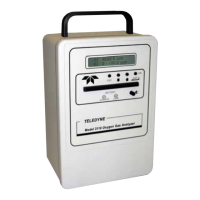
The Quick Start Guide describes the steps to successfully start, calibrate, and use the GB300 instrument.
Components
The GB300 Portable Oxygen Analyzer includes:
• Instrument and carrying case
• I-17 sensor
• Sensor interconnection cable
• T adapter P/N A268
• Barbed hose adapter P/N F1717
• 3 AA batteries
• Quick Start Manual
Optional items:
• RS232 digital output
• Interface cable: 0-1 vdc P/N B75554
• Interface cable: RS232 P/N B75555
Set Up
Set up is simple:
1. Install the cable and sensor
2. Install 3 AA alkaline batteries.
3. Calibrate
Cable and Sensor Assembly
1. Insert the coiled cable connector into the right side of the instrument and secure the locking nut.
2. Remove the sensor from its protective package. Caution: If you see signs of moisture or liquid
in the protective bag do not open the package. Sensor contains caustic, which causes severe
burns and may be fatal if swallowed. The Material Safety Sheet can be found in the service
section of our web site at <www.teledyne-ai.com>
3. Connect the coiled cable to the sensor and secure the locking nut.
M-GB300-REV 2
Battery Installation
1. Hold the instrument face down.
2. Using a coin, gently twist to open the
hinged battery compartment door
latch.
3. Lift up door near latch and pull out.
4. Install 3 AA alkaline batteries
observing proper polarity.
Note: Use only alkaline batteries
Quick Start Guide for Model GB300 Portable Oxygen Analyzer
REV 2

 Need help?
 General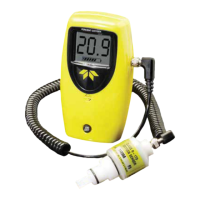

 To Next Page