April 2018 Pathfinder DVL Guide
Page 20
EAR-Controlled Technology Subject to Restrictions Contained on the Cover Page.
Using UDP Protocol
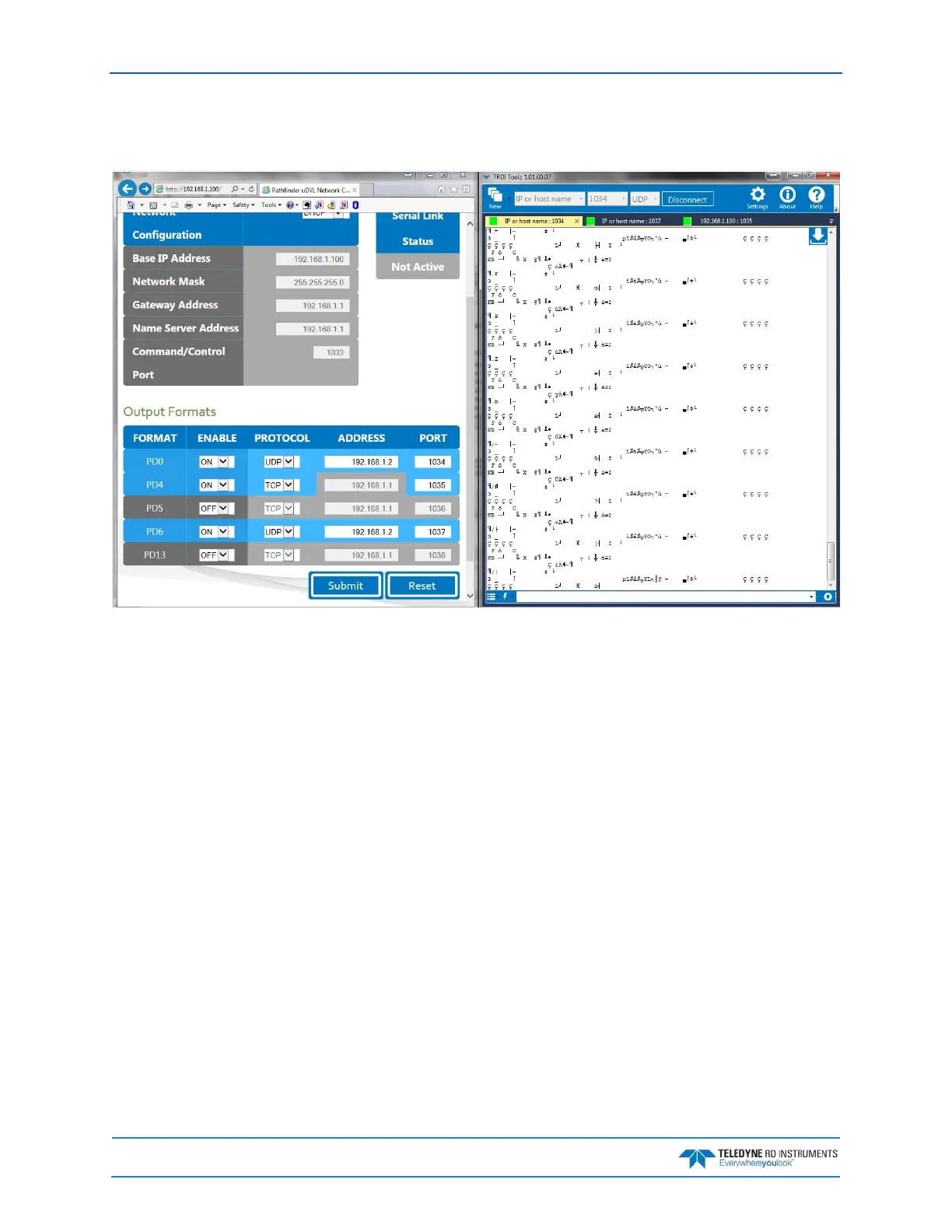
In this example below, a PD0 stream was created over UDP on port 1034:
To be able to listen to that UDP stream, you will need to make sure the UDP IP address matches the com-
puter’s IP address. The computer’s IP address can be found using ipconfig in a command prompt window.
The computer’s IP address can also be found by using Control Panel. Navigate to Network and Inter-
net\Network and Sharing Center. Click on Local area Connection x under View Active networks.
Click on Properties and then click on Internet protocol Version 4 (TCP/IPv4). Click on the Prop-
erties button, and then verify the computer’s IP address.



 To Next Page