34
More VCR Operation
Tuning in New Stations
■ The TV and player are switched on.
■ On the television, select the channel for viewing the VCR-DVD player.
■ Press the [VCR] button to assume control of the VCR part.
■
The up [PR+], down [PR-], left [<] and right [>] navigation buttons are illustrated on page 22, 'Initial Set-up and tuning'.
■ "AV1/2" should not be selected with the AV button on the player.
To complete the set-up of your video recorder when
the auto set has not stored all of the channels or
when you wish to store a new channel.
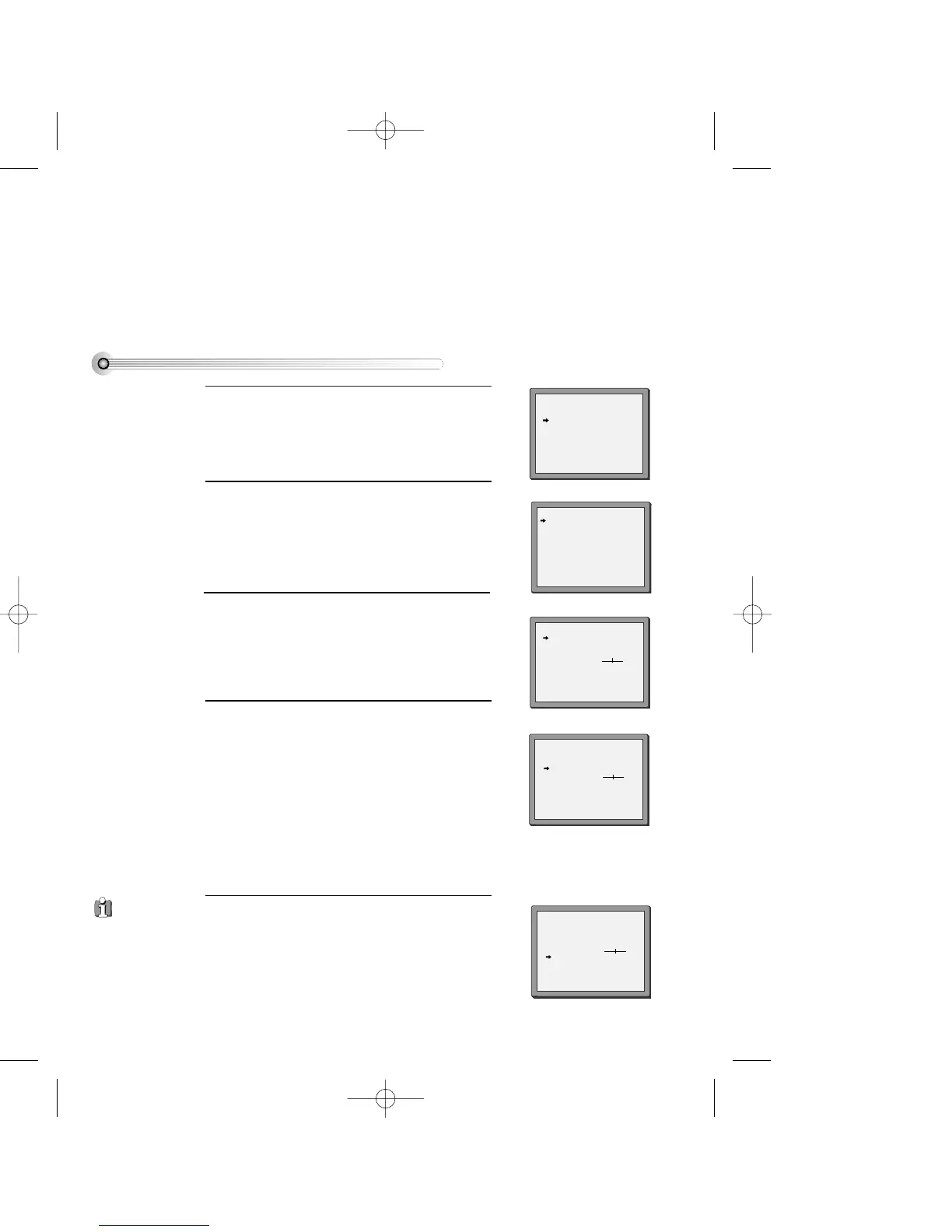
Press [SETUP] and select "PR PRESET", then press
[OK].
1
Select "MANUAL SET" and press [OK].
Choose any unused location number "----" or "P-xx"
...
It's simplest to use the same location number on
both the TV and video.
2
Press [OK] to confirm and display the 'manual set'
menu.
3
Tune in the station you want:
• PR is the programme location number,
• against 'RECEPTION' select the channel type you
want, aerial (CH) or Cable (CC),
• Against 'AUTOSEARCH' you can enter the cable or
aerial transmission channel with the [0-9] keys or
search by pressing [<] or [>],
• You can adjust fine tuning with [<] or [>],
• Change or create the station name by following the
on-screen prompts, or see 'Station Names' next page.
4
Once you see the station you want, store it.
Tune in further stations (from step 3 onwards) or exit
tuning mode.
5
PR PRESET
AUTO SEARCH
MANUAL SET
PR ERASE
PR ALIGN
PR+/-:SELECT
OK:CONFIRM SETUP:END
MANUAL SET
PR+/-: UP/DOWN
</>: SELECT
OK:CONFIRM SETUP:END
MANUAL SET
PR01 P-01 PR08 P-08
PR02 P-02 PR09 P-09
PR03 P-03 PR10 P-10
PR04 P-04 PR11 P-11
PR05 P-05 PR12 ----
PR06 P-06 PR13 ----
PR07 P-07 PR14 ----
PR+/-:SELECT
OK:CONFIRM SETUP:END
PR 04
RECEPTION AERIAL
AUTOSEARCH CH
_ _
FINE TUNING
NAME
_ _ _ _
MANUAL SET
PR+/-: UP/DOWN
</>: SELECT
OK:CONFIRM SETUP:END
PR 03
RECEPTION AERIAL
AUTOSEARCH CH 03
FINE TUNING
NAME
_ _ _ _
MANUAL SET
PR+/-: UP/DOWN
0/1: CHANGE/CREATE
OK:CONFIRM SETUP:END
PR 03
RECEPTION AERIAL
AUTOSEARCH CH
_ _
FINE TUNING
NAME
_ _ _ _
If DECODER
mode does not appear
on the screen, it is not
available on your
video.
DV6T714D-RG1H(TDV6000)1 02.8.12 10:18 AM ˘ ` 34 mac001 300DPI 120LPI


 To Next Page