DVD Operation
49
Repeating segments, chapters, titles and tracks (DVD)
You can repeat a segment of video or audio, a title, a chapter or a track (not with MP3).
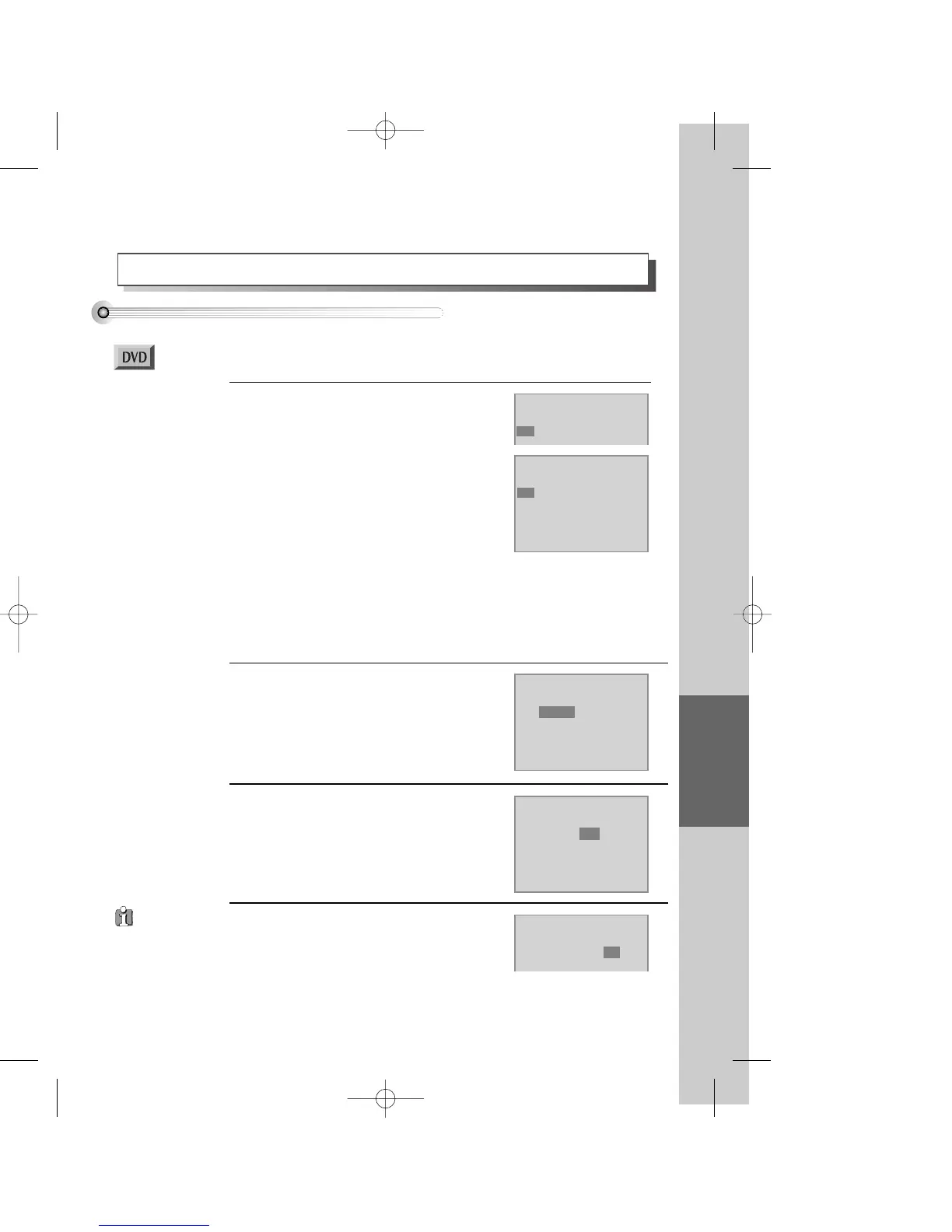
During play press the [REPEAT] button.
In REPEAT mode you see the picture on the right.
If necessary press the navigation buttons [<] or
[>] to highlight the A-B repeat function.
Press the [SETUP/ENTER] button at the start
of the segment to be repeated.
The picture on the right shows the start of the
repeat segment is set.
1
Mode1 DVD
Repeat
A-B Chapter Title Off
Mode1 DVD
Repeat
A- Chapter Title Off
Mode1 DVD
Repeat
A-B Chapter Title Off
Mode1 DVD
Repeat
A-B Chapter Title Off
Mode1 DVD
Repeat
A-B Chapter Title Off
Repeat a chapter
If the repeat menu is not on-screen, press the
REPEAT button once. Move the highlight to
“Chapter” with the right [>] button then
press [SETUP/ENTER].
Then, the current chapter is repeated.
2
Repeat a Title
If the repeat menu is not on-screen, press the
REPEAT button once. Move the highlight to
“Title” with the right [>] button then press
[SETUP/ENTER].
Then, the current title is repeated.
3
Cancel the repeat function
If the repeat menu is not on-screen, press the
REPEAT button once. Move the highlight to “Off”
with the right [>] button then press
[SETUP/ENTER].
REPEAT mode is off.
4
■ You must select DVD operation mode by pressing the [DVD] button on the remote
control.
Press the [SETUP/ENTER] button again at the end of the segment to be repeated.
The end of the repeat segment (B) is set and the segment plays repeatedly.
• To stop repeat A-B and return to normal condition, press [REPEAT] so you see the
repeat menu, then press [SETUP/ENTER].
Certain discs
might not repeat.
DV6T714D-RG1H(TDV6000)2 02.8.7 2:31 PM ˘ ` 49 mac001 300DPI 120LPI


 To Next Page