10
----Set 9600IP’s IP address in the IP Address;
----Set netmask in the Netmask field;
----Set router IP address in the Gateway;
----DNS Domain:
----Set local DNS server in the Preferred DNS and the Alternate DNS。
Configure to dynamic obtain IP
----Enable DHCP;
If there is DHCP server in your local network, 9600IP will automatically obtain WAN
port network information from your DHCP server.
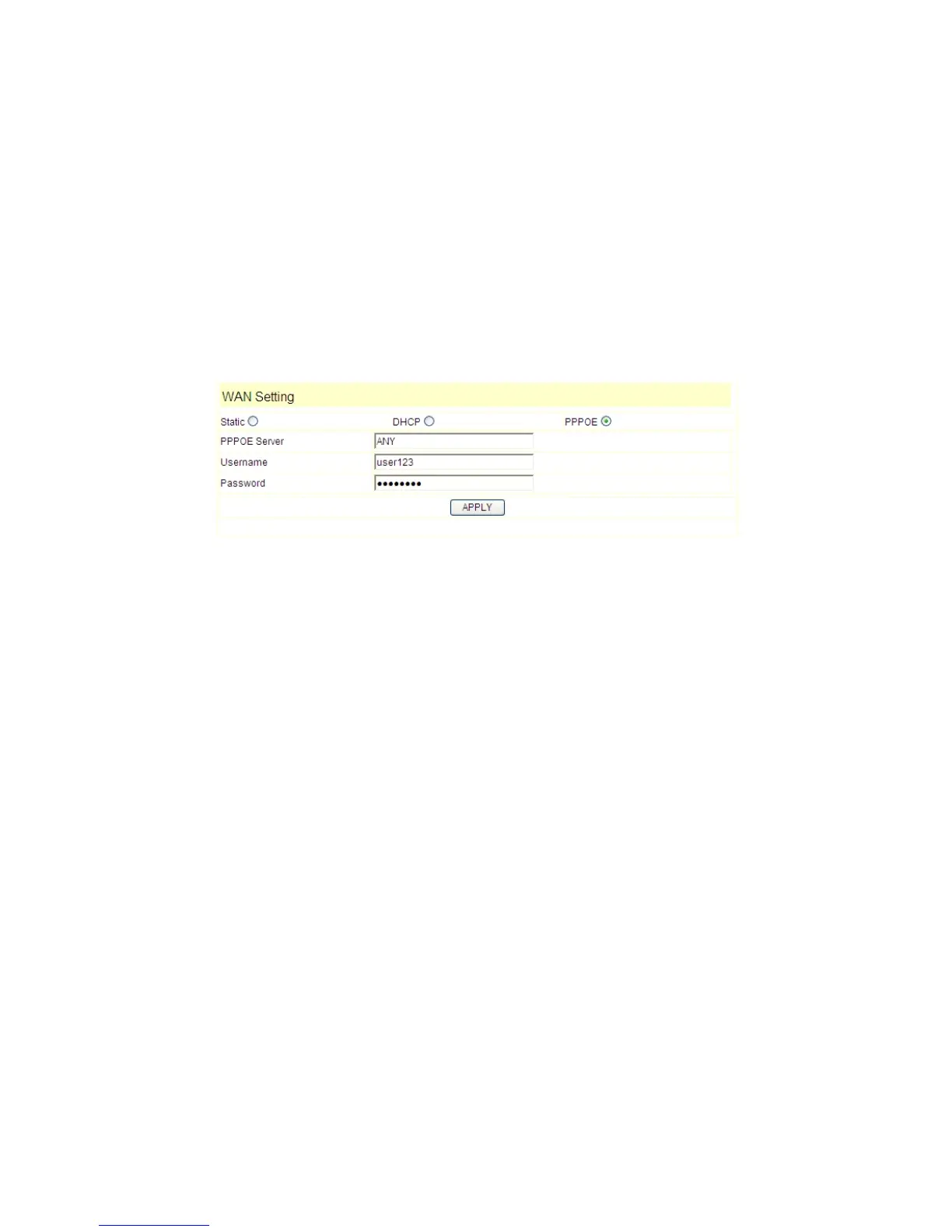
Configure PPPoE:
----Enable PPPoE
----PPPoE server: Enter “ANY” if no specified from your ITSP.
----Enter PPPoE username and pin in the username and password.
9600IP will automatically obtain WAN port network information from your ITSP if
PPPoE setting and the setup are correct.
Notice: If user accesses the IP phone through WAN port. He/She should use the new
IP address to access the IP phone when the WAN port address was changed.


 To Next Page