31
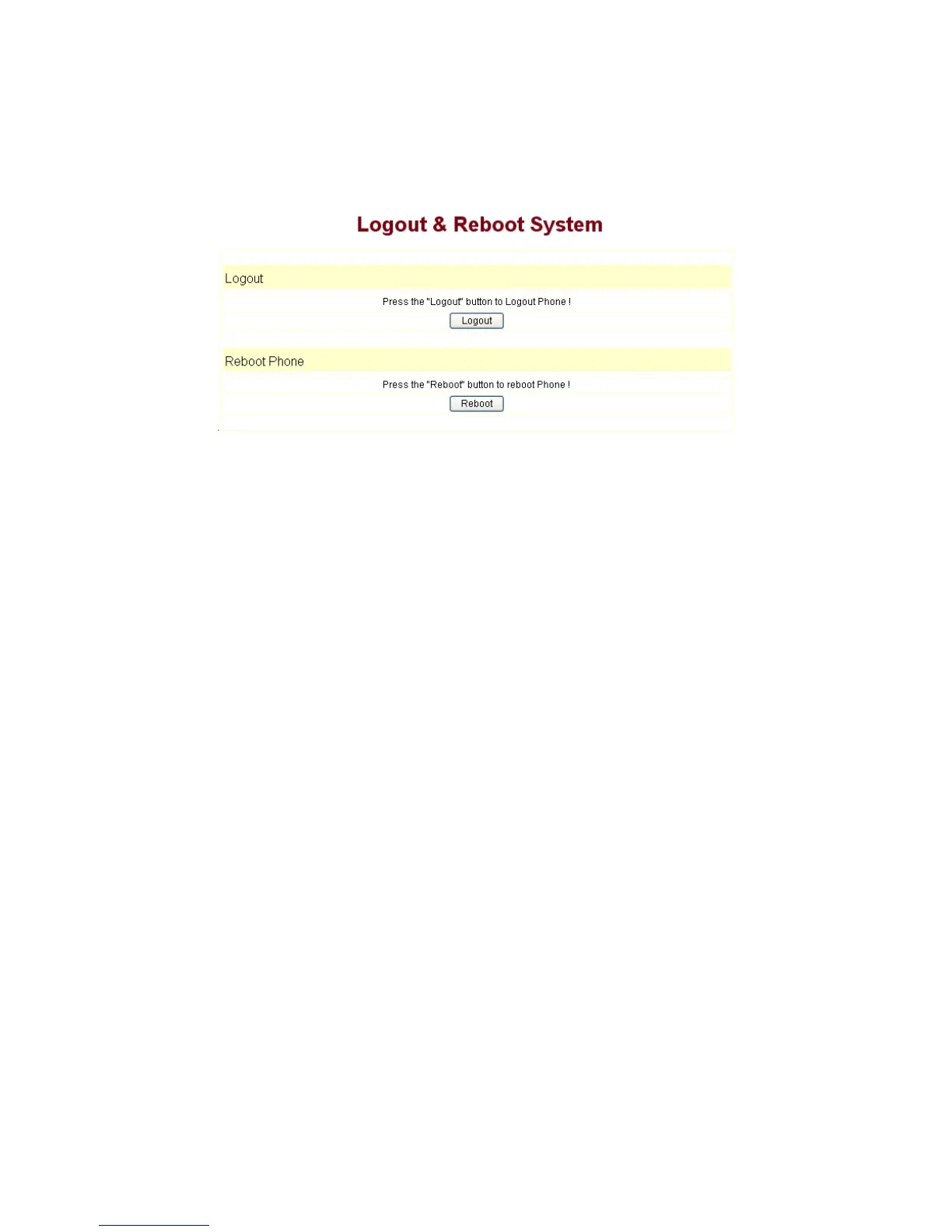
of the phone, it will take effect after being rebooted, you can enter into this layout and click
“Reboot”. And the phone will be rebooted automatically.
Note
:Reboot IP phone, some setting needs to reboot to make it works. Please
always save config before reboot, otherwise the setting will return to previous setting.
4 Operating Method for Dialing
4.1 How to dial IP Phone
Yon can make a call after being made a proper setting on your phone. Please confirm
whether all the net wires are connected correctly.
If you want to make a call, you can make it after dialing the number and then pressing
“#”.
You can find IP address by the menu.
Modifying the IP address of the computer, and making it the same net with
IP100.
Inputting the IP address of IP100 in the browser, and then you can visit the
setting layout of IP100 after press the Enter key; super user account is
admin/admin; common user account is guest/guest.
4.2 Set the phone being connected to server
4.2.1 Set the WAN interface
The connection ways of entering the Network
WAN Config layout phone of the net
port:
9600IP could be connected to Internet by using the static IP, DHCP IP, or PPPoE
dialing.


 To Next Page