32
Configure Static IP:
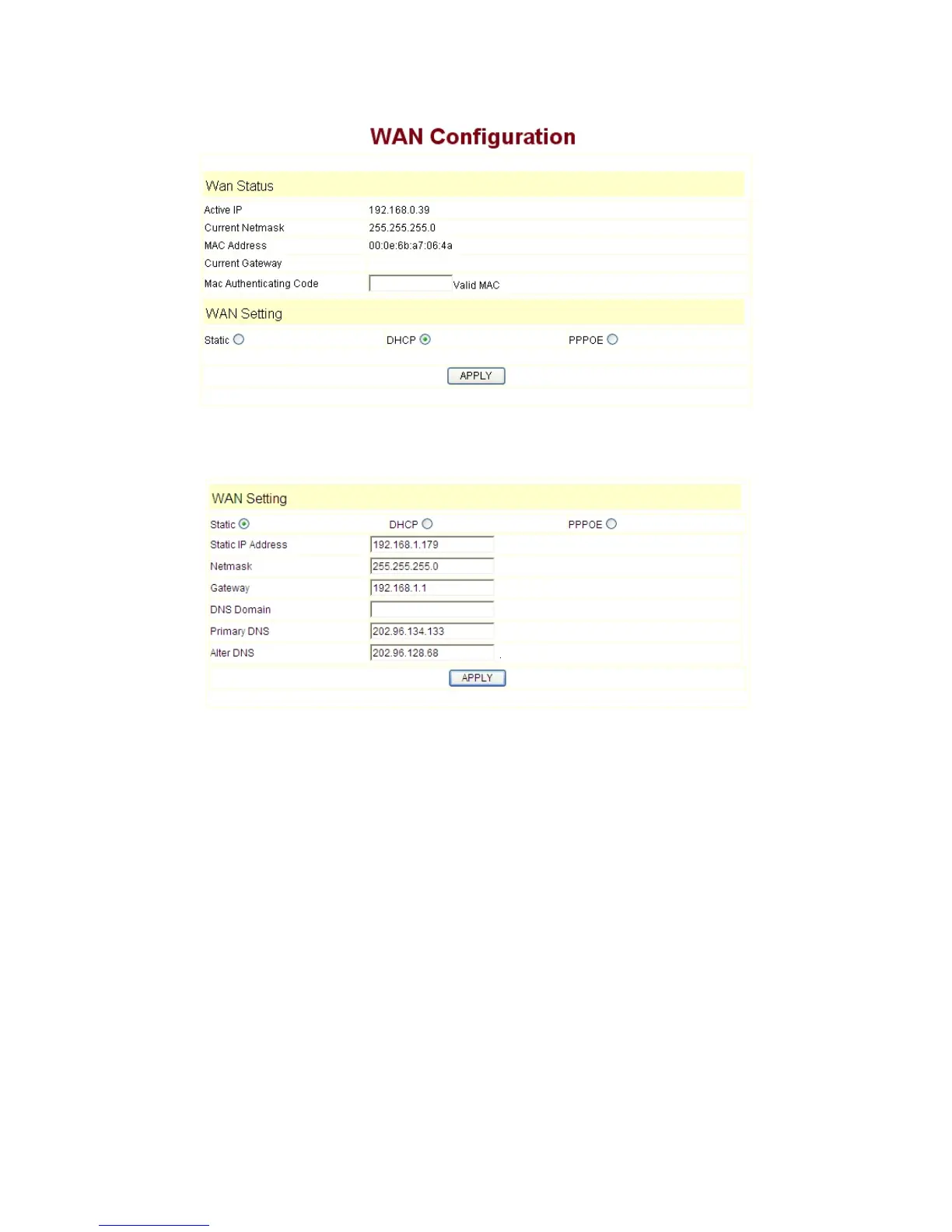
----choose static;
----fill in the IP address of 9600IP in the IP address;
----fill in the subnet mask in Netmask;
----fill in the router address or up Gateway address in the Gateway;
----fill in the local DNS server address in the Primary DNS and Alter DNS respectively.
Use the configure to dynamic obtain IP to get IP address:
----choose DHCP option.
Now, if the network has DHCP server, then 9600IP will get IP address, Netmask,
Gateway, Primary DNS and Alter DNS from this DHCP server automatically.
Use PPPoE dialing to connect the Internet:


 To Next Page