33
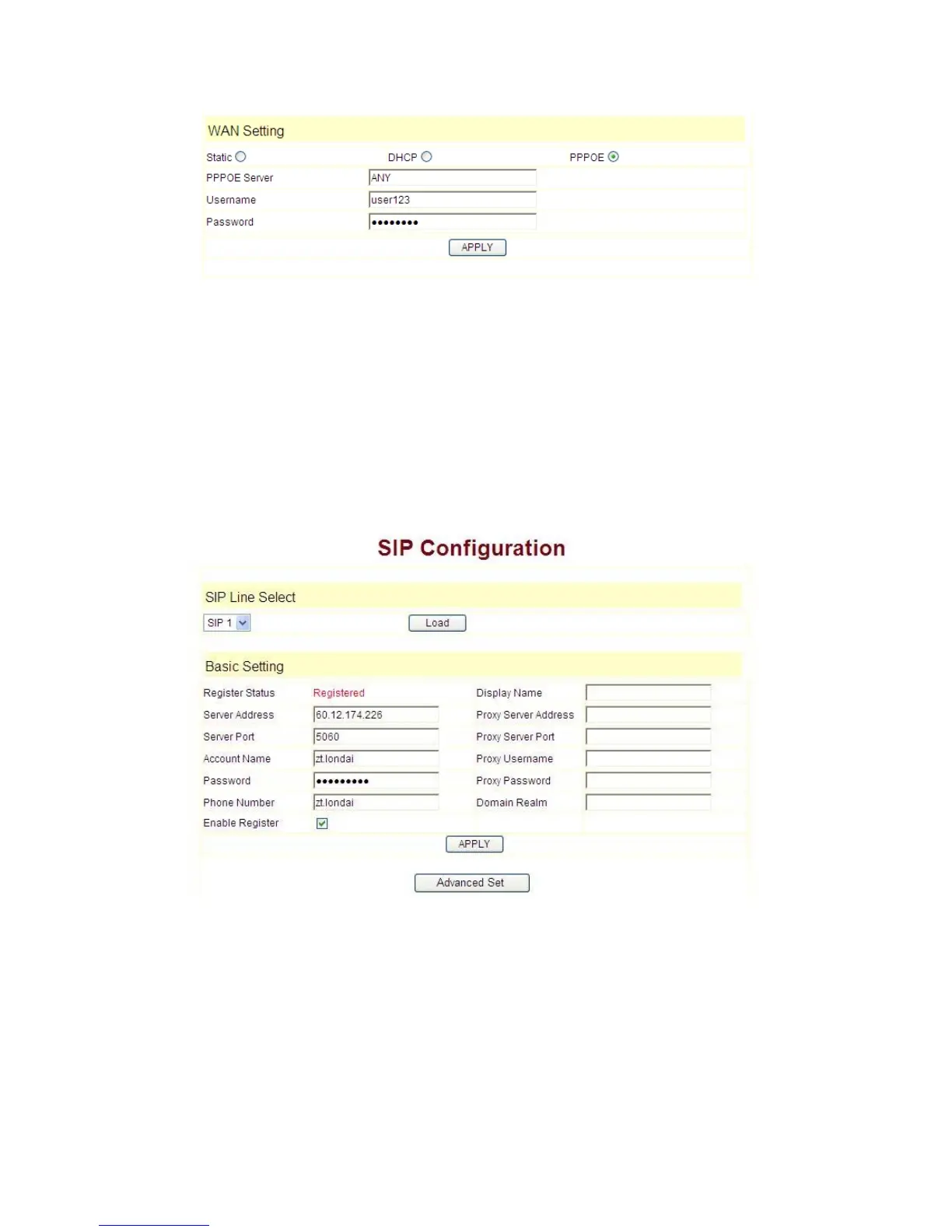
----choose PPPoE option.
----please fill in the account and password which PPPoE have dialed in the PPPoE
Username and Password.
So 9600IP could connect the Internet through PPPoE dialing, and automatically get
IP address, Netmask, Gateway, Primary DNS and Alter DNS and so on .
4.2.2 SIP
setting:
Enter into the
VoIP
SIP Config
to set the layout config and sip account
information:
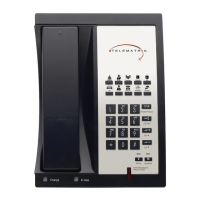
Register Server Addr:
Register address of public SIP server
Register Server Port:
Register port of public SIP server
,default port is 5060
Register Username:
Username of your SIP account (Always the same as the
phone number)


 To Next Page