30
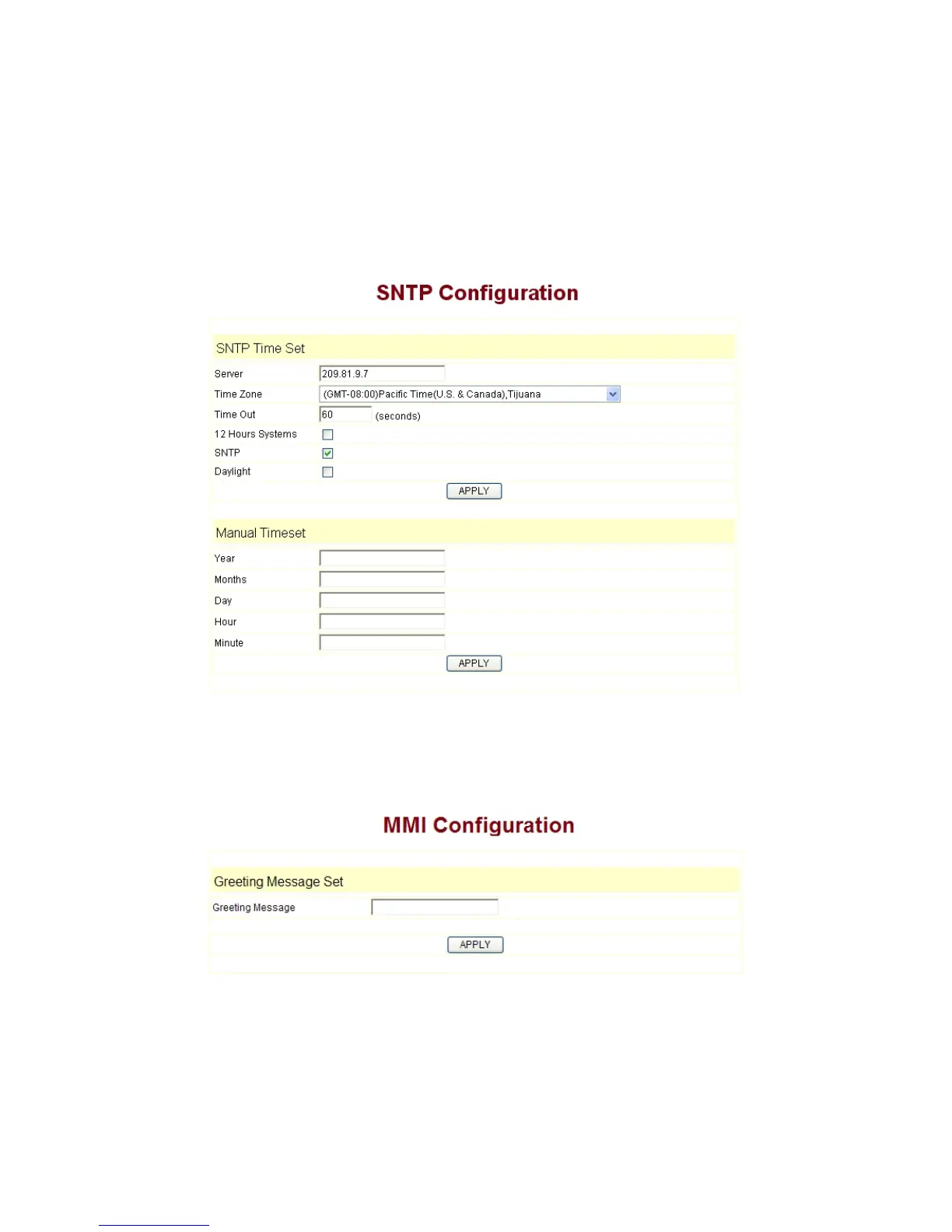
Server:
type the IP address of time server
Timezone: select correct time zone in list box
Timeout:
longest response time for SNTP
Daylight:
Daylight saving time
SNTP: select SNTP server
12 Hours Format:
select 12 hours format
Manual Config: The time setting
3.9.5 MMI SET
Set the greeting information on LCD.
。
3.9.6 Logout & Reboot
Logout
:
logout the Web entry.
Reboot Phone:logout the entry, and reboot the phone. When user modify any config


 To Next Page