Installation
Page 30
Loopback Control Switch
The front panel of the modem has a push button for initiating the
following loopback diagnostic tests:
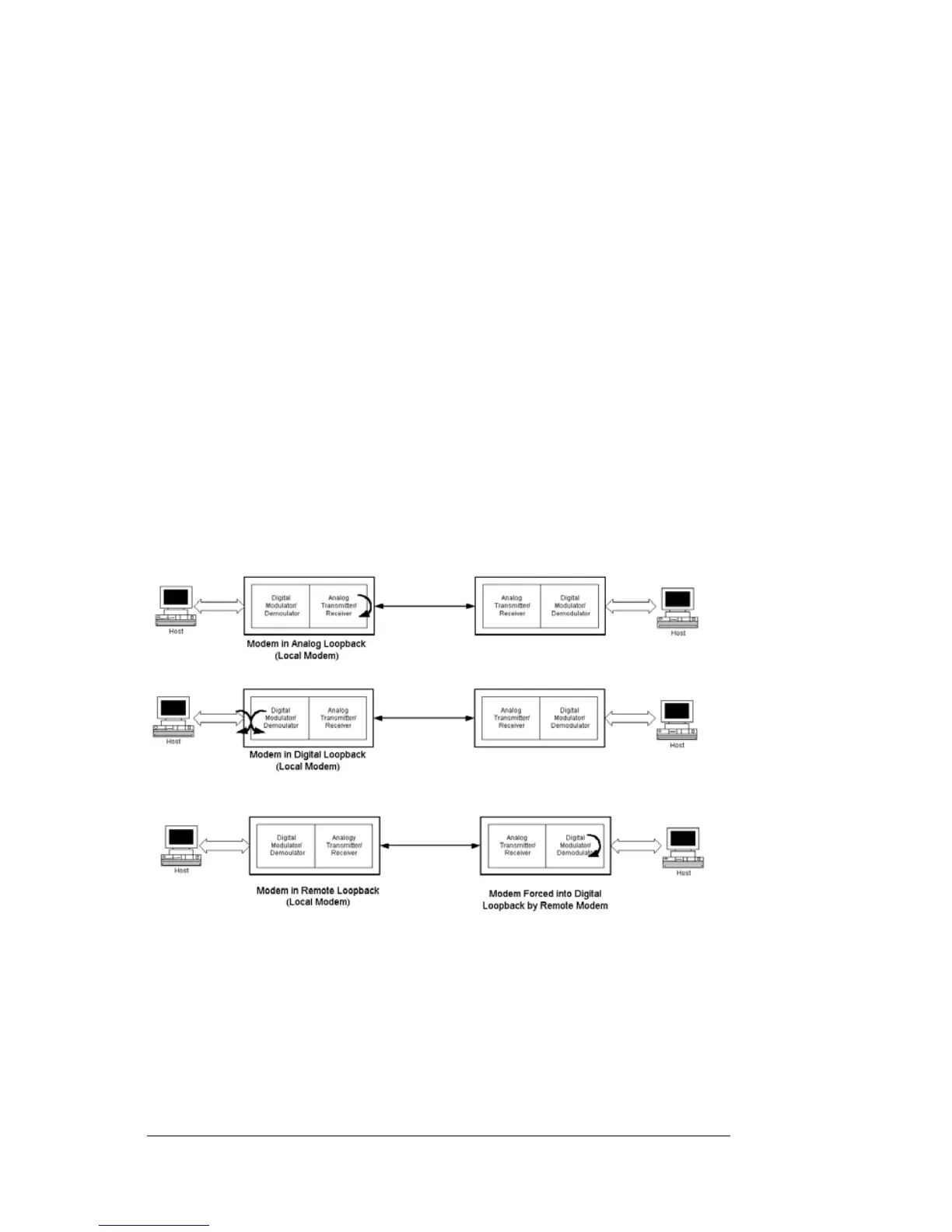
Local analog loopback started by pressing the button one time.
Local digital loopback started by pressing the button two times.
Remote digital loopback set the local modem’s RTS signal to
low. Then press the remote modem’s diagnostics button three
times and raise the local modem’s RTS signal to start the test. The
ALB and DLB LEDs go ON when the modem is in remote digital
loopback. This test is only available in fast-poll mode only.
Figure 2-4 illustrates these three diagnostics.
Figure 2-4. Loopback Diagnostics


 To Next Page