T ELEPHONICS C ORPORATION
TM115007 REV A (04/07) 2-6
USE OR DISCLOSURE OF DATA CONTAINED ON THIS PAGE IS SUBJECT TO THE
RESTRICTION ON THE TITLE PAGE OF THIS DOCUMENT.
C
OMMUNICATION S YSTEMS D IVISION
2.4 ANTENNA
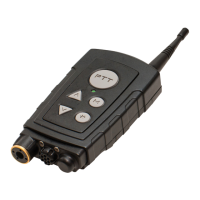
The TPT antenna is designed with a flexible tip for rugged use. It is also designed for easy
replacement. Simply rotate the antenna counterclockwise to remove. Place a new antenna over the
connector and rotate clockwise to install.
2.5 HEADSET
The TPT can be configured in the factory to use a number of standard headsets. Consult the
appropriate configuration addendum for the default headset setting.
2.6 TPT STATUS AND INDICATORS
The unit’s status and operation are indicated visually via LEDs, and audibly via tone and SynVoice.
The operator should become familiar with the visual and audible indicators before powering up a
TPT unit.
2.6.1 Visual Indicators
The TPT provides a two-color LED to signal various indications to the operator. Table 2.6-1
provides a summary of the LED indications.


 To Next Page