ECLIPSE 8/16/32/99 Series – User Operation Manual
13
3.1.4 Arming All Available Areas in the System
The user can perform arming of all available for operation areas in system. According the
way of arming – with or without entering a user code – the number of the armed areas can
be different.
Attention: If your system operates under the requirements of EN50131 Grade2/3, you will be unable
to arm it in case of active troubles: Tamper, SysBus Error, Siren Fault, CommTRBL or memory event
for area. If you have troubles to arm the system and there is indication for a fault ask your local
distributer or installer for technical support.
With a user code
When using a code for arming, the user can arm at the same time only all associated to
its own code areas. The user can be allowed to operate with one, several or all areas in
the system – that depends on the programmed for the code in manager’s menu
“1. USERS - xx. USER - 03. AREAS” (Address 07).
Quick Arming (Without a user code)
When performing quick arming, without entering code, the user can arm at the same time
all available for operation areas in the system.
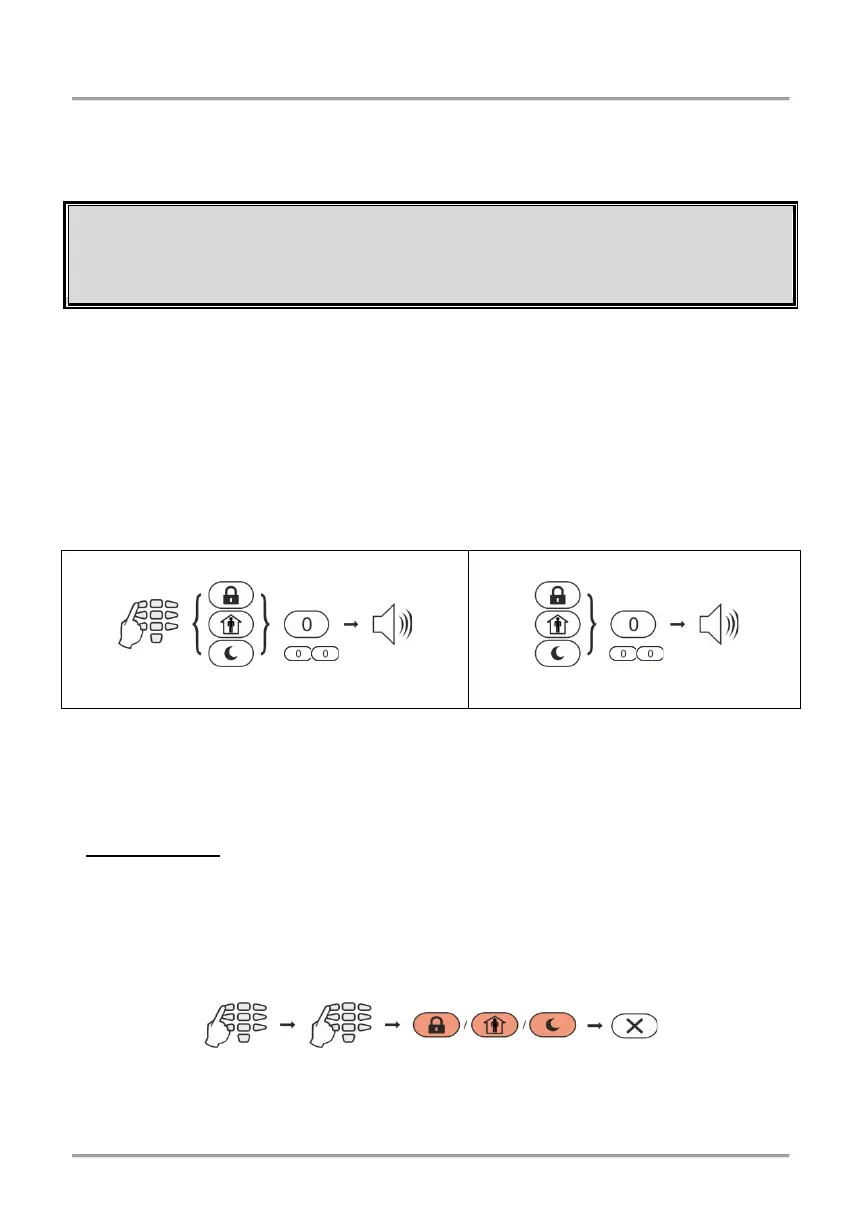
Sequence of buttons for activation of all areas in the system:
Attention: To arm all areas, enter “0” for Eclipse 16/32 or “00” for Eclipse 99.
3.1.5 Viewing the Status of the Areas
The user can check-up what the arming status of every one available area is in the
system. The check-up is different and depends on the used control keyboard.
• LED Keyboards
When the system is armed the numbers of the armed areas are lit in red.
At LED 8 keyboard, the DISARM button is off, and the quick button of the used arming
mode lights on in red.
At LED 16A and LED 32 keyboards, the used arming mode is checked after entering a
valid code and area number.
Sequence of buttons for checking-up the area status:
Note for LED 16A Keyboard: The three area numbers are named A, B and C. The user
can check the area arming mode pressing the buttons with the respective area letter.
The quick button of the used
Arming type is on in red
















 To Next Page