ECLIPSE 8/16/32/99 Series – User Operation Manual
17
3.3 Disarming
Every user can disarm only those areas associated for operation to its personal code.
Note: Certain users may not be permitted to disarm the system.
3.3.1 Disarming via keyboard
The user can disarm one, several or all areas at the same time.
Sequence for disarming via keyboard:
Notes: Use the button “0” for Eclipse 16/32 or “00” for Eclipse 99 to disarm all associated
to the user code areas.
3.3.2 Disarming via built-in card reader in a keyboard
Disarming with proximity card is possible and when there is a proxy reader built-in in a
keyboard. To disarm the system, the user needs to put the card in front of the reader but
not further than 1 cm.
When using LCD keyboard, after the proxy card is recognized, the numbers of the areas
and their current status is shown on the display.
When using LED keyboard, after the proxy card is recognized the numbers of the armed
areas blink in red.
The system will wait for the number of the areas to be entered.
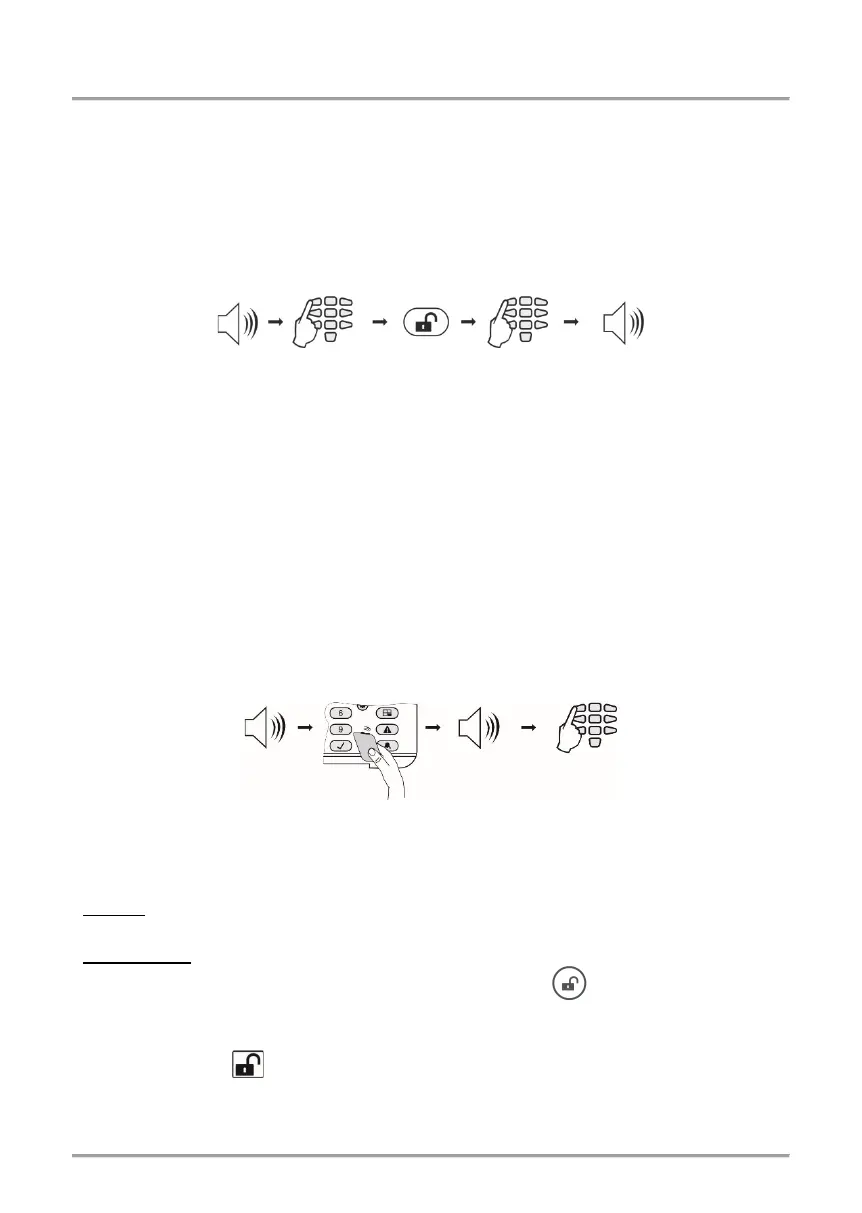
Sequence for disarming via card reader:
Note: Use the button “0” for Eclipse 16/32 or “00” for Eclipse 99 to disarm all associated
to the user code areas.
3.3.3 Disarming via stand-alone proxy reader
• PR IT: Place and hold the card in front of the reader until a confirmation sound signal is
heard. Remove the card – the GREEN LED lights on – the system is disarmed.
• Eclipse PR: Place the card in front of the reader and wait for confirmation signal.
Remove the card and in a 5 seconds interval press a button for disarming.
3.3.4 Disarming via BRAVO RC Key Fob
Press and hold the button for 2-3 seconds to disarm the system.
time
time
















 To Next Page