Eclipse 8/ 16/ 32 Series - Engineer Programming Manual
24
2. SETTINGS – 07.ALARM DELAY
Programming of alarm message delay to monitoring station and siren activation with 30
seconds or until the programmed entry time is over (the smaller value of both times is taken) in case
a zone, out of the entry route, is activated.
At this address, you set the parameter as:
The delay is disabled – the system immediately sends an alarm message to the
monitoring station (via PSTN, GPRS or LAN) and activates the siren outputs.
30 seconds delay is enabled – the system will delay sending of alarm message and
siren outputs activation with 30 seconds when in arming mode Entry-Exit, Follow or
Instant type zones are activated.
The system will wait 30 seconds for entering of valid user code to disarm or until the
programmed entry time is over (the smaller value of both times is taken). If a valid
user code is not entered in that period, the system will send an alarm message to the
monitoring station and will activate the siren outputs.
Parameter by default: DISABLE
1. MAINTENANCE – 2. WALK TEST
Enables functional test of zones. The respective light-emitting diode (LED keyboard) or a number of
a zone (LCD keyboard), blinks while the zone is activated (open) in this mode. During the test, every
zone activation is accompanied with "Chime" sound signal and with continuous sound for "reject" –
open TAMPER zone.
1. MAINTENANCE – 3. PGM TEST
Serviceability tests of programmable outputs are carried out at the address.
There are two fields available in the LCD keyboard display. The installer enters the number of PGM
for test, and the PGM status ON (PGM activation)/ OFF (PGM deactivation).
During the test is set low or high output level:
(NO) The output is switch on high level: +12 V
(NC) The output is switch on low level: 0 V
Important notes
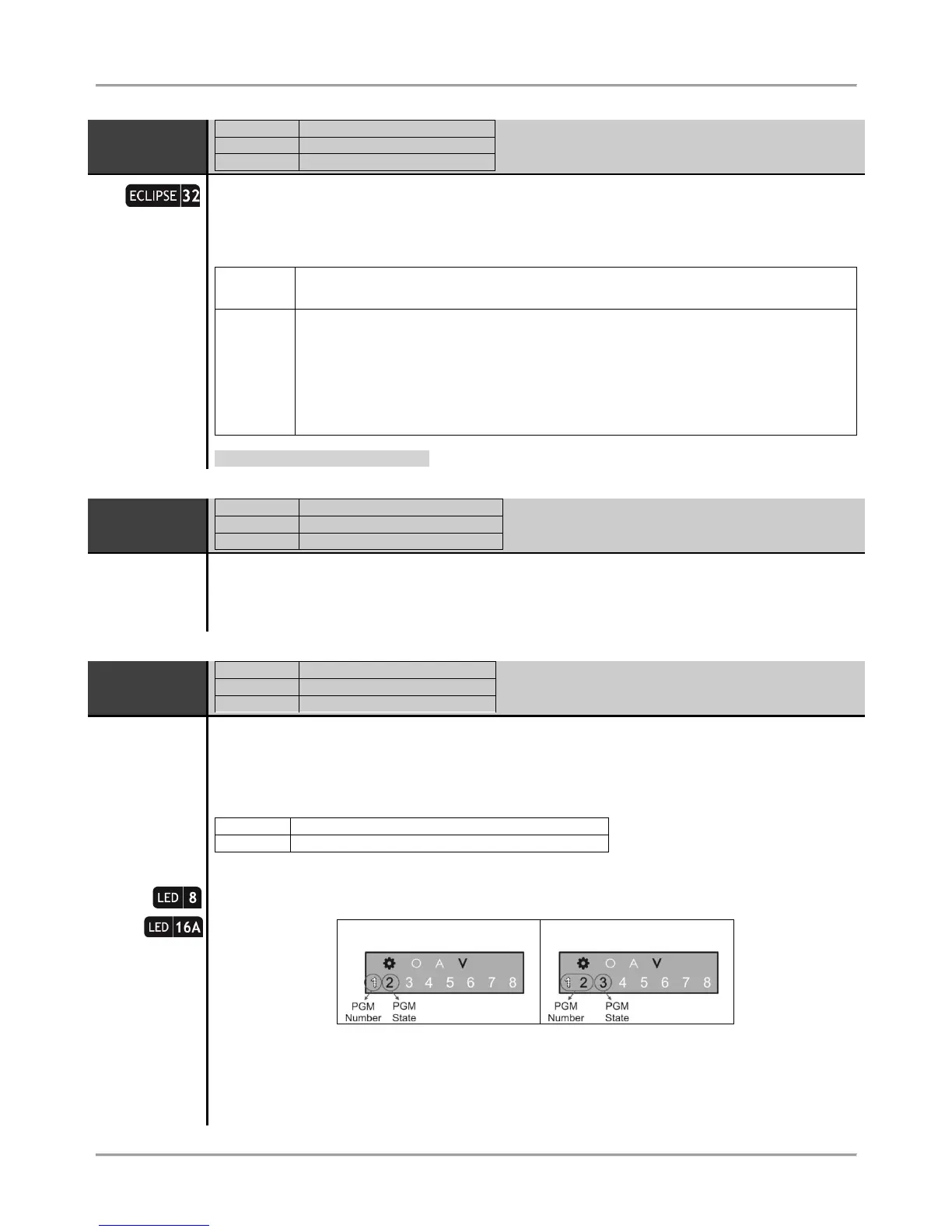
In operation with LED 8/ 16A, after entering at the address the system automatically displays the
value setting mode.
The blinking digit performs the value for editing, and a lighting on button displays the current set
value. To change the value press a digit button – the cursor moves on the next zone number and so
on.
ECLIPSE 32: The zone number 3 performs the PGM state – ON (all buttons light on) and OFF (all
buttons light off). The state is alternatively changed with pressing a random digit button.
















 To Next Page