Eclipse 8/ 16/ 32 Series - Engineer Programming Manual
7
2. SUPPORTED KEYBOARDS FOR PROGRAMMING AND OPERATION
Eclipse 8/16/32 alarm control panel supports operation with the full range of Eclipse Series keyboards.
ATTENTION: The operation with text menus is set by default for control panels ECLIPSE 8/16/32.
The text menus are accessible for operation with LCD keyboards.
In case of using a LED keyboard for programming and settings the 4-digits address menus are used
by default.
2.1. LED/LCD Keyboards
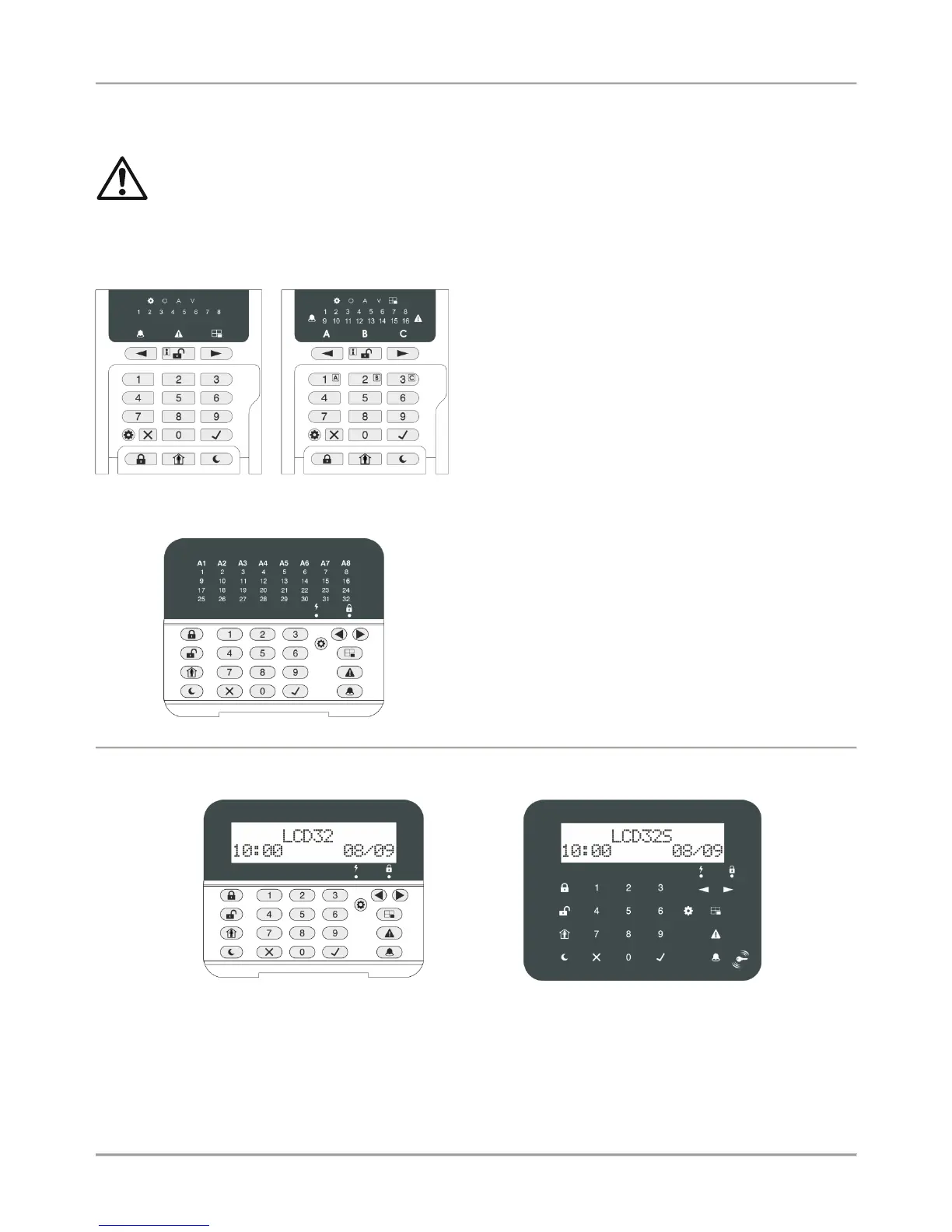
LED8 / LED16А (open protective cover)
Supported programming style types:
4-digit address menus – by default
3-digit operation menus
The keyboard provides specialized LED indication about the
programming style and visualization of the selected
parameter, option or attribute with the digit buttons.
The installer can review the number of the entered address
or operation code using a special information button.
The general operation with LED8/ 16А keyboard is
described in item 2.5.
LED32 (open protective cover)
LED32 (open protective cover)
Supported programming style types:
4-digit address menus – by default
3-digit operation menus
The general operation with the keyboard is described in item
2.6.
LCD32 (open protective cover)
Supported programming style types:
4-digit address menus
3-digit operation menus
Text menus (tree-structure) – by default
LCD32 Sensitive
Supported programming style types:
4-digit address menus
3-digit operation menus
Text menus (tree-structure) – by default
The general operation with the keyboards is described in item 2.7.
















 To Next Page