Eclipse 8/ 16/ 32 Series - Engineer Programming Manual
6
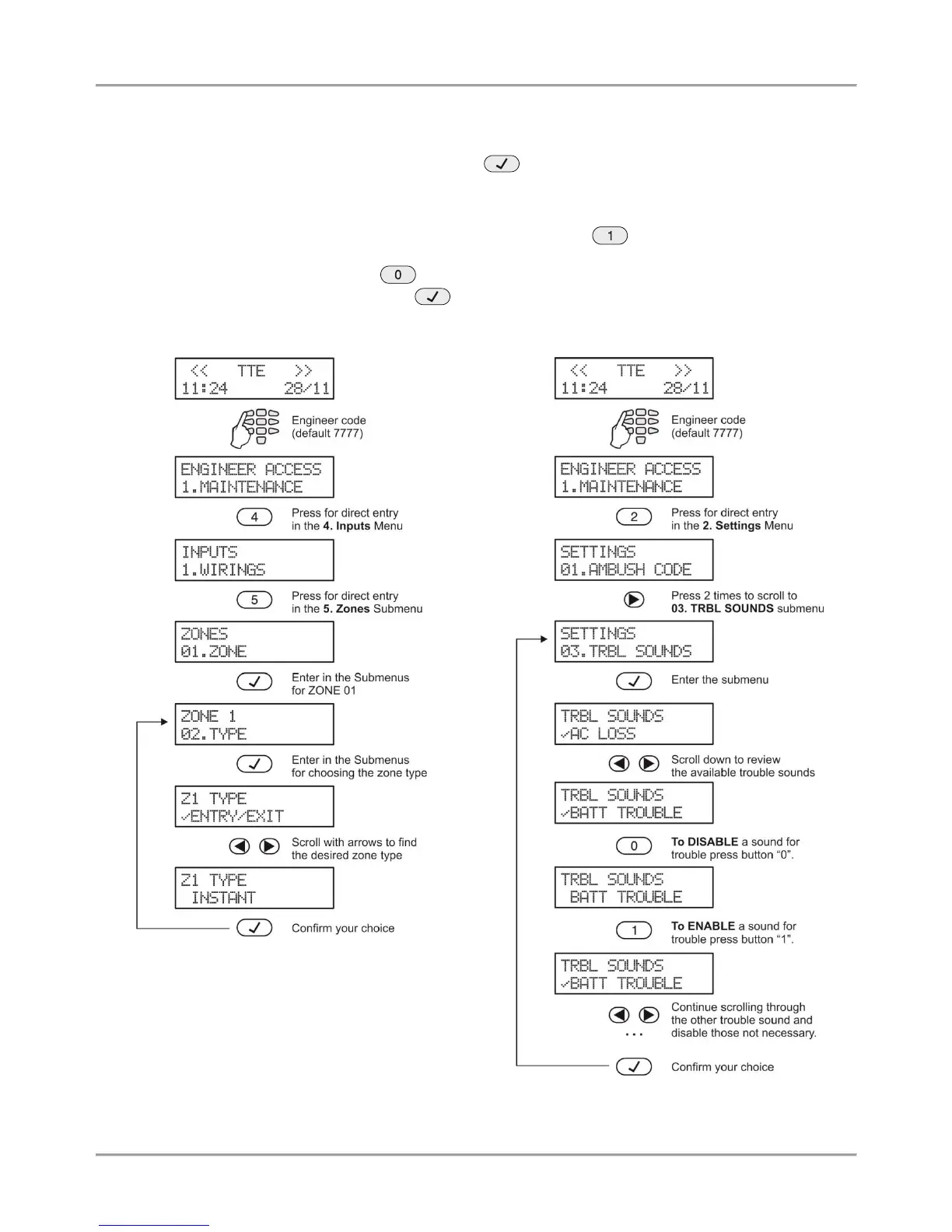
There are several ways for setting parameters – that depends on the menu:
- When the submenu allows choosing only one option or attribute, or parameter from a list, the installer
scrolls down to the desired one and confirms his choice with button. The set option is displayed with a “check”
mark in front of it. The exit of the submenu is automatic. See Example 1 below.
- When the submenu allows choosing of several options or attributes, or parameters at the same time then
the installer has to scroll down to each one and to enable it with pressing the button. The set option is displayed
with a “check” mark in front of it. The installer has to move to the next option using the arrow buttons and so on. To
disable an option scroll down to it and press button – the “check” mark will be deleted. When all the desired
options are selected, the choice is confirmed with button. See Example 2 below.
















 To Next Page