56033504 © 2007 Telular Corporation
5
2.7.1 LED Signal Strength Indication
The Telguard provides the installer with an easy to use LED radio signal strength indicator (RSSI) for
positioning the unit or remote antenna to obtain the strongest RF signal possible. A signal strength
reading can be obtained at any time there is power applied to the Telguard without affecting the
operation of the unit. When the “RSSI” jumper J10 is “SHORTED”, the Telguard displays the current
received signal strength within 5 seconds. The signal strength is read from bottom to top using the four
sequential LEDs located on the top right side of the printed circuit board with the Radio LED #5 = 1 and
the STC LED #2 = 4. See Appendix A1.4 for RSSI table.
2.8 TELGUARD SETUP PROGRAMMING PARAMETERS
The Telguard will not operate until the unit is activated from the Telular Communication Center. Certain
Telguard operating parameters may need to be changed from the factory default programming by the installer
during installation in order to have the Communication Center process alarm signals to the central station. These
setting include the STC supervisory trip input settings, CFC settings, and NSC/LFC trip delay time. The
Communication Center responds with a radio acknowledgement to the Telguard clearing the STC condition and
allowing the Telguard to operate over the cellular radio network. The programmed parameters are transmitted
automatically to the Telular Communication Center when the Telguard is activated.
2.9 UL LISTINGS
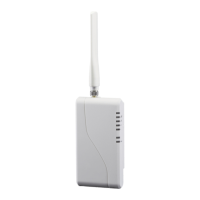
Model TG-4 (p/n TG4G0001) meets the requirements for all Household Burglary, Household Fire, and Combined
Household Burglary/Fire installations. It has a plastic enclosure and dipole antenna. TG-4 is UL Listed for the
following:
• UL Household Burglary
• UL Household Fire
• UL Household Burg/Fire Combination
• Misc. Supplemental Use
3.0 GETTING READY
The Telguard can only be activated when all the necessary accounting information has been entered into the
customer database located at the Telular Communication Center. The database includes information about the
customer account, unit location, and system test plan information.
3.1 DEALER ACCOUNT ESTABLISHMENT
Prior to activation of any Telguard unit, a Dealer Account must be established. Once the Dealer Account has
been established and service credit line established between the Security Dealer and Telular, a Cellular Service
Activation form may be submitted. Establish your Dealer Account by completing the Telular Cellular Service
Dealer Account Application that is included with every Telguard and faxing it to Telular Customer Service at 678-
945-1651. Once the application has been completed you will receive an acknowledgment within 1 business day
or sooner. This is a one-time event. The acknowledgment from the Telular Technical Service will include a
Dealer Account Number that will be used for all Telguard Digital activations.
3.2 SUBSCRIBER ACCOUNT REGISTRATION FOR ACTIVATION
A complete Activation Form is required by Telular to register the Telguard prior to leaving for the job site.
Service registration of the Telguard can be accomplished by:
1. FAX – Fax the completed Telular Cellular Service Activation Form that is shipped with each Telguard to
Telular Customer Service at 678-945-1651.
2. Email – Email the completed Activation Form to cellservice@telular.com
.
3. Online – Complete the Activation Form online at www.telguardonline.com
.
Service registration occurs within 30 minutes of receipt of the Activation Form. The subscriber record will be
created and the Telguard will be ready for activation. Activation occurs automatically upon transmission of the
first alarm signal. Telular Technical Service is open from 8:00 AM – 8:00 PM EST Monday – Friday, 9:00AM –
5:00PM EST Saturday and closed during major holidays; Activation Forms received after hours will be processed
by 9:00 AM EST the next business day.


 To Next Page