56033504 © 2007 Telular Corporation
7
* * * *
With this overview of the installation in mind, you should now proceed with the actual installation, following the steps
described in the remainder of this manual.
5.0 INSTALLATION STEPS
This six-step installation approach (5.1 through 5.6) provides the alarm installer with the easiest and fastest
method of properly installing Telguard. Please follow the instructions carefully and if you should need assistance
or have any questions, call Telular TECHNICAL SUPPORT at 1-800-229-2326 extension 9.
NOTE: Dealer Account Establishment and Cellular Activation must be complete prior to Installation (see
section 3.0)
5.1 STEP 1: REGISTER THE TELGUARD UNIT FOR CELLULAR SERVICE
Installation Tip: Activate cellular service prior to leaving for the job site to avoid a second trip.
5.1.1 Register for Cellular Service
The activation form must be completed before leaving for the job site to install the Telguard product. The
activation form may be completed by:
• Fax – 678-945-1651
• Email – cellservice@telular.com
• Online – www.telguardonline.com
Registration takes place Monday-Friday from 8:00AM to 8:00PM and Saturday 9:00AM to 5:00PM EST.
Service registration occurs within 30 minutes of receipt of the Activation Form. Activation occurs
automatically upon transmission of the first alarm signal.
5.2 STEP 2: LOCATE UNIT AND MEASURE SIGNAL STRENGTH (RSSI)
5.2.1 Locate Unit
Pick a spot next to the C/C where you think the Telguard will be mounted and place the unit down
temporarily in that spot. Do not mount it permanently now, since it may need to be moved to receive a
better cellular radio signal or a remote high-gain antenna may be necessary.
5.2.2 Connect Backup Battery and AC Power Transformer
To apply power to Telguard, attach battery leads to battery terminals noting polarity.
Connect the Telguard AC power transformer to AC terminals using stranded copper insulated wire following
wire gauge and length recommendations below:
Recommended Wire Size
Length Not to Exceed
18 ga 20 ft
16 ga 40 ft
14 ga 60 ft
5.2.3 Connect Antenna and Temporarily Place Unit
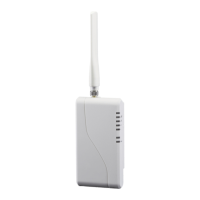
The Telguard is supplied with an antenna. In most cases the antenna may be mounted directly to the
Telguard. If a stronger radio signal is required, the antenna must be moved to a better signal location using a
Telular antenna cable and bracket accessory (sold separately). The characteristics of the Telguard antenna
can be altered depending upon the wall material and materials contained within the wall chosen for
mounting. These effects may not be clearly identified by RSSI monitoring alone. The wall materials may
have a more profound affect on the antenna’s transmit band performance.
When selecting a mounting location, do not mount this unit in an area where the general public could
reasonably be within 20cm (8 inches) of the antenna. The supplied dipole antenna is for INDOOR USE
ONLY.
Note 1: Optimum RF performance can usually be found at the highest point within a building with the fewest
number of walls between the Telguard’s antenna and the outside of the premises.


 To Next Page