56033504 © 2007 Telular Corporation
6
3.3 PRE-INSTALLATION CHECKLIST
Before attempting to connect Telguard to the host C/C, please note the following:
1. Be sure you have all the proper parts before you go to the job site. The following items are shipped with each
Telguard unit:
9 Activation Form – The activation form must be completed before leaving for the job site to
install the Telguard product.
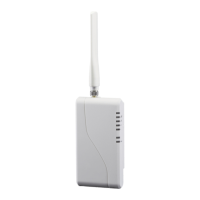
9 Basic Telguard unit in a plastic enclosure.
9 UL Listed plug-in transformer.
9 Antenna
9 3-foot modular plug-to-plug cord for connecting Telguard to RJ31X jack.
9 Telguard Installation and Operating Instructions Manual
9 Backup Battery must be provided by installer.
2. You must also have certain installation test tools.
• A standard telephone or lineman's butt-set is required at the job site for use in programming the unit.
• Optimal signal strength is determined by placing the unit and antenna where the most LEDs (up to four)
are lighted when using Telguard's on-board Signal Strength Indicator feature so that the unit can be easily
placed during installation where signal strength is greatest. Upon location selection, screws and a
screwdriver will be required to attach the unit and antenna to the wall.
NOTE: Your unit may be subject to airtime charges for unintended use. Telular Cellular Service offers
several cellular service rate plans. Check the Activation Form that was shipped with your unit or call
us to determine what rate plan each unit is operating under.
4.0 INSTALLATION SUMMARY
There are six steps in installing Telguard properly. IF YOU DO NOT PROCEED IN THE ORDER AND MANNER
PRESCRIBED, YOU MAY NOT COMPLETE THE INSTALLATION IN THE TIME ALLOCATED. These six steps
are summarized below and then explained in detail in the remainder of this manual.
4.1 REGISTER FOR CELLULAR SERVICE
The activation form must be completed before leaving for the job site to install the Telguard product. Service
registration occurs within 30 minutes of receipt of the Activation Form. The subscriber record will be created and
the Telguard will be ready for activation.
4.2 LOCATE UNIT AND MEASURE SIGNAL STRENGTH (RSSI)
Second, you will be confirming that the Telguard has adequate cellular signal strength. Put J10 jumper across
both pins, LEDS will now indicate signal strength, minimum recommended is 2 ½ (2 on solid and the third
flashing).
4.3 TRANSMIT C/C ALARMS OVER THE TELCO CONNECTION
Connect C/C and telco line to the Telguard. Trip a simple alarm on the C/C and transmit over the telco line. This step
is important to verify that the C/C is programmed with valid account code and central station information before
transmitting signals through the cellular network.
4.4 PROGRAM, ACTIVATE & TRANSMIT C/C ALARMS OVER CELLULAR RADIO NETWORK
Next, you will be programming the Telguard unless the default settings are what you want. Then connect the C/C's
digital dialer output to Telguard and verify that alarm signals can be reliably sent through Telguard over cellular to the
central station digital receiver. The incoming Telco line is not connected to Telguard during this step. NOTE: The first
alarm is not transmitted
to the Central Station. The first alarm will confirm registration and activate the
Telguard with the Telular Communication Center. All signals after the first are sent to the Central Station.
4.5 CONNECT SUPERVISORY TRIP OUTPUTS
Telguard's supervisory trip outputs are connected to the C/C and then tested.
4.6 COMPLETE THE INSTALLATION
Your last step will be to check the jumper setting of J10 (LED mode, open = normal), attach earth ground, and
permanently mount the unit.


 To Next Page