WE866C3-P Linux Companion RF Test User Guide
1VV0301640 Rev. 0 Page 12 of 28 2019-12-09
3. SOFTWARE INSTALLATION
Software Requirements
Following are the software requirements to perform RF testing using QRCT in Factory Test
Mode.
• QDART SW Package (includes Qualcomm Radio Control Toolkit (QRCT) tool)
• QCMBR Source code package
3.1.1. QDART Installation
This section provide the step-by-step procedure to install the QDART SW package required
to perform RF testing using QRCT.
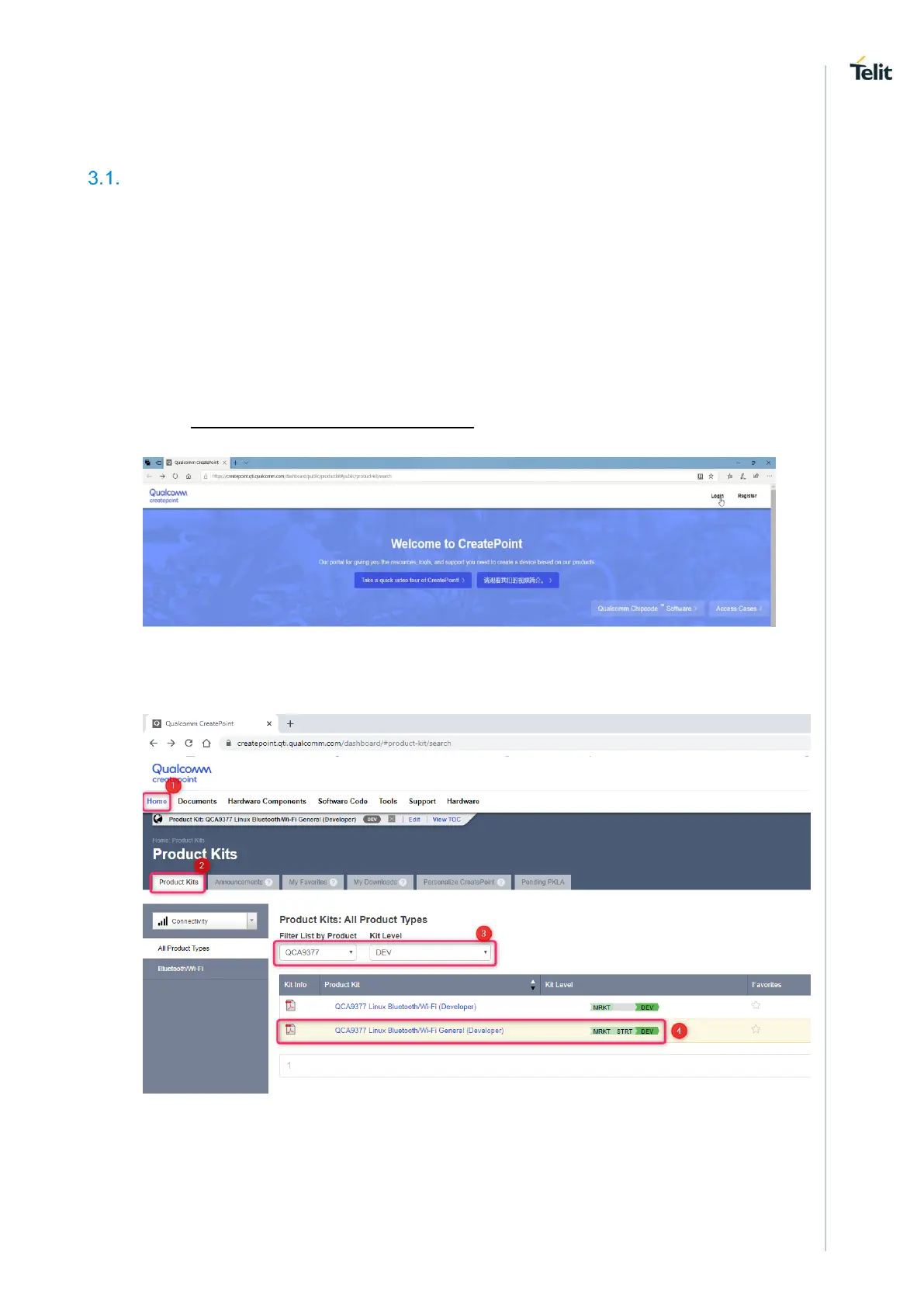
To download and install the latest QDART software package, perform the following steps:
1. Open https://createpoint.qti.qualcomm.com/ and login with your registered
Qualcomm Email ID and Password. First time users, click Register.
The homepage is displayed.
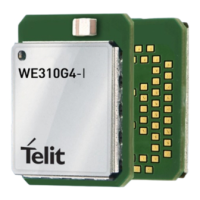
2. On the homepage, under Product Kits > All Product Types> Bluetooth/Wi-Fi,
select DEV. This enables access to the tools.
3. Under Tools tab, search for QDART.
a. Select Subscribe and click QDART_CONN.WIN.1.0 Installer or QDART.WIN.4.8
Installer to download.
Note: QDART_CONN.WIN.1.0 is a subset of QDART.WIN.4.8, hence the file size is
smaller.



 To Next Page