Chapter 3 | 8
User Operation
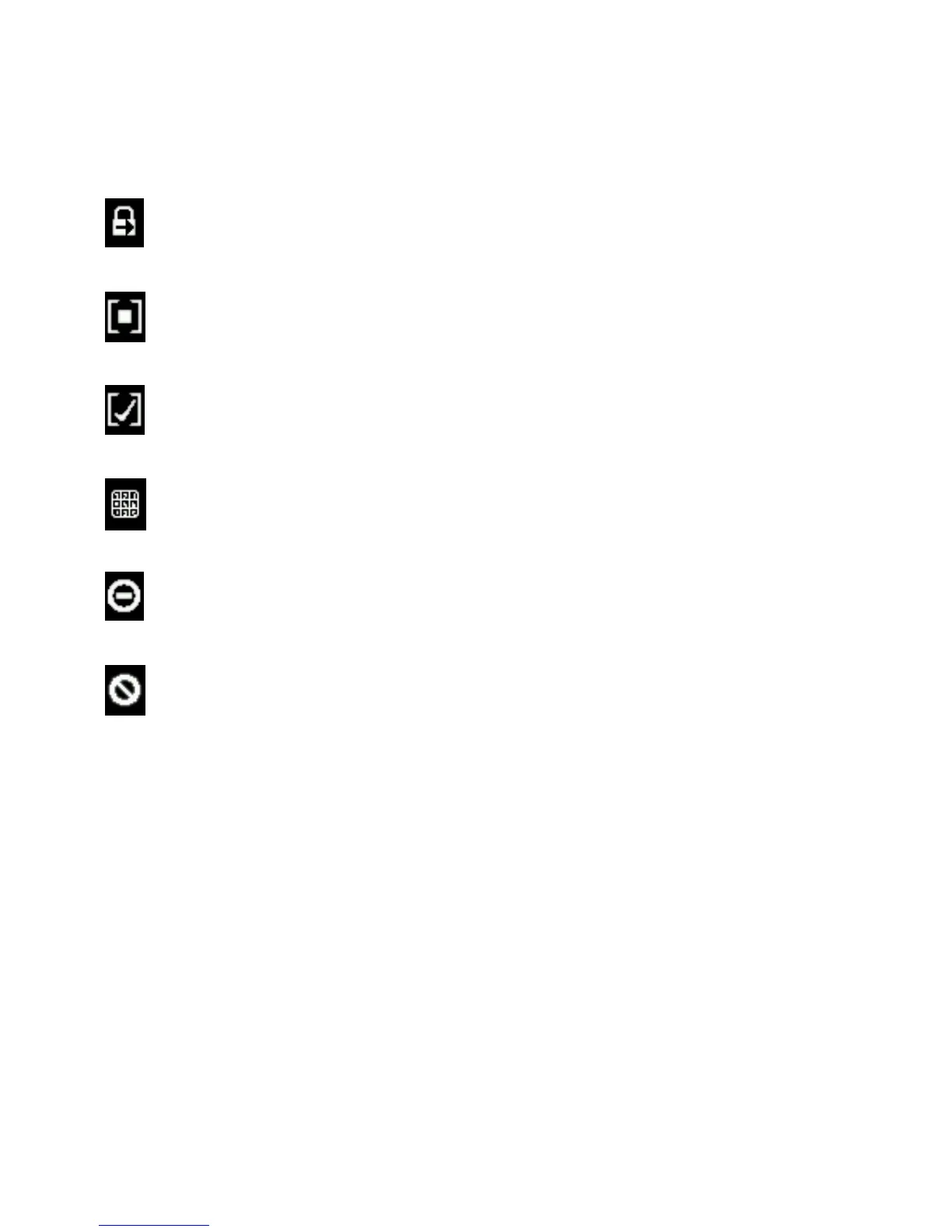
The Line is Locked on Fader 2
The Line is on Hold
The Line is on Screened Hold and will be seized when NEXT >> is pressed
The Line is ready for ENBLOC Dialing --- more on that later.
The Line is in use elsewhere, perhaps in another studio. Shhhh…
The Line is Blocked
Line Button Columns
Each line has 2 associated buttons to the left and to the right of the OLED displays. Pressing a left line button puts that line on
Hybrid 1. Pressing the right line button puts that line on Hybrid 2. If a call is already on the air, pressing the button a second
time locks the line, or if already locked, unlocks it. Lines that are locked cannot be dropped or placed on hold. Not to worry,
we’ve made it difficult to accidentally drop a call. A locked or unlocked call can be placed on the opposite Hybrid at any time by
pressing the button from the corresponding column.
The line buttons also have LED lamps within them to provide status indication for the lines in addition to the Line Status
Display. These lamps follow standard 1A2 protocol:
Left & Right ON: Line is in use elsewhere or is blocked
Left ON: Line is in use locally and is on Hybrid 1
Right ON: Line is in use locally and is on Hybrid 2
Both blink 500ms ON, 500ms OFF: Line is ringing in
Both wink 750ms ON, 250ms OFF: Line is on HOLD or SCREENED HOLD
Both columns OFF: Line is idle or unavailable



 To Next Page