Chapter 4 | 14
Menu Button
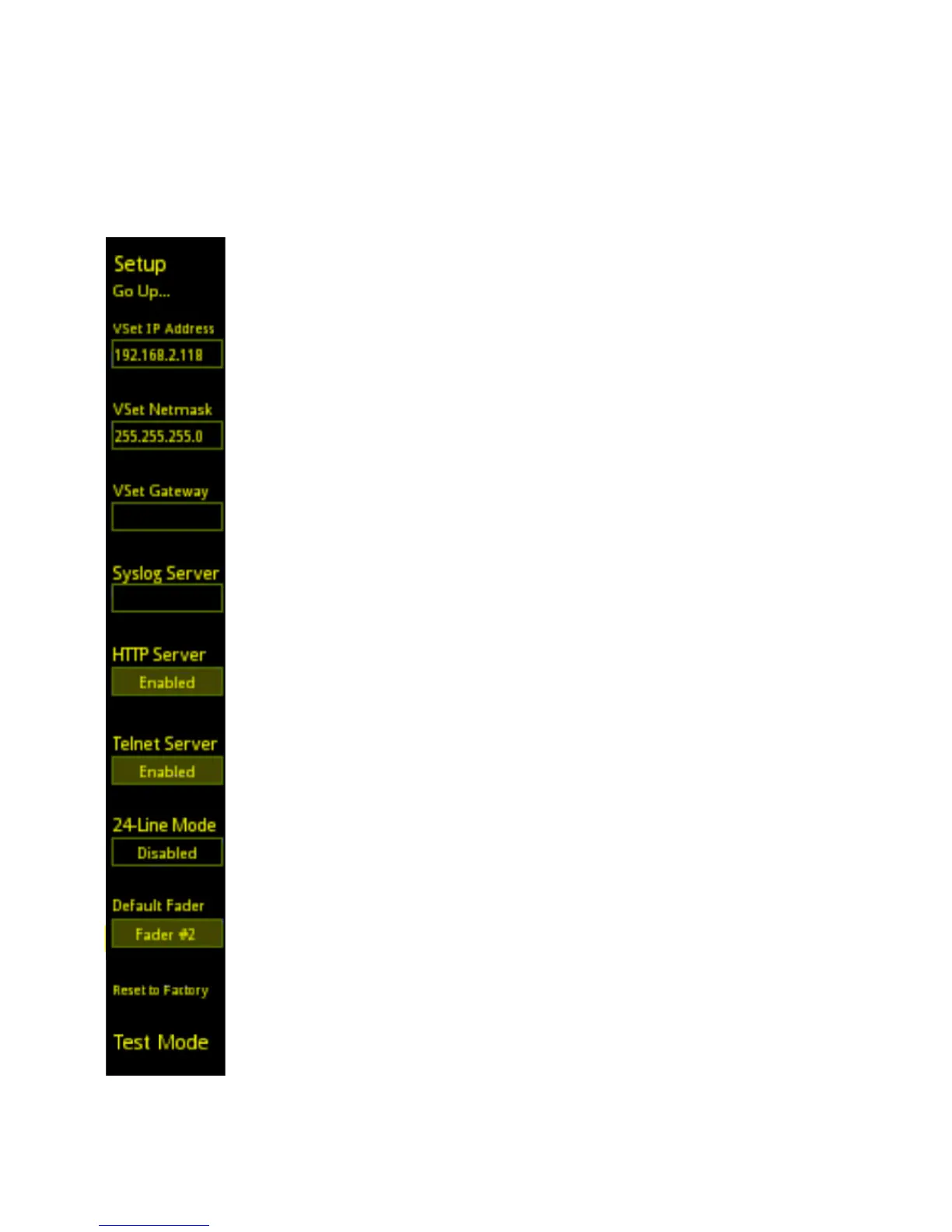
Setup Menu
Here is where all of the network settings regarding the VSet reside. The IP address assigned to the VSet
will be entered into the VSet IP Address field and the Subnet mask will be entered into the VSet
Netmask field. When the IP address is entered, press the corresponding left line key to accept the
entered IP address. If this is not done, selecting another field will force the IP/Subnet to revert to the
previously entered value.
VSet Gateway
Do not enter a value for VSet Gateway unless instructed to do so by Telos Support.
HTTP Server
Enabling the HTTP Server function allows you to access the VSet’s web GUI from any computer
connected to the network by typing the VSet’s IP address into a web browser. If you don’t want to
allow people to access the web GUI to make changes, disable this function. More on this later.
Telnet Server
Enabling the Telnet Server function allows you to access the VSet using telnet services such as
Pathfinder or Putty for control and diagnostics. Disable this if your Studio does not use Pathfinder for
control automation and to keep unauthorized users from accessing the telnet port.
24-Line Mode and Default Fader (VX Systems Only)
These functions are used when there is a need to have more than 12 line positions present on the
controller. When 24-Line Mode is enabled, the left-hand column controls line positions 1-12 while the
right-hand column controls line positions 13-24. The number selected in the Default Fader field will
determine which fader callers go to when selected from this controller in 24-Line Mode.
Reset to Factory
This does exactly what you think it might. Note that the VSet’s network settings will not be lost when a
Factory Reset is performed.
Test Mode
This is an advanced diagnostic system for advanced users. Multiple presses of the Test Mode key will
put the VSet into a standalone hardware test mode. There are tests for keyboard function, OLED
display function and LED function. Follow the on-display instructions to navigate test mode.



 To Next Page