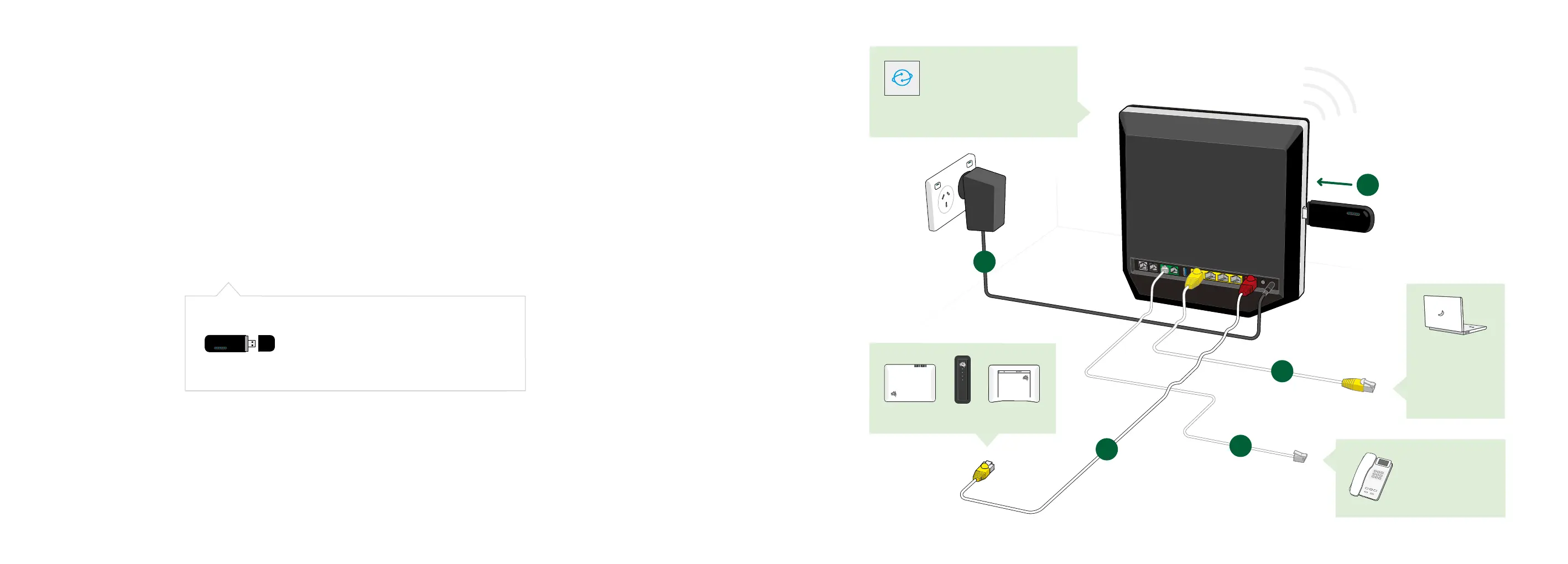
The Telstra 4GX USB Pro ensures your
internet and phone keeps working even in
the event of a fault in your nbn connection.
2
5
4
1
3
1312
Connect
your devices
Use the cable
with the
yellow ends.
Set up steps.
Follow steps 1 - 5 to get connected.
On rst use, your Telstra Business Smart Modem
may take up to 15 minutes to connect.
Have a phone?
Use your existing
phone cords
to connect.
nbn Connection Box
POWER
DOWNSTREAM
UPSTREAM
ONLINE
POWER
DOWNSTREAM
UPSTREAM
ONLINE
POWER
DOWNSTREAM
UPSTREAM
ONLINE
Press the power button on
the back of the modem.
Once connected, the lights
will show solid blue on the
front of modem.













 To Next Page