Telstra MF821 User Manual v1.0 Page 12 of 22
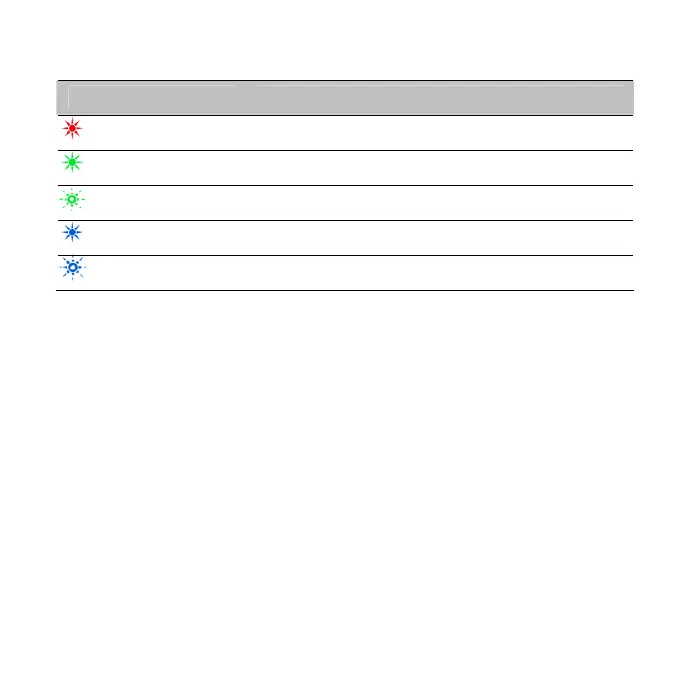
LED indicators Modem Status
Red
Offline. Not registered on the network
Green solid
Registered on the LTE network
Green blinking
Active data transfer on the LTE network
Blue solid
Registered on the 2G / 3G network
Blue blinking
Active data transfer on 2G / 3G network
The installation will create a new shortcut on your desktop
and a new program listing under Start-Programs
You may have to reboot your PC or MAC after installation is
complete
If you have problems with the installation please contact
your supplier or see our website, www.zte.com.au/ for
more assistance and FAQ’s
If you can’t
co
nnect to the internet check your SIM card is
inserted correctly, contact your service provider and check
your account is active.













 To Next Page