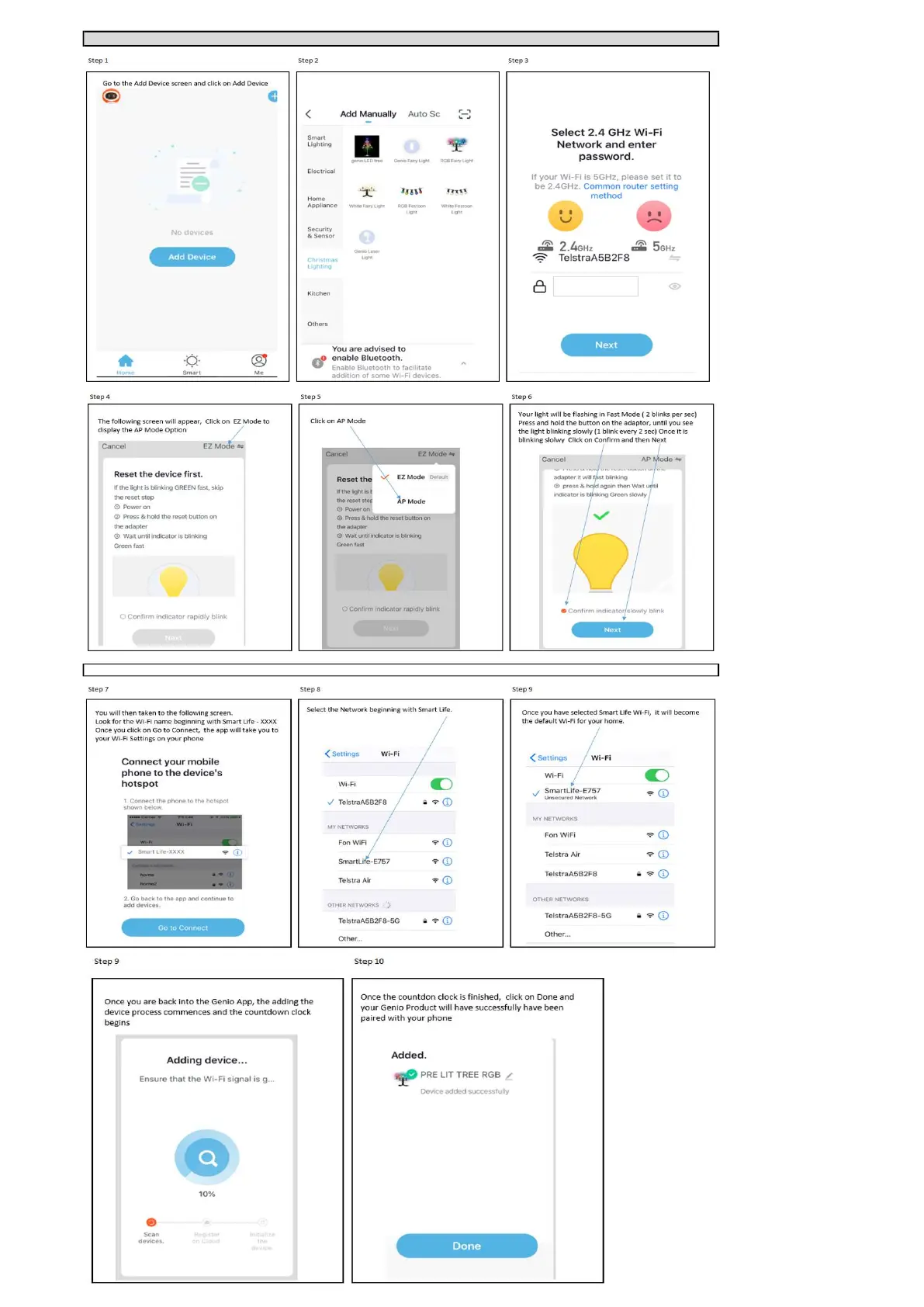
Detailed steps for Pairing your Genio product using the AP (Slow Blinking Method), using Genio LED tree as example
If you cannot see a wifi name called SmartLife-XXXX during step 8, then your device is not slowly blinking or may stopped blinking , please reset and make it slowly
Ensure that you have pre selected the 2.4GHz Wi-Fi Network
as per the previous Instructions.
Select your Genio Product from the Menu Displayed..












 To Next Page