
 Need help?
Do you have a question about the Teltonika FMC130 and is the answer not in the manual?
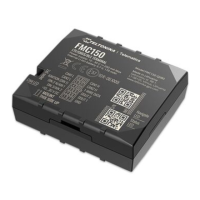
Shows the top view of the FMC130 device with its 2x6 socket.
Displays the bottom view, highlighting the NAVIGATE LED, MICRO USB, STATUS LED, and MICRO SIM SLOT.
Presents the top view without the cover, showing the BATTERY SOCKET and other components.
Lists the pin numbers and their corresponding names for the FMC130 connector.
Provides detailed explanations for each pin's function.
Illustrates connections for various external devices like sensors, alarms, and locks.
Details wiring for ignition detection, starter, and power supply.
Shows connections for CAN communication, buzzer, and LED lights.
Displays the FMC130's 2x6 pinout and its corresponding component connections.
Guides through inserting the Micro-SIM card and connecting the battery.
Details connecting the device to a PC using a Micro-USB cable.
Explains how to connect the device to a PC wirelessly via Bluetooth.
Provides steps to download and install USB drivers for the device.
Lists the MS .NET Framework versions required for the configurator.
Details the Teltonika Configurator software, its functions, and key settings.
Provides parameters for GPRS configuration via SMS.
Details server configuration parameters for SMS setup.
Explains how device records are triggered by movement and ignition.
Details conditions under which the device records data while stopped.
Specifies how and when records are sent to the server.
Provides guidelines for securely connecting device wires.
Advises on connecting the device to the vehicle's power source.
Details how to properly connect the ignition wire.
Explains the procedure for connecting the ground wire.
Describes the behavior and meaning of navigation LEDs.
Explains the behavior and meaning of status LEDs.
Lists technical specifications for the device module.
Details the GNSS receiver and performance characteristics.
Covers cellular technology, bands, and network types.
Lists the supported 4G LTE frequency bands for the device.
Details the data transfer speeds for different technologies.
Covers input voltage range, backup battery, and power consumption.
Provides details on the Bluetooth version and specification.
Lists compatible external peripherals for the device.
Details digital inputs, outputs, analog inputs, and other interfaces.
Outlines the physical dimensions and memory of the device.
Covers device weight and operating/storage environment conditions.
Lists supported sensors and device scenarios.
Details supply voltage parameters and thresholds.
Specifies drain current and resistance for digital outputs.
Covers input resistance and voltage thresholds for digital inputs.
Details input voltage, resistance, and measurement errors for analog inputs.
Details input resistance, voltage thresholds, and sink current for negative inputs.
Specifies voltage, resistance, and current for 1-Wire output.
Provides essential safety precautions for operating and handling the device.
Explains CE, REACH, RoHS, EAC, and E-Mark symbols and their significance.
Describes the purpose and function of the IMEI number.
Defines the device's operating temperature range.
Details the product and battery warranty periods and repair policies.
Outlines conditions for product returns and warranty exclusions.
 General
| Purpose | Car |
|---|---|
| Plug and Play | Yes |
| Product color | Black |
| Electronic compass | No |
| Battery life (max) | - h |
 Weight and Dimensions
| Weight | 55 g |
|---|




 To Next Page

