Page 22 of 24
Heat Pump Water Heaters
MWP Series
Heat Pump Water Heaters
MWP Series
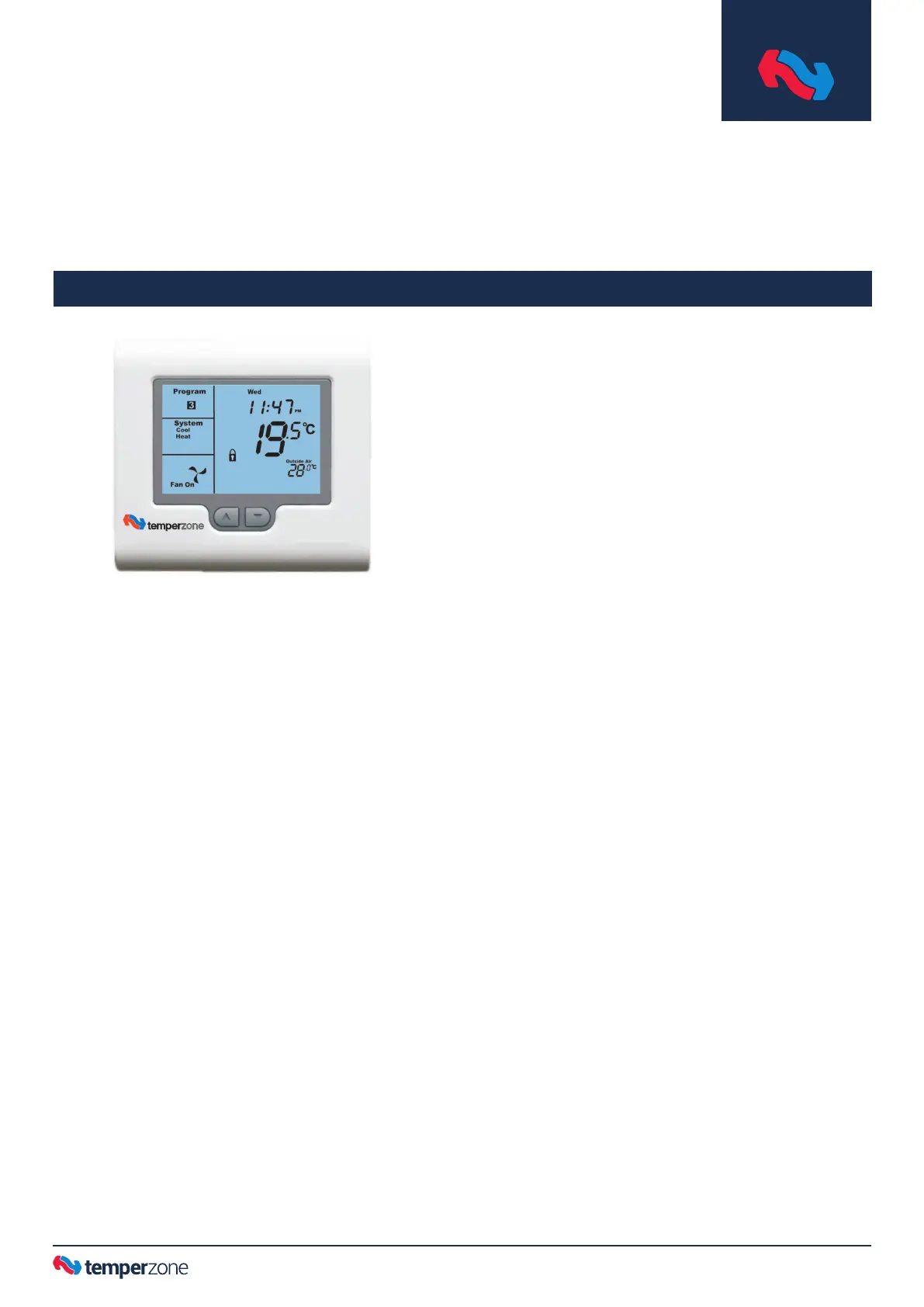
TZT-100
Operation Manual
Introduction
This multi-function thermostat can be congured by your
installer to suit a wide variety of systems. It has been factory set
to a mode that best suit your MWP needs.
The full TZT-100 Installer Manual supplied includes a wealth of
information, most of which is irrelevant to a swimming pool
application. Use this condensed guide, unless looking for more
detail.
Setting the Clock
The thermostat is tted with a real time clock. (In Manual mode,
this clock has no function other than to display the time. The
clock display can be disabled by the installer if desired.)
This clock is used by the thermostat for the programming
functions as described below.
It is essential that the clock time and day are set accurately if
you require your programmed events to start on time.
Lift the cover ap to reveal four extra buttons: MODE, O/RIDE,
PROG and FAN.
To set the clock, tap the ‘PROG’ button. The LCD will show the
hours digit ashing. Use the up (▲) or down (▼) button to adjust
the hours to the correct time (note the AM / PM symbol). Tap
the ‘PROG’ button again and now the minutes digits will ash.
Adjust this value using the up (▲) or down (▼) button to show
the correct minute. Tap the ‘PROG’ button again and now the
weekday ashes, again use the up (▲) or down (▼) button to set
this value to the correct day of the week. Tap the ‘PROG’ button
again to exit the clock set function.
Note: Programmed heating intervals (events) is not required or
recommended for pool heating. Continuous heating is the most
common strategy, due to the time it takes to reheat a pool.
Reduced running costs are achieved through the use of pool
covers, etc. to minimise heat loss; while maintaining a warm
pool ready for use.
To Review the Set Temperature:
The Desired Temperature should be pre-set to 28°C. Simply tap
the up (▲) or down (▼) button to rst turn on the LCD backlight,
then again to display the currently set temperature.
Changing Your Desired Temperature (setpoint)
Press the up (▲) or down (▼) button. The thermostat display
will change to show the word “SET”, and the active set point for
the heating mode. If desired, change this setting up or down.
After a 3 second pause the new gure is saved and the display
returns to the current temperature (described as ‘ROOM’ for air
systems). The recommended temperature for a pool is 28°C
(maximum 35°C).
Button Functions
Lift the cover ap to reveal four extra buttons:
MODE (and On/Off)
The mode should be pre-set to “Heat” only mode.
Select “Off” mode to power the unit off. Other modes are not
applicable to pool heating.
O/RIDE (Override)
Commercial Programmable Mode:
The “O/RIDE” button is used to override the current “event”
time scheduling, and to hold the currently set temperature
indenitely. This set temperature will be maintained until
released by tapping the “O/RIDE” button again. “Hold” will be
displayed in the LCD to conrm this function is active.
(Residential Programmable Mode: Daily Event programming
is not required or recommended for pool heating.)
PROG
In Commercial Programmable Mode:
Tap the “PROG” button to begin setting the clock. Press and
hold the “PROG” button for 3 seconds to begin programming
a regular and optimum heating period for the day. Refer
pages 14 to 17 of the TZT-100 User Manual.
FAN
Not used for MWP applications.
Control
The thermostat will turn on the Heating when the pool
temperature falls below the Heat set point temperature. In
Heat-only mode, only the word “Heat” will be displayed in the
LCD. When your thermostat is calling for heat, the word
“Heating” will be displayed.
If the word “Heat” is ashing, the thermostat is performing an
anti-rapid-cycle safety delay prior to restarting the heating cycle.



 To Next Page