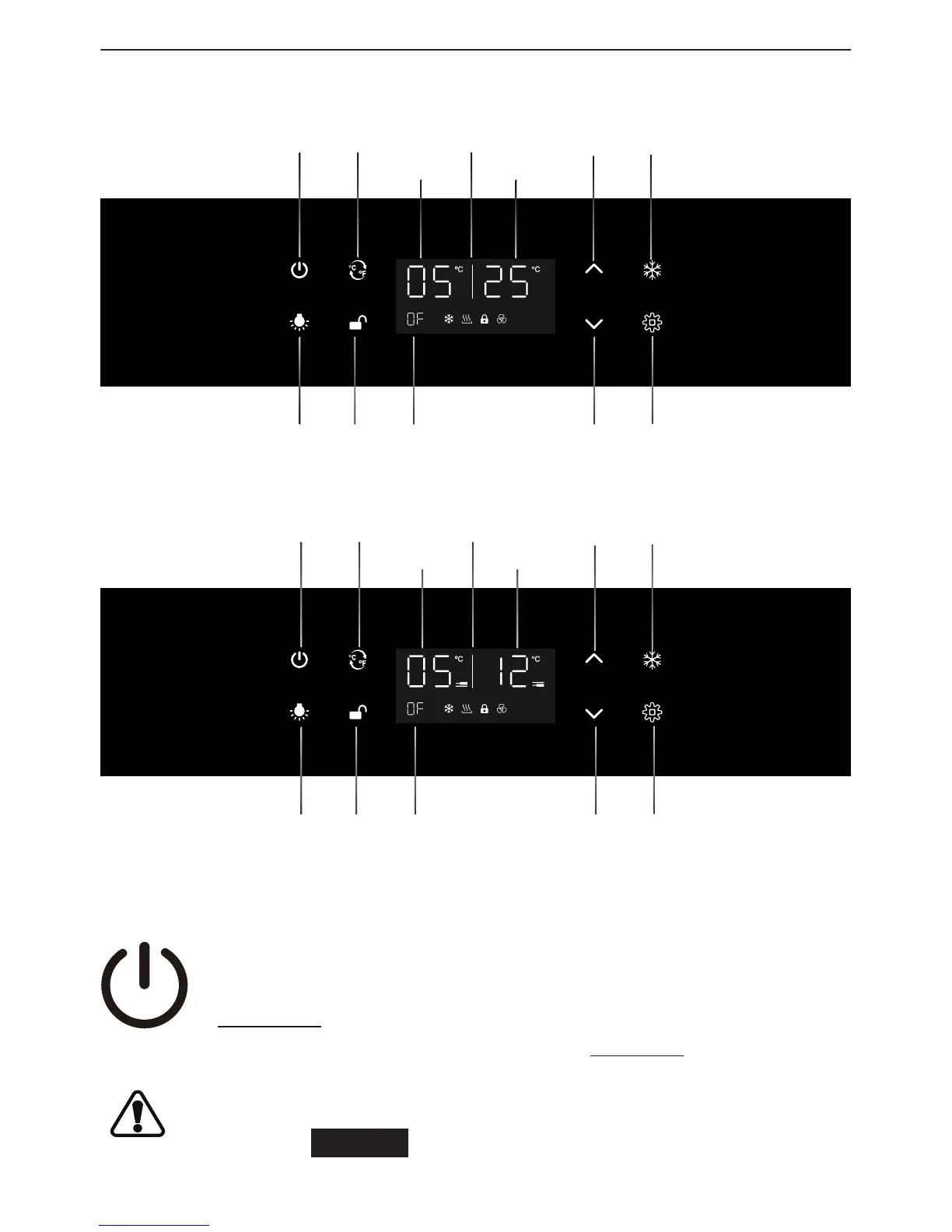
CONTROL PANEL
145L, 490L Control On Door
•
For Single Zone
Power
°C⁄°F
Set Temp
Actual Temp
TempUp TempRange SetDisplay Window
TempDownLight Unlock On⁄O
Set
•
For Dual Zone
Power
°C⁄°F
Upper Zone
Lower Zone
TempUp TempRange SetDisplay Window
TempDownLight Unlock On⁄O
Set
POWER ON/OFF CONTROL
•
Press to turn on the control panel back light buttons if they are o.
•
To turn o your wine cellar for cleaning or extended absence, press the
power button once. After the unit beeps once, hold the power button for
10 seconds and your wine cellar will shut itself o. Once the wine cellar
has been turned off, please allow at least 5 minutes before starting up
again. This will limit excessive wear on the compressor.
To avoid damaging the compressor, please do not turn on the appliance
again within 5 minutes after you turn it o.



 To Next Page