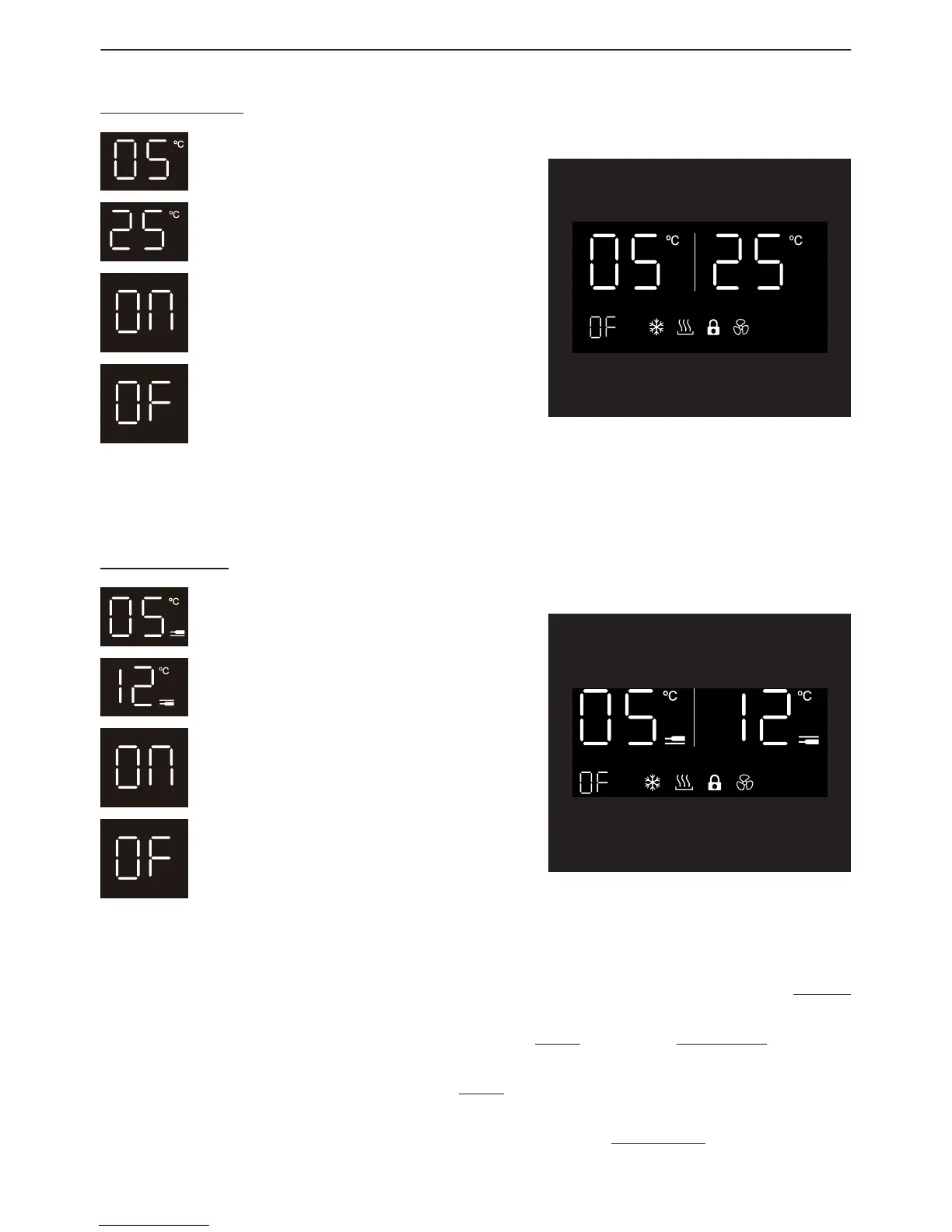
TEMPERATURE DISPLAY WINDOW
For Single Zone
•
Display Window is on.
•
Display Window is O
•
Actual temperature of the wine cellar.
•
Set temperature of the wine cellar.
The temperature display will show the set temperature when the Wine Cooler control
panel is unlocked and selected to be reset, and show the actual temperature when the
control panel is locked.
For Dual Zone
•
Display Window is on.
•
Display Window is O
•
Set temperature of Lower Zone
•
Set temperature of Upper Zone
The display window can be set to the off position for a less obtrusive appearance.
Your Wine Cooler will continue to run, but the Wine Coolers display window will not
be visible. You can check the temperature of the Wine Cooler by pressing the Power
button.
To set the display window to either on or o, press °C/°F button for 5 seconds while the
control panel is locked.
Once the ON/OF indicator ashes, press °C/°F a second time to enter into the option
interface. “ON” will show the display window at all times while “OF” will turn off the
display window. Leave the control panel untouched for 5 seconds to confirm your
option.



 To Next Page