7-38. The Antenna terminal is assembled similar to the
ground terminal except that it is insulated from the panel by the
two matching insulator sections. Slip the other #10 solder lug
and one insulator on the larger #10 screw, pass it through the
panel, add the other insulator, lock washer and hex nut. After
tightening the nut, add the two #10 flat washers and wing nut.
7-39. Pass the coax from the receiver board back under the
board and solder the center conductor to the antenna terminal
solder lug. Solder the outer shield to the ground lug.
7-40. DC Power LED1 Installation: This LED needs to be
firmly secured to the front panel with its longer anode lead
carefully insulated to prevent shorting to the bare aluminum
subpanel. Our normal factory method for mounting an isolated
LED is to apply a tiny drop of clear fast-dry glue to bond the LED
body to the inside of the front panel. If gluing is not practical for
you, the LED could be held in position by shaping a wedge from
easily-worked material such as styrofoam, cardboard or foam
rubber and pressing it in place between the LED and the sub-
panel. The anode lead can be insulated with a layer of electrical
tape or by stripping a length of insulation from extra hookup wire
and sliding it over the anode wire.
7-41. Mount LED1 and insulate its anode lead as explained in
step 7-40.
Figure 7.4
1253 - 44
7-42. Solder the RED wire from "LED1" on the receiver board
to the insulated ANODE (longer) lead of LED1.
7-43. Solder the BLACK wire from "LED1" on the receiver
board to the remaining CATHODE lead of LED1.
7-44. Secure the two long speaker wires at their midpoint
with a cable tie.
7-45. Gather the six wires to "Vcc Batt," "Vcc Ext" and
"AUDIO OUT" and bundle them with a cable tie about 1" from
the "Vcc Batt" connections on the board.
7-46. Attach the last cable tie around the four wires to the
battery shelf assembly and external DC power jack, positioning it
about 1.5" from the cable tie installed in step 7-45.
7-47. If you did not do so already, mount the 1/4" phone jack
on the rear panel, with the flat washer between the panel and
nut.
At this point, all receiver wiring is completed, and you
are ready to make the only final adjustment required, a
careful setting of the R6 regeneration trimmer. Do NOT
mount the battery shelf assembly yet, as it would block
access to the R6 trimmer.
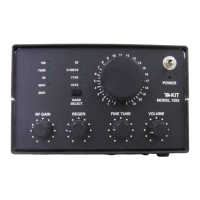
7-48. Use the correct size allen wrench to install all front
panel knobs, if you have not done so already. The alignment of
knob stripes to front panel markings should be very obvious.
Make sure the Main Tuning knob has clearance from the front
panel and does not rub against it.
7-49. Prepare the receiver for testing as follows:
Set DC power switch to OFF: install 8 "C" cells in
battery shelf assembly OR connect 12-15VDC to the
rear panel.
Connect antenna wire to rear panel antenna terminal.
If the antenna feedline is coax, connect the shield
of the feedline to GROUND. If not, it may be necessary
to make an earth ground connection to GROUND in order
to properly evaluate higher-frequency performance.
1253 - 45


 To Next Page