599 / Eagle Users manual Release 1.009 CE – April 15, 2015
Part #74447
Printed in USA 17
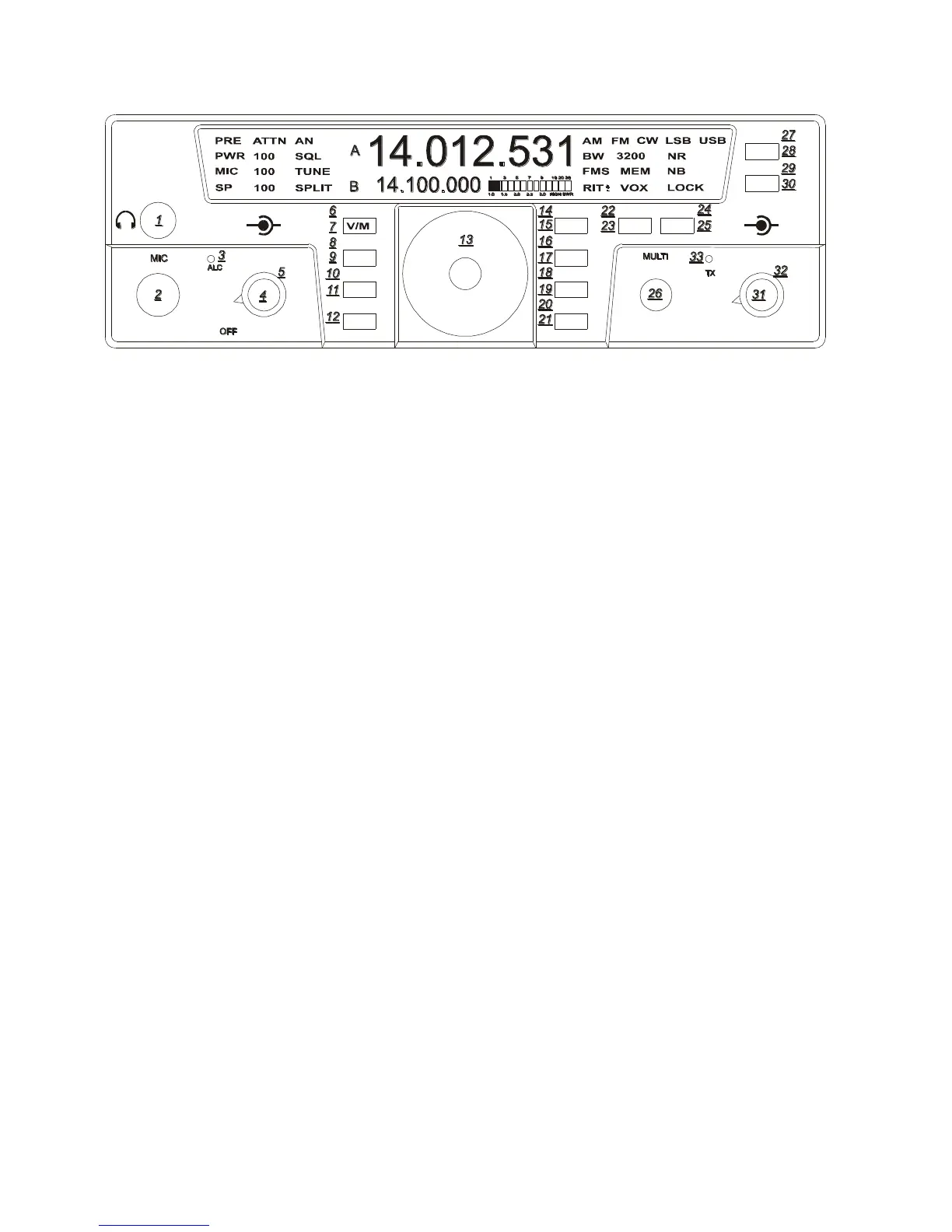
VOX (29)
To toggle the VOX on and off Enter
Secondary Function Mode, then press the NB
button and you will see VOX appear on the
bottom right side of your screen. Pressing the
NB button each time turns the VOX on and
off. Exit Secondary Function Mode by
pressing the FNC button. VOX always
defaults to OFF when power is reapplied to
the Eagle.
VOX Settings (30)
To adjust the VOX gain, Anti VOX and VOX
hang Enter Secondary Function Mode, then
press and hold for 2 seconds the NB button.
This will bring you into the series of VOX
settings. These settings will now toggle from
one to the other upon pressing the NB button.
You can adjust all settings using the MULTI
knob. After you are satisfied with your VOX
adjustments you may Exit Secondary
Function Mode and the VOX Settings Mode
by pressing FNC.
BW Settings (31)
Normally below 1800 Hz filtering greatly
diminishes the intelligibility of the side band
audio. Above 1800 Hz will increase band
width for increased audio fidelity.
The bandwidth control performs 2 functions.
1. It will increase or decrease the DSP
filtering independent of any mode.
2. It will select the proper roofing filter
based on the DSP filter.
PBT Settings (32)
Rotating the PBT control during heavy QRM
plus adjusting the filter Bandwidth setting
will greatly reduce close in interference.
Some practice may be necessary to determine
the most comfortable bandwidth and PBT
setting when in crowded band conditions.
Selecting AUX Audio (11)
To select from either the microphone input or
the rear audio input (8 pin DIN) simply press
the MIC button for 3 seconds and the
designated MIC will disappear from the front
screen. When this happens, the Aux input is
now active. To switch back to the
microphone input simply press and hold the
MIC button again for 3 seconds until MIC
appears back on the screen.
TEN-TEC
AF RF
MR
AN
SP-CW
BW PBT
A=B
VOX
PWRRITAGC
PRE
SQL
MON
E
AGLE
NR
MIC
FNC
LOCK
ATTN
FAST
BAN
MOD TUNE
A/B
NB















 To Next Page