599 / Eagle Users manual Release 1.009 CE – April 15, 2015
Part #74447
Printed in USA 18
2.3. CW Mode Operation
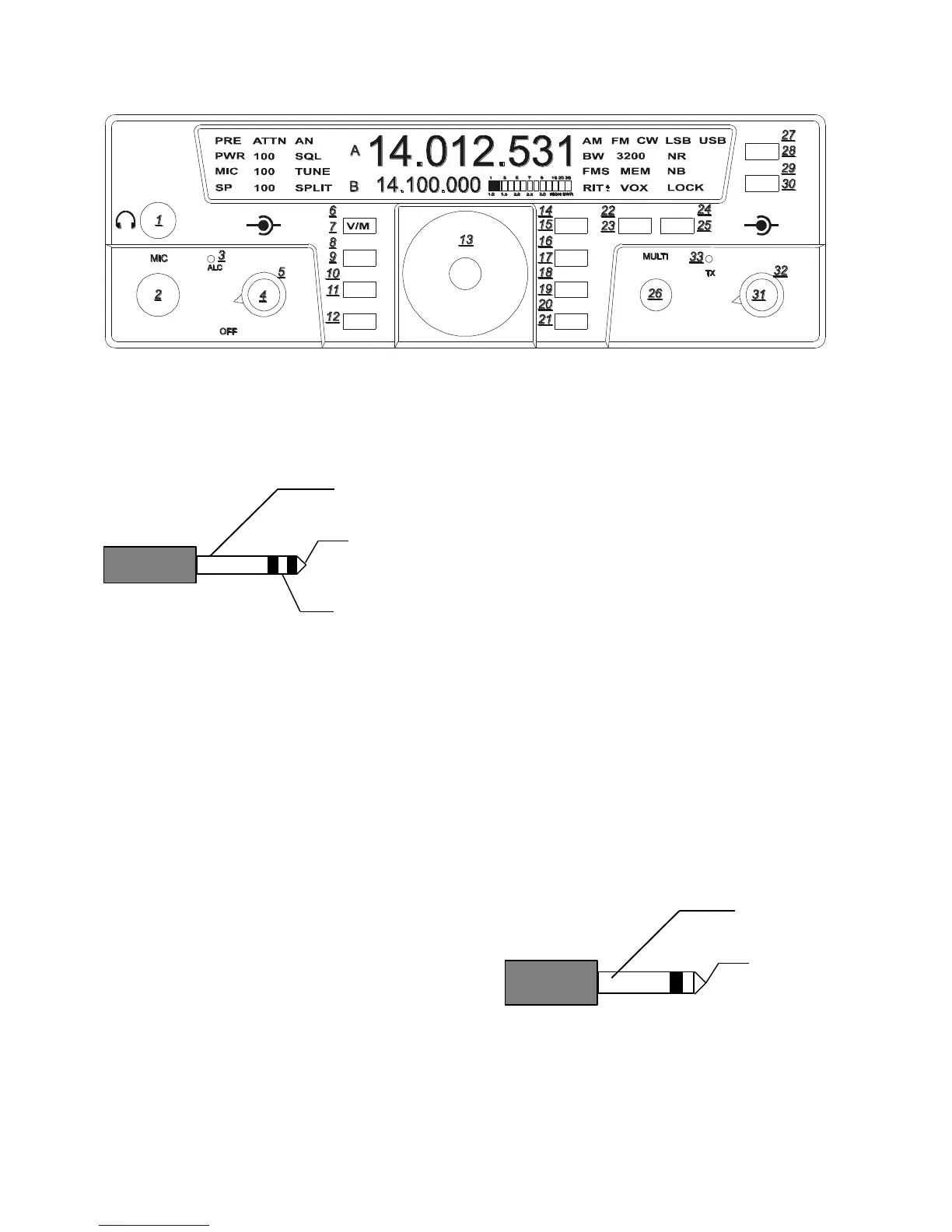
The rear panel on the Eagle has a 1/8” stereo
jack for connection of a key paddle. See
Figure 2.3-1 for proper wiring.
Figure 2.3-1 CW Key Wiring
A straight key, bug, or external keyer can be
used with the Eagle. Simply plug a 1/8”
mono style connector wired to your device
into the rear apron of the Eagle, see Figure
2.3-2. When power is turned on the Eagle
will detect that mono device automatically. If
you should forget and plug it in after power
has been applied simply toggle the mode
button once through all modes and back again
to CW.
To begin adjustments you must first be in the
CW mode, then Enter Secondary Function
Mode, then press MIC/SP-CW button to
toggle through the CW keyer functions.
The internal keyer built into the Eagle can be
adjusted to select the proper speed,
abbreviated (SP xx on bottom left screen
corner), weighting, abbreviated (dit SP)
center of display, side tone level, abbreviated
(Stl) center of display, side tone frequency,
abbreviated (StF) center of display, and
(dELAY) QSK delay.
Numerical adjustments are displayed on
screen and are made using the MULTI knob.
Once you are satisfied you have made the
proper adjustments press FNC once again to
exit. All adjustments will remain when Eagle
is powered off and back on.
Note:
Should a MASTER RESET be required the
keyer functions will be lost. It is often a good
idea to write down your favorite settings so in
the event of a reset you can input those
settings easily.
Figure 2.3-2 1/8” Mono Connector Wiring
TEN-TEC
AF RF
MR
AN
SP-CW
BW PBT
A=B
VOX
PWRRITAGC
PRE
SQL
MON
E
AGLE
NR
MIC
FNC
LOCK
ATTN
FAST
BAN
MOD TUNE
A/B
NB















 To Next Page