599 / Eagle Users manual Release 1.009 CE – April 15, 2015
Part #74447
Printed in USA 14
2.2. SSB Mode Operation
To begin SSB operation toggle the MOD
button to either the LSB or USB for the band
of choice you wish to operate.
Note: Remember to set the PBT (32) control
to the center of rotation so the side band
signal is centered in the desired filter. This
results in a starting point for proper side band
audio.
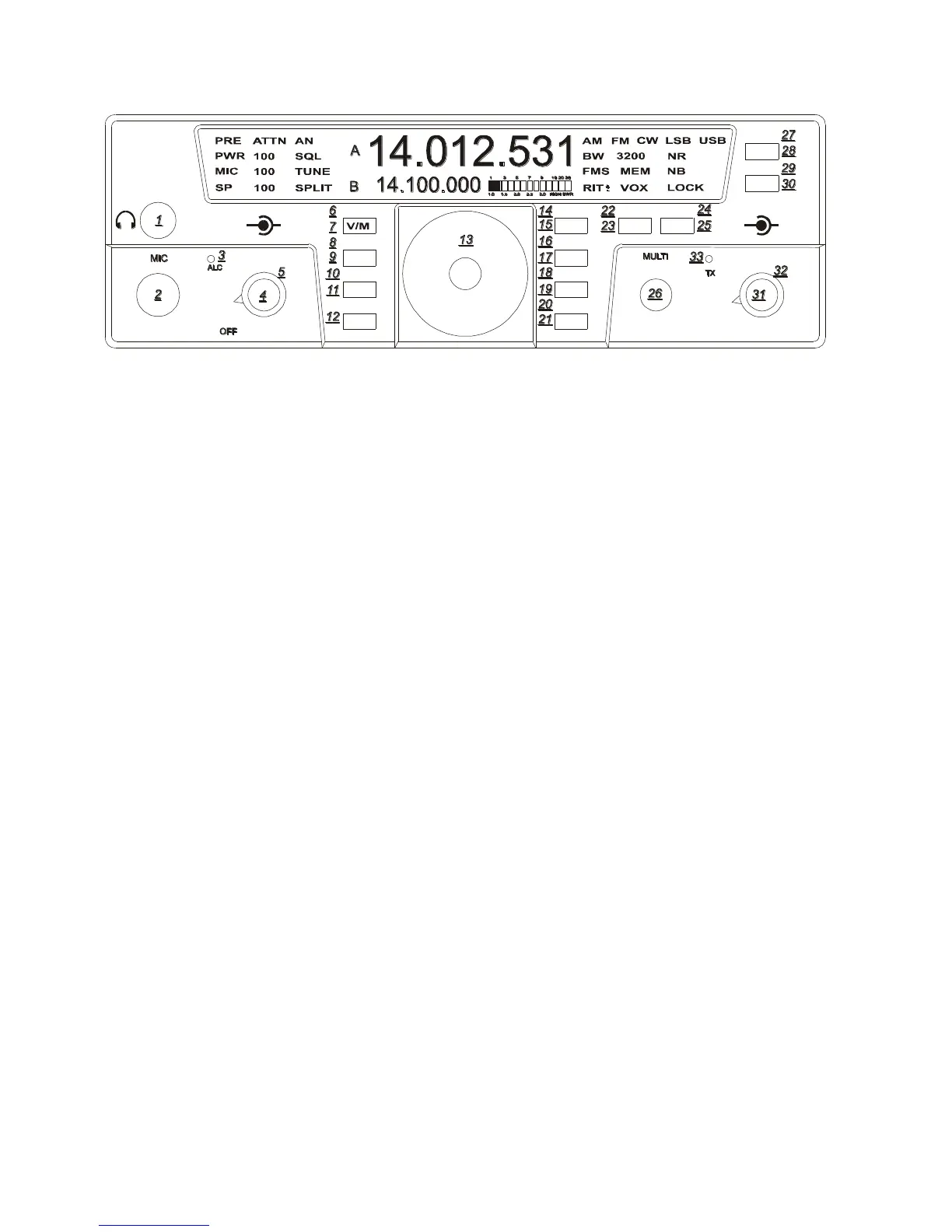
AN (8)
The AUTOMATIC notch is a useful SSB
feature and defaulted to off. This filter
implements a special digital algorithm in the
DSP system. There is no frequency
adjustment for the AUTO-NOTCH feature.
This filter will seek out and null all constant
carriers in the receiver passband. Once AN is
activated it may take a second or two for the
unwanted carrier to be notched away.
Remember some slight audio distortion may
exist as this DSP filter is being used to
remove an unwanted carrier. To activate AN
Enter Secondary Function Mode, then press
the NR/AN button to turn AN on or off. Exit
Secondary Function Mode by pressing FNC.
The AUTO-NOTCH feature works in LSB,
USB, and AM modes. The AN indicator will
show the state of the AUTO-NOTCH feature,
even in FM and CW modes, but it is not
functioning when in FM and CW modes.
SQL (18)
This function is designed to operate in either
SSB or FM modes. Squelch is activated by
Entering Secondary Function Mode then
pressing FAST/SQL, then adjust the squelch
level with the MULTI knob for proper levels.
Pressing the FAST/SQL button while in
Secondary Function Mode will toggle SQL
on and off. Exit Secondary Function Mode
by pressing FNC.
TEN-TEC
AF RF
MR
AN
SP-CW
BW PBT
A=B
VOX
PWRRITAGC
PRE
SQL
MON
E
AGLE
NR
MIC
FNC
LOCK
ATTN
FAST
BAN
MOD TUNE
A/B
NB















 To Next Page