599 / Eagle Users manual Release 1.009 CE – April 15, 2015
Part #74447
Printed in USA 13
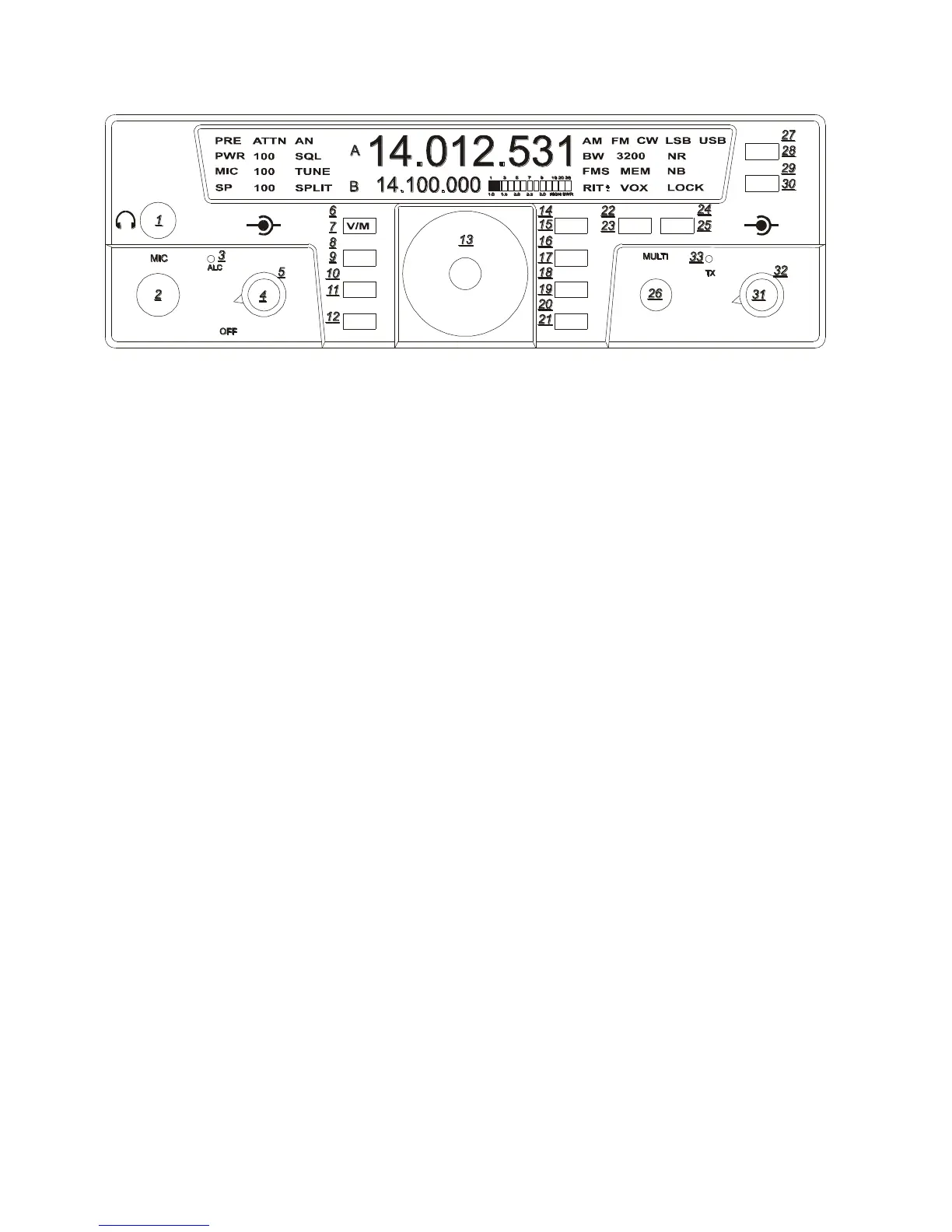
ATTN (17)
To activate the attenuator just press the
ATTN button to turn this feature on and off.
When on, the attenuator will attenuate signals
by 10dB and ATTN will appear on the top
left screen.
NB (30)
A hardware noise blanker (optional accessory
P/N 320) can be turned on and off by pressing
the NB button. If the noise blanker accessory
is not installed within the Eagle a series of 3
beeps will be heard when the NB button is
pushed. In order to use the noise blanker
(when installed) it must first be turned on
within the configuration menu. When the
noise blanker is active, the text NB appears
on the right side of the front display screen.
See Section “Internal Hardware Noise
Blanker” for more information.
SP-CW (10)
The function of this button (SP-CW) is
determined by which mode is selected on the
transceiver.
In USB, LSB, and AM modes this button
adjusts the level of the Speech Processor.
Enter Secondary Function Mode, then press
the MIC/SP-CW button. SP will flash on the
display, and the current value for it will
appear next to the flashing SP.
You can now adjust the Speech Processor
level with the MULTI knob. The valid
selections are 0 through 9, with 0 being
Speech Processor OFF, and 1 through 9 being
the amount of compression. Exit by pressing
FNC. The effect of the Speech Processor can
be heard when Monitor is on.
In CW mode this button adjusts the CW
specific controls.
Enter Secondary Function Mode, then press
the MIC/SP-CW button. SP (where SP now
means Internal Keyer Speed) will flash on the
display, and the current value for it will
appear next to the flashing SP. You can now
adjust the Keyer Speed with the Multi knob.
Press the MIC/SP-CW button again, and you
will now see “dit SP” at the center of the
display. This is the weighting. Use the Multi
knob to adjust the weighting.
Press the MIC/SP-CW button again, and you
will now see “Stl” at the center of the display.
This is the Sidetone Level. (Also used for the
button press beep tone level). Use the Multi
knob to adjust the Sidetone Level.
Press the MIC/SP-CW buton again, and you
will now see the “StF” at the center of the
display. This is the Sidetone Frequency. Use
the Multi knob to adjust the Sidetone
Frequency. QSK Delay was added in Version
1.682 firmware, see Section “Addendum A”
for more information. This is a circular ring
of CW features. Exit the CW ring and
Secondary Function Mode by pressing FNC.
TEN-TEC
AF RF
MR
AN
SP-CW
BW PBT
A=B
VOX
PWRRITAGC
PRE
SQL
MON
E
AGLE
NR
MIC
FNC
LOCK
ATTN
FAST
BAN
MOD TUNE
A/B
NB















 To Next Page