25
Appendix
FAQ
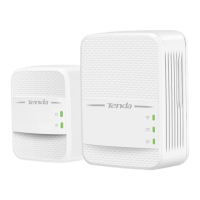
Q1: The LEDs are off when both P3 and PA7 are powered on. What should I do?
A1: Try the following methods:
Verify that P3 and PA7 use a same electric meter.
Press the Pair button on P3, and its LED blinks. Within 2 minutes after pressing Pair button on P3, press
the Pair button on PA7, and its LED blinks. Wait until both LEDs turn solid on.
Reset P3 and PA7. Method: hold down the Pair/Reset button for 6 seconds to restore factory settings.
Q2: My wireless router does not support WPS, or WiFi clone fails. What should I do if I want to change the
WiFi name and password of PA7?
A2: You can log in to the web UI of PA7 to change the WiFi name and password.
Method:
① Connect your computer to PA7 wirelessly or via an Ethernet cable.
② Start a web browser, and visit http://plc.tendawifi.com.
③ Log in to the web UI with default login password admin, and go to Wi-Fi Settings page to change the WiFi
name and password.
Q3: I cannot access the internet, but the internet status on web UI of PA7 is normal. What should I do?
A3: Check whether your wireless router enables some restriction function, such as MAC address filtering,
parental control, PPPoE server, and so on.
Q4: How to reset P3 or PA7
A4: After the device is powered on for about 20 seconds, hold down the Pair button for 6 seconds. When the
LED indicator turns off, P3 or PA7 restores to factory settings successfully.


 To Next Page