28
Enabling Channel Output
• Press the CH1 button on the front panel to
switch on CH1 output quickly, or press Utility
and then press CH1 Setting, once the label
appears, to enable the output.
• With CH1 output enabled, the backlight of the
CH1 button will illuminate and “Off” in grey to
the right of the CH1 label will change to “Mod”
in yellow, which indicates the CH1 output has
been enabled.
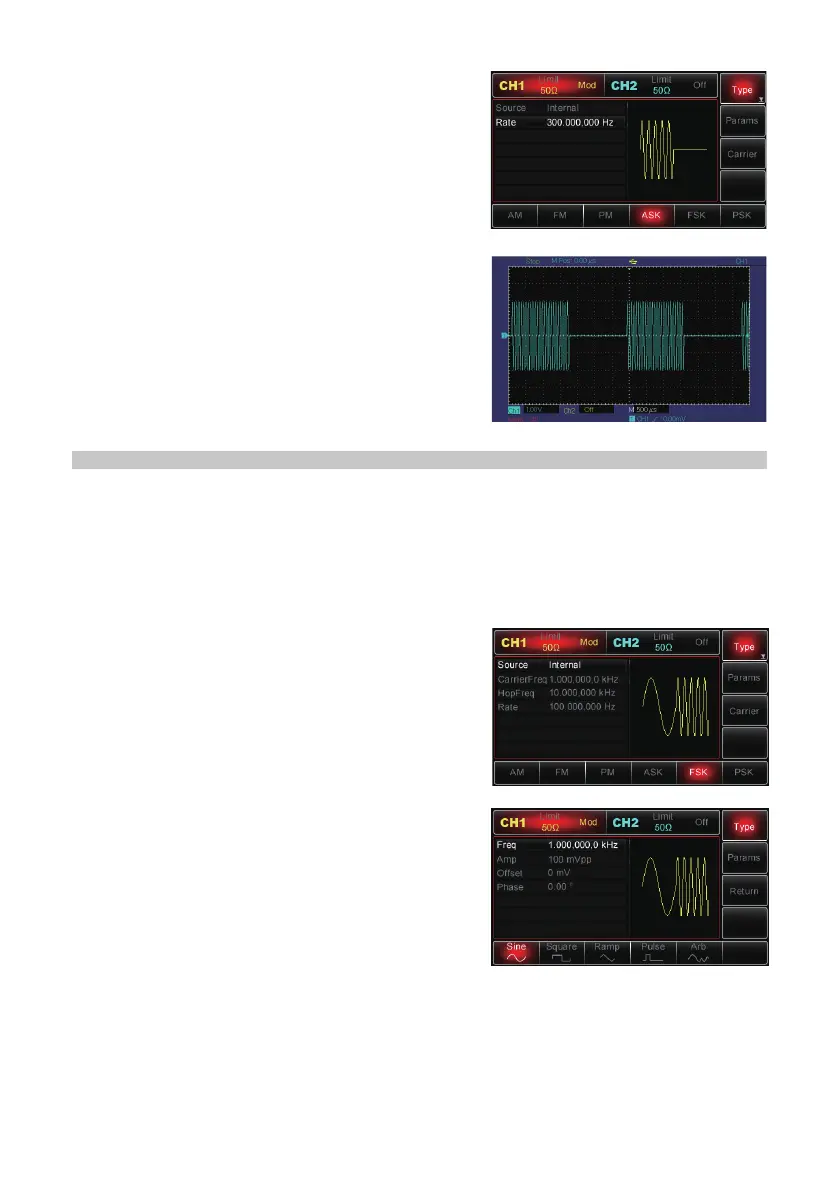
• ASK modulated waveform with an oscilloscope:
FREQUENCY-SHIFT KEYING (FSK) MODULATION
• In FSK, the Generator shifts between two preset frequency values (carrier
frequency and hop frequency).
• The logic high/low level determines the output of the carrier frequency or hop
frequency.
• CH1 and CH2 of the Generator can be modulated independently with modulation
types applied with the same one or different ones.
Selecting FSK
• Press Menu→ModType→FSK to enable FSK
function.
• With FSK enabled, the Generator will output the
modulated waveform according to the current
settings.
Selecting the Carrier Wave
• FSK carrier wave can be: sine wave, square
wave, ramp or arbitrary waveform (except DC).
It is sine by default.
• When FSK is selected, press Carrier to access
the carrier wave to choose.
Setting Carrier Frequency
• Carrier frequency ranges could be different and depend on different carrier wave
selected.
• The default is at 1kHz for all functions. See the table for details.


 To Next Page