52
• Reboot the Generator and insert the USB for a second check.
• Note: If the Generator doesn’t work after following the above guide, then please
contact your point of purchase.
UPDATING THE GENERATOR
• Contact Tenma or visit the Tenma website to obtain the latest package.
• Unzip the package and apply the embedded programme updating system to
update the current programme.
• To collect information about the Generator such as model, hardware
version, software version etc. switch on the Generator, then press
Utility→System→System→About.
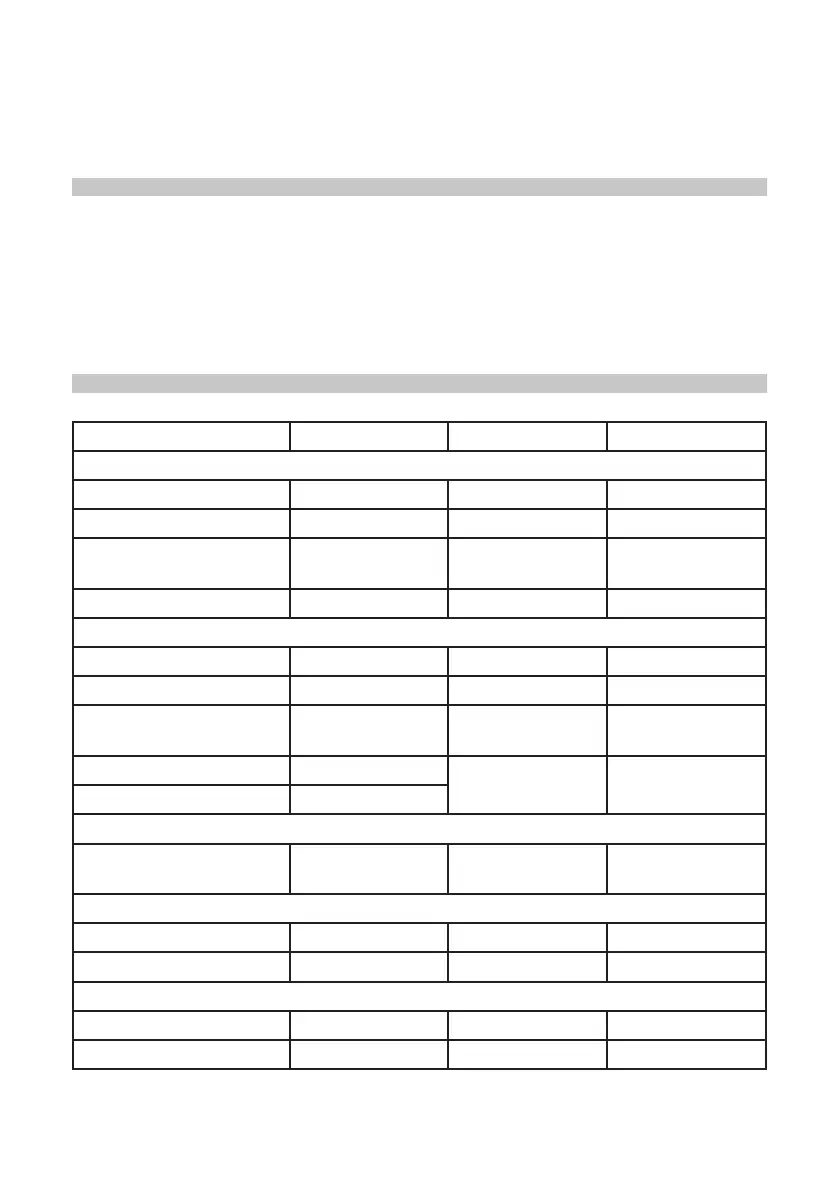
DEFAULT SETTINGS
Parameters Default Settings Parameters Default Settings
Channel Parameters
Current carrier Sine Out load 50Ω
Sync out CH1 CH1/CH2 output OFF
Inverted channel output OFF Output limit OFF
Limit high +5V Limit low -5V
Basic Waveforms
Frequency 1kHz Amplitude 100mVpp
DC offset 0mV Start phase 0°
Duty
cycle of square
wave
50% Ramp symmetry 100%
Duty cycle of pulse 50%
Rising edge of
pulse
1µs
Falling edge of pulse 1µs
Arbitrary Waveforms
Built-in arbitrary
waveform
Sine Play mode Off
AM
Modulation source Internal Modulation shape Sine
Modulation frequency 100Hz Modulation depth 100%
FM
Modulation source Internal Modulation shape Sine
Modulation frequency 100Hz Modulation depth 1kHz


 To Next Page