49
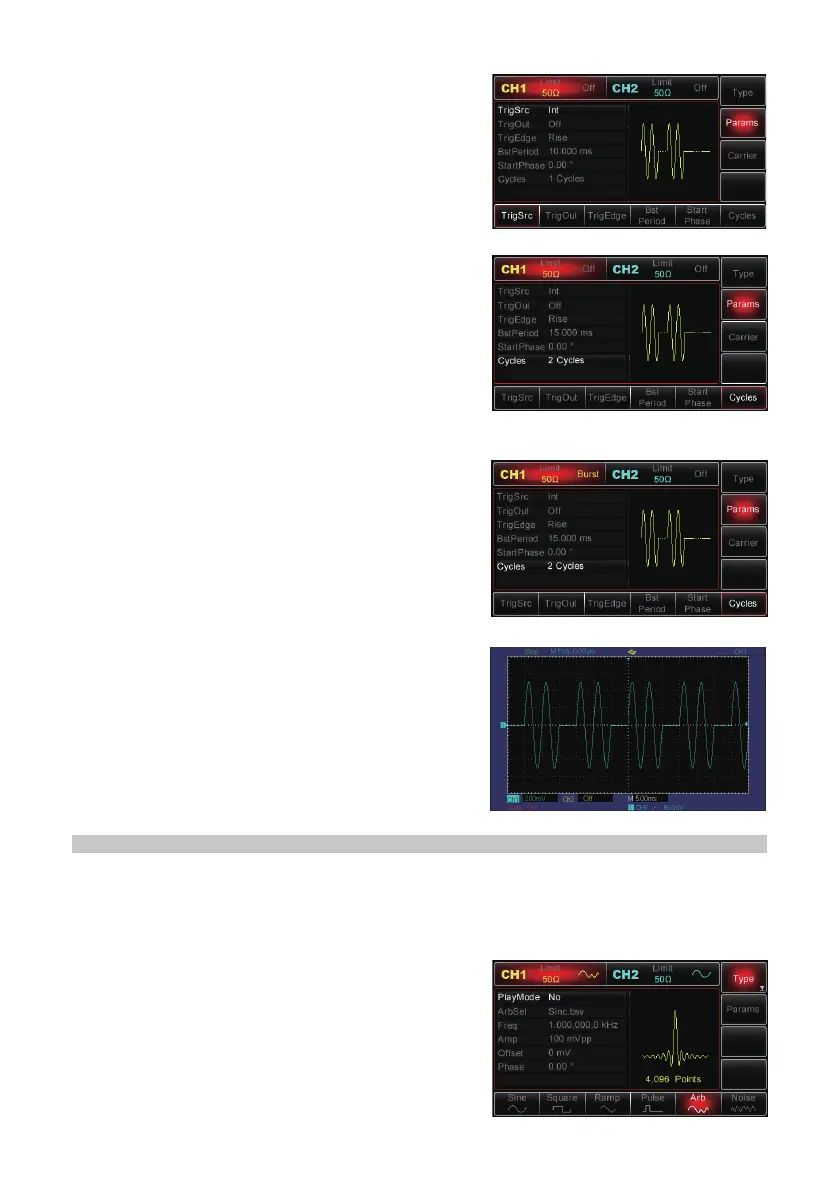
• Then use the multipurpose knob and direction
buttons together to perform the setting, or press
Params MHz to bring up the interface as shown
right:
• To set the desired parameter press the
corresponding MHz, then enter in the desired
value and select the unit as required.
Enabling Channel Output
• Press the CH1 button on the front panel to
switch on CH1 output directly, or press Utility
and after the label pops up, press CH1 Setting
to enable the output. When CH1 output is
enabled it will be indicated by the backlight of
the CH1 button illuminating. Also, “Off”, in grey
to the right of CH1 label, will change to “Impulse
Train” in yellow.
• Impulse train waveform with an oscilloscope:
OUTPUTTING ARBITRARY WAVEFORMS
There are up to 48 types of standard waveforms stored in non-volatile memory - see
the table on pages 50 & 51 (Built-in Arbitrary Waveforms list) for detailed information.
The Generator can create and edit arbitrary waveforms through PC software and read
any arbitrary waveform le stored in USB ash drive through the USB port on the front
panel.
Enabling Arbitrary Wave Function
• Press Menu→Wave→Type→Arb to enable
arbitrary wave function. With arbitrary wave
enabled, the Generator will output arbitrary
waveform according to the current settings.


 To Next Page