EasyManua.ls Logo

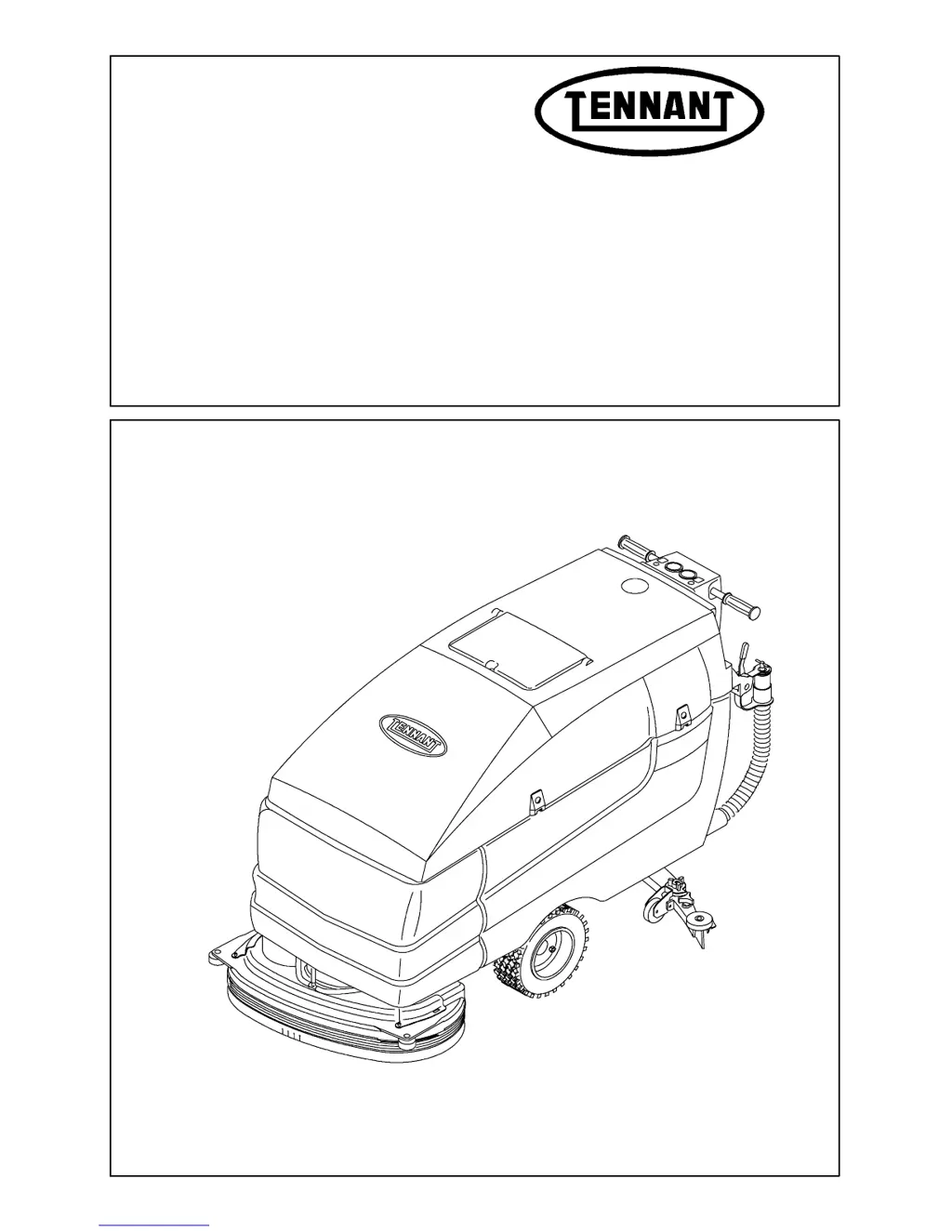
Tennant 5700XP - Service Manual

Tennant 5700XP
362 pages
Print Icon
To Next Page IconTo Next Page
Loading...
Service Manual
MM406
Rev. 10 (6--03)
5700XP/XPS
5680
5700
*MM406*

Table of Contents

Other manuals for Tennant 5700XP

Questions and Answers

  • R
    Russell HarrisonAug 21, 2025
    What to do if my Tennant 5700XP Scrubber has poor scrubbing performance?
    • A
      Amanda WilliamsAug 21, 2025
      Poor scrubbing performance can stem from several factors. Debris might be caught on the scrub brushes, which needs to be removed. The scrub brushes or pads could be worn and need replacing. The scrub brush motor circuit breaker(s) may have tripped and need resetting. The battery charge might be low, requiring charging. You may need to adjust scrub brush down pressure. Also, consider that an improper detergent, brush, or pad may be in use.
  • A
    Aaron CastanedaAug 25, 2025
    What to do if my Tennant 5700XP has little or no solution flow?
    • J
      Joan KingAug 25, 2025
      If there's little to no solution flow, start by checking if the solution tank is empty and fill it if needed. Ensure the solution flow is turned on. The solution control cable might be broken or out of adjustment, requiring replacement or adjustment. The solution supply lines could be plugged and need flushing, or the solution supply line filter might be dirty and need cleaning. The solution solenoid might be clogged or stuck, so clean or replace it. If in ESt mode, ensure the ESt switch is on.
  • R
    Robert HarrisAug 28, 2025
    Why is my Tennant Scrubber not scrubbing well?
    • B
      bmooreAug 28, 2025
      If your Tennant Scrubber's scrubbing performance is lacking, start by checking the scrub brushes for any caught debris and remove it. Also, make sure that the battery charge is sufficient by charging the batteries until the charger automatically turns off and that the tire pressure is adequate by increasing it. Other potential issues include worn scrub brushes or pads (replace them), tripped scrub brush motor circuit breakers (reset them), excessive brush pressure (reduce it), uneven brush pressure (level the scrub head), or broken brush drive belts on cylindrical scrub heads (replace the belt).
  • R
    Rebecca BairdSep 1, 2025
    What to do if the vacuum fan won't turn on in my Tennant Floor Machine?
    • R
      Randy BryantSep 1, 2025
      If your Tennant Floor Machine's vacuum fan won't turn on, the recovery tank might be full; drain it. Foam in the recovery tank can also cause this issue; empty the tank. Try using less detergent or switching to a different one, and consider using a defoamer. Also, check if the vacuum fan circuit breaker has tripped and reset it if necessary.
  • W
    Whitney GomezSep 3, 2025
    Why won't the vacuum fan turn on in my Tennant 5700XP Scrubber?
    • K
      kanedebbieSep 3, 2025
      If the vacuum fan on your Tennant Scrubber isn't turning on, the recovery tank might be full and needs to be drained. Foam filling the recovery tank can also cause this issue, so empty the tank. The vacuum fan circuit breaker might have tripped, requiring a reset. Also, consider using less detergent or switching to a different detergent, or using a defoamer.
  • J
    Jacqueline PetersonSep 5, 2025
    Why does my Tennant 5700XP Scrubber have poor propelling traction?
    • K
      Katherine ParsonsSep 5, 2025
      If your Tennant Scrubber is struggling with traction, the brush pressure might be set too high; try decreasing it. Also, ensure that the scrub head is level to prevent uneven brush down pressure. If you have a cylindrical scrub head, check for broken brush drive belts and replace them if necessary.
  • D
    Daniel IbarraSep 8, 2025
    What to do if the FaST system on my Tennant Scrubber isn't working?
    • H
      hudsondianaSep 8, 2025
      If the FaST system on your Tennant Scrubber isn't operating, first ensure the FaST switch is set for FaST system scrubbing. Check the FaST fuse and replace it if blown, determining the cause beforehand. A clogged FaST PAK supply hose or connectors can also cause issues; soak them in warm water and clean. Verify the FaST PAK carton isn't empty and is properly connected. Clean any clogs in the flow control orifice or screen. Finally, ensure the FaST system is primed by operating it for 3 minutes.
  • M
    Michael HarperSep 10, 2025
    Why is there no solution flow to the floor from my Tennant Floor Machine?
    • B
      Beth JensenSep 10, 2025
      If your Tennant Floor Machine has little to no solution flow, the solution tank may be empty, so fill it. Check the solution control cable; replace or adjust it if broken or out of adjustment. Ensure the solution flow is turned on. Flush any plugged solution supply lines. Clean the solution supply line filter if it's dirty. If the solution solenoid is clogged or stuck, clean or replace it. Finally, if you're in ES mode, make sure the ES switch is turned on.
  • C
    Charles ConwaySep 12, 2025
    What causes the vacuum fan to fail on my Tennant Floor Machine due to optical sensors?
    • L
      Leah RandolphSep 12, 2025
      If the vacuum fan of your Tennant Floor Machine won't turn on and it's related to the optical sensors, start by cleaning the recovery tank full sensors and reset the key switch. If there's an oily or ink film buildup on the recovery tank sensors, use the correct detergent. If operating in bright sunlight, install sensor sun shields.
  • K
    kimberly47Sep 14, 2025
    How to improve scrubbing performance of my Tennant Floor Machine?
    • D
      Desiree JacksonSep 14, 2025
      If your Tennant Floor Machine isn't scrubbing well, start by removing any debris caught on the scrub brushes. Check with a TENNANT representative for advice on the proper detergent, brush, or pad to use. Replace worn scrub brushes or pads. Reset any tripped scrub brush motor circuit breakers. Reduce scrub brush down pressure if needed, and level the scrub head if there's uneven brush pressure. If you have a cylindrical scrub head, check for broken brush drive belts and replace them. Make sure to charge the batteries until the charger automatically turns off if the battery charge is low and increase tire pressure if it is low.

Summary

General Information

SAFETY PRECAUTIONS

Essential safety guidelines for machine operation and servicing.

SPECIFICATIONS

Technical data including machine dimensions and capacities.

MACHINE PERFORMANCE

Details on aisle turnaround width and climb/descent angles.

POWER TYPE

Information on batteries, electric motors, and chargers.

TIRES

Specifications for front and rear tires, including type and pressure.

FaSTt SYSTEM (OPTION)

Technical details for the optional FaSTt system.

MACHINE DIMENSIONS

Visual representation of machine dimensions.

MACHINE JACKING

Procedures and safety for lifting the machine.

MACHINE LIFTING

Instructions for safely lifting the machine.

PUSHING AND TRANSPORTING THE MACHINE

Guidelines for moving the machine manually and for transport.

STORAGE INFORMATION

Steps for storing the machine for extended periods.

HARDWARE INFORMATION

Standard and metric bolt torque charts and bolt identification.

Chassis

STATIC DRAG CHAIN

Function and placement of the static drag chain.

PARKING BRAKE (optional)

Operation of the optional parking brake system.

FRONT TIRES AND WHEELS

Details on front tire specifications and replacement.

TO REPLACE FRONT TIRE AND WHEEL ASSEMBLY

Step-by-step guide for replacing front tire and wheel.

PROPELLING TRANSAXLE

Description and function of the propelling transaxle.

TO REMOVE PROPELLING TRANSAXLE

Procedure for removing the transaxle assembly.

TO INSTALL PROPELLING TRANSAXLE

Procedure for installing the transaxle assembly.

PROPELLING TRANSAXLE TEARDOWN

Steps for disassembling the transaxle.

REAR CASTERS

Information on rear caster maintenance and lubrication.

TO REPLACE A REAR CASTER

Procedure for replacing a rear caster assembly.

Scrubbing

INTRODUCTION

Overview of the scrubbing mode operation.

SOLUTION TANK

Description and maintenance of the solution tank.

TO REMOVE SOLUTION TANK

Step-by-step guide for removing the solution tank.

RECOVERY TANK

Description and daily maintenance of the recovery tank.

TO REPLACE RECOVERY TANK

Procedure for replacing the recovery tank.

SCRUB HEAD

Overview of scrub head components and skirt function.

TO REMOVE SCRUB HEAD

Procedure for removing the scrub head assembly.

TO ADJUST DISK BRUSH SCRUB HEAD

Instructions for adjusting disk brush scrub head levelness.

SCRUB BRUSHES

Inspection and replacement criteria for scrub brushes.

TO REPLACE A DISK SCRUB BRUSH

Procedure for replacing disk scrub brushes.

SQUEEGEE

Function of squeegee blades and adjustments.

TO REMOVE SQUEEGEE FRAME

Procedure for removing the squeegee frame.

TO ADJUST SQUEEGEE

Adjusting squeegee for even floor contact.

VACUUM FAN

Function of the vacuum fan and filter cleaning.

TO REPLACE VACUUM FAN (S)

Procedure for replacing vacuum fan motor.

POWER WAND

Description and usage of the power wand.

ESt PUMP

Function of the ESt pump system.

MACHINE TROUBLESHOOTING

Common scrubbing issues and their solutions.

Electrical

ELECTRICAL SYSTEM

Overview of the machine's electrical system components.

BATTERIES

Battery care, cleaning, and maintenance.

TO CHARGE BATTERIES

Step-by-step guide for charging the machine's batteries.

INSTRUMENT PANEL

Overview of the machine's instrument panel features.

TO REPLACE POWER CONTACTOR

Procedure for replacing the main power contactor.

TO REPLACE SPEED CONTROLLER 5680;5700 XP

Procedure for replacing the speed controller.

TO REPLACE ELECTRONIC CONTROL BOARD 5700 XP;XPS

Procedure for replacing the electronic control board.

SCRUB HEAD CIRCUIT BREAKERS (800 HD Disk and 900 Disk only)

Circuit breaker ratings for different scrub heads.

TO CHANGE SCRUB HEAD CIRCUIT BREAKERS

Procedure for changing scrub head circuit breakers.

ELECTRIC MOTORS

Inspection intervals for motor carbon brushes.

TO REPLACE STANDARD DISK SCRUB BRUSH MOTOR

Procedure for replacing standard disk scrub brush motor.

Electrical Schematic - 5680 (000000-012929)

Electrical schematic for 5680 models (000000-012929).

TROUBLESHOOTING

Introduction to electrical troubleshooting procedures.

NO POWER (KEY ON)

Troubleshooting flowchart for no power issues.

NO PROPEL (POWER UP O.K.)

Troubleshooting flowchart for no propel issues.

HEAD WILL NOT LOWER

Troubleshooting flowchart for head lift not lowering.

BRUSHES DO NOT RUN (HEAD LOWERS)

Troubleshooting flowchart for brushes not running.

VAC FAN DOES NOT RUN (SQUEEGEE IN DOWN POSITION)

Troubleshooting flowchart for vacuum fan not running.

INITIAL TESTING

General procedure for initial system testing.

DIAGNOSTIC FAILURE DISPLAY CODE

Table correlating indicator lights to error codes.

FaSTt

What is FaST?

Introduction to the FaST scrubbing technology.

Why FaST Works

Explanation of how FaST technology improves wetting and surface area.

How FaST Works

Description of air injection mechanism for solution expansion.

FaST advantages

Benefits including reduced slip/fall and lower costs.

Product Overview:

Identification of key components in the FaST system.

Major Systems

Overview of the machine's major functional systems.

Schematic Operation Review

Diagram illustrating FaST system operation flow.

FaSTt Overall System Troubleshooting

Comprehensive troubleshooting guide for FaSTt system.

FaSTt Troubleshooting - TEST #1 (Low;no water or foam)

Specific troubleshooting steps for foam/liquid issues.

FaSTt Troubleshooting - TEST #2 (Too much water and low;no foam)

Specific troubleshooting steps for water/foam imbalance.

FaSTt Troubleshooting - TEST #3 (Water OK, no foam)

Specific troubleshooting steps for water OK, no foam issues.

FaSTt Troubleshooting - TEST #5 (Overall electrical testing)

Testing the overall electrical system of FaST.

FaSTt Test Points - CHART #1

Diagram indicating test points for FaST troubleshooting.

Tennant 5700XP Specifications

General IconGeneral
BrandTennant
Model5700XP
CategoryScrubber
LanguageEnglish

Related product manuals