TENNEY ENVIRONMENTAL
Tenney Junior Test Chambers: Models TJR and TUJR, W942, or WF4
Page 21
9.2 Thermal Cutoff Replacement Procedure
WARNING! Before replacing the thermal cutoff, you must disconnect your power supply
cord and plug from the power supply receptacle. If your chamber is hard wired, you must
open the closest main power disconnect switch. Lockout / Tagout all electrical power to the
chamber before proceeding. Read the description below before attempting to replace this device.
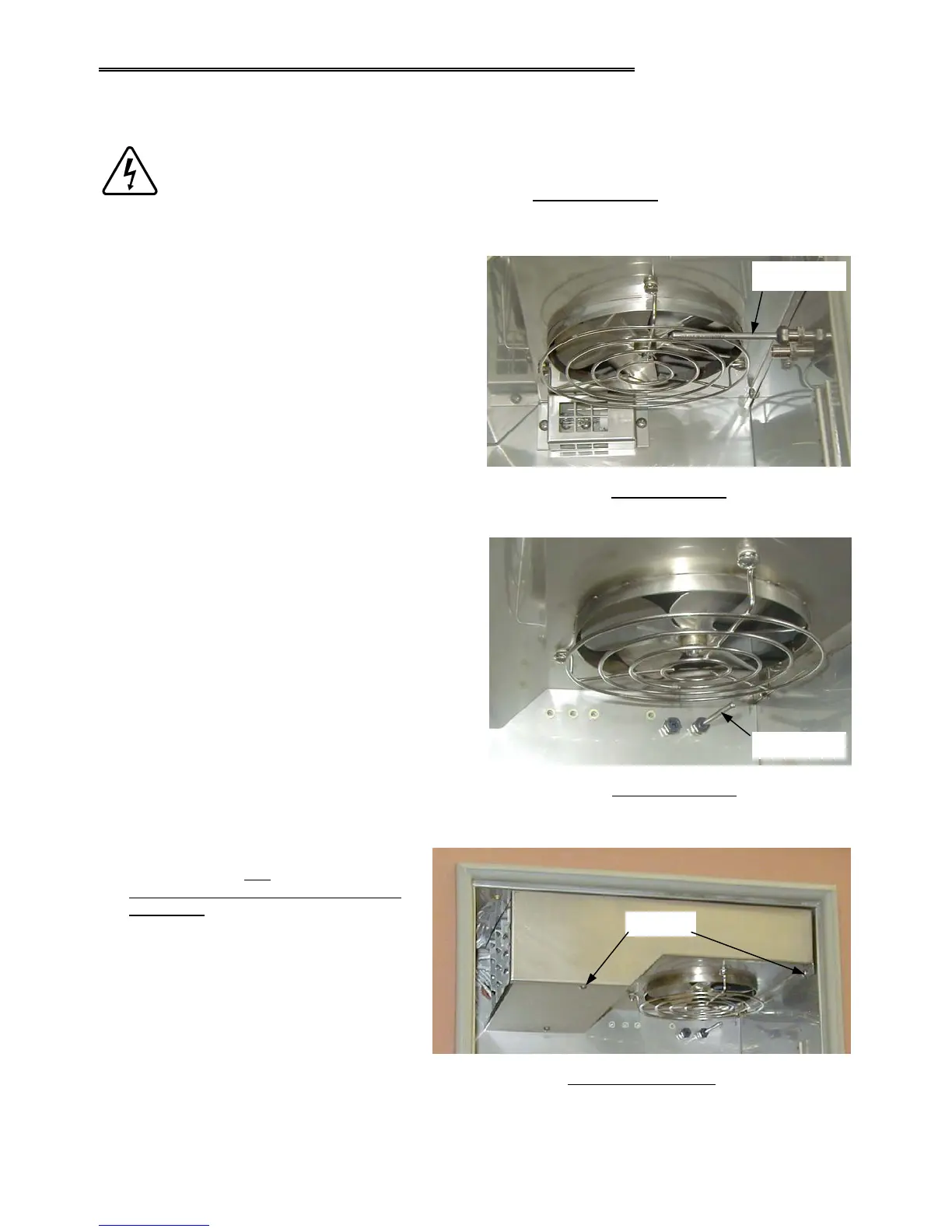
1. Push in the RTD sensor probe with your finger
towards the wall of the chamber.
Important! DO NOT push the RTD probe all of
the way into the probe fitting. Leave between ½”
to ¾ ” sticking out.
2. Remove the conditioner plenum cover
by removing the four mounting screws.
Be careful not to hit the fan blade or the
RTD probe when dropping the cover
down.
Note: In this photo, the RTD probe is
not pushed in.
TUJR RTD Location
Plenum Cover Removal
Screws
TJR RTD Location
RTD Sensor
RTD Sensor



 To Next Page