-9-
11.4- About:
Figure-34
Figure-46
Figure-45
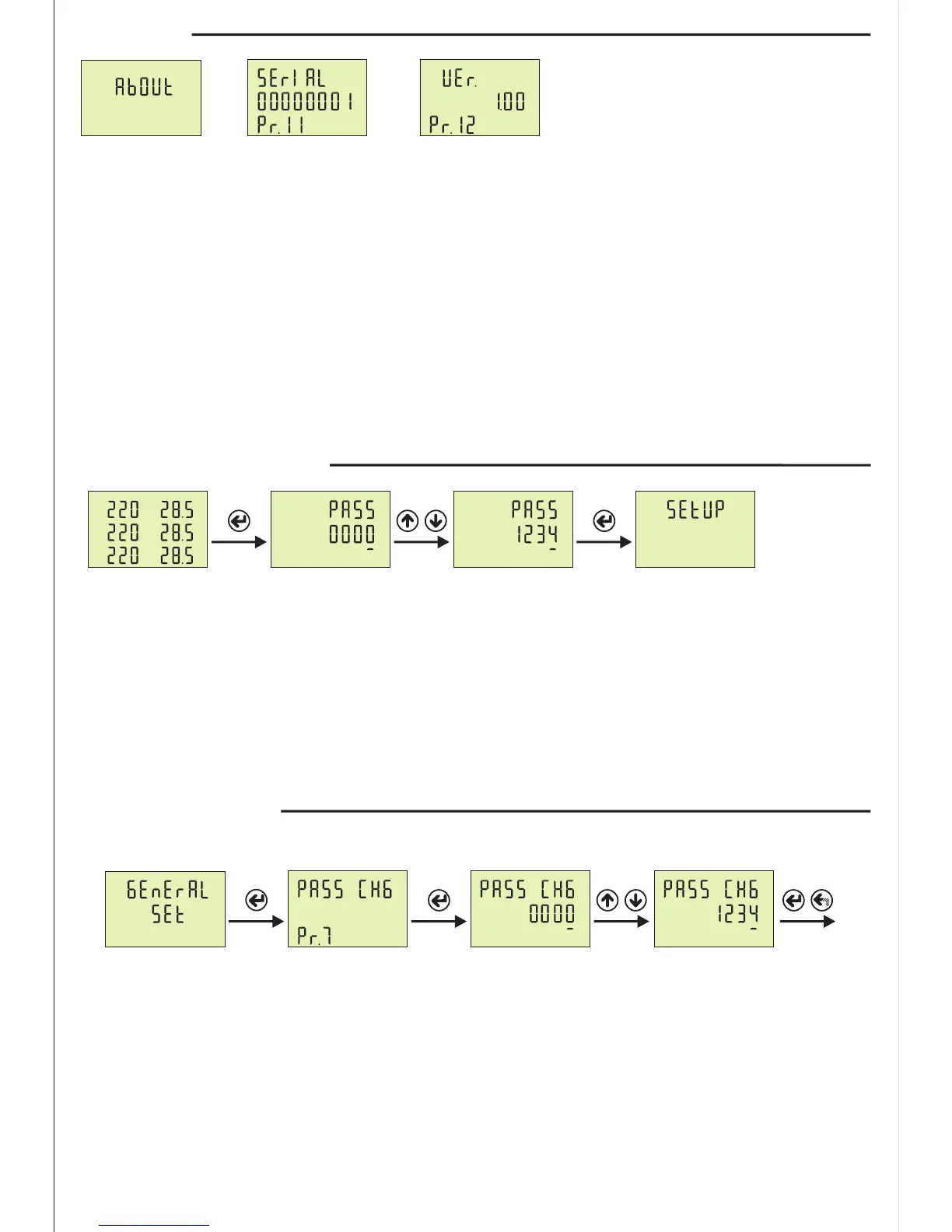
Press Menu button and enter password to enter program list. The figure-31(Setup) is displayed when you
enter password and press the Menu button.
The figure-32(General SET) is displayed when you press the up button.
The figure-33(RS485 SET) is displayed when you press the up button.
The figure-34(About) is displayed when you press the up button.
You enter “About” when you press Menu button. If you enter “About” menu, the figure-45 (Pr.11)
displayed. When you press the up button to see the other parameter on the display, the next data is
displayed.
Step 1: Press “SET” button for entering menu.
Step 2: If Password is activated ,you can see “PASS” screen, you have to enter user password. There are
four digit and press “Down” button ,selected digit is change. You can increase digit value using “Up” button.
Press “Set” button after enter the user password. If you back to home screen you press “ESC”button.
Default password is “0000”.
12- Enter Menu with Password:
Step 1
L1
L2
L3
V
A
A
A
I
Step 2
Step 1: Press Menu button and enter password to enter program list. The SETUP is displayed when
you enter password and press the Menu button. Press “Up”button until you see the GENERAL SET.
Step 2: Pr.7 is displayed when you press the “SET” button. Pr.7 is using for changing password. Pr.7 is
deleted from screen when you press the “SET” button.
Step 3: You can chance selected digit (underline) using “Down” button.”Up ”button is used to increase its
value. You can use “SET” button to save new password. if you press “ESC” button, you cannot record your
settings.
13- Changing Password:
Step 1
Step 2 Step 3 Ex.


 To Next Page