27
3.5. Front Light Switch
Long press Up button for 1 second to turn on the front light (controller support is
required); at this time the front light icon will light up on the display interface; long press
Up button for 1 second again to turn the front light off; at this time the front light icon
will disappear.
3.4. Switching display Information
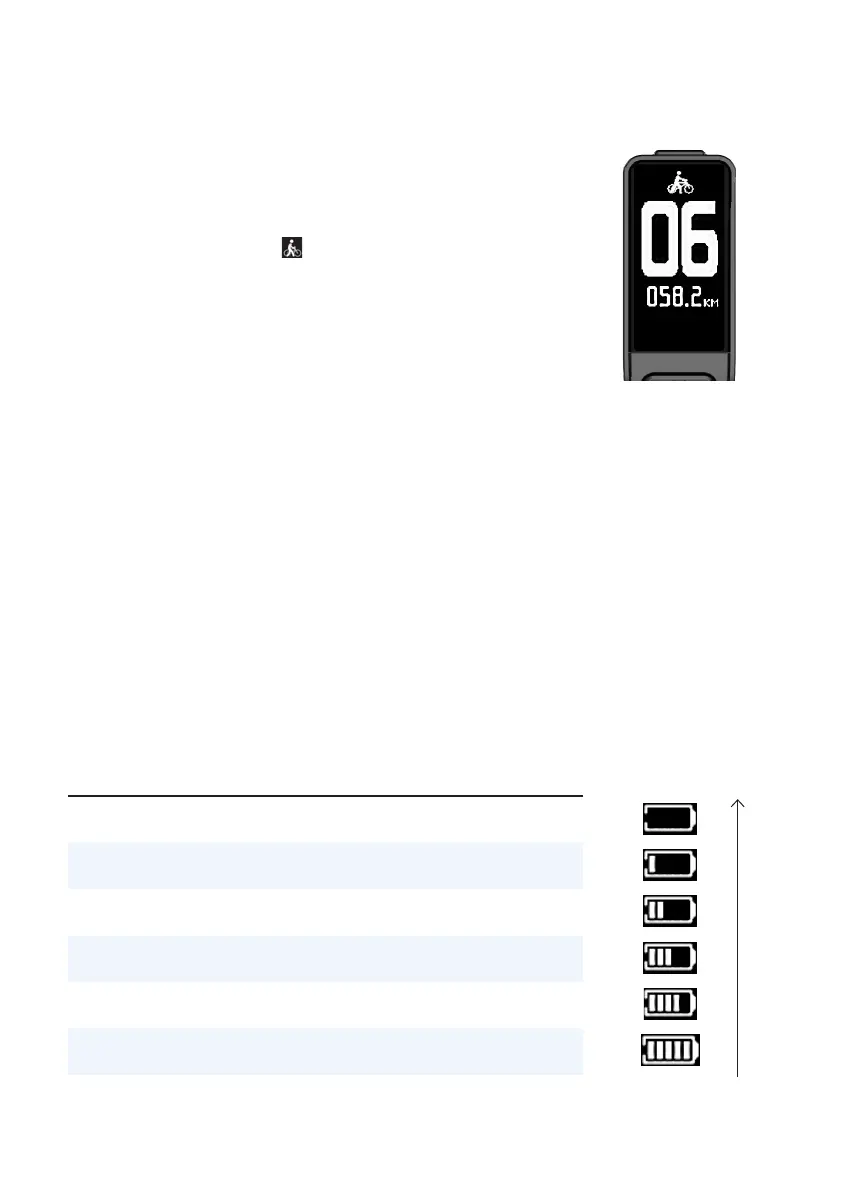
Long press Down button for 2 seconds to activate
WALK mode (you will see at the PAS position at
this time); release the Down button to exit WALK mode.
The WALK mode switching interface is shown on the
right.
3.6. State of Charge
Battery capacity is indicated by the number of bars (1 to 5), provided that the battery is
not under-voltage. When the battery is under-voltage, a battery frame icon will flash to
remind the user of charging the e-bike immediately. The battery level is displayed as
shown below.
* The table below shows the correlation between Battery capacity (C) percentage and the icon.
Serial
No.
State of Charge
(SOC)
Display
1. C ≤ 5% The battery frame flashes
2. 5% < C < 15% 1 bar
3. 15% ≤ C < 35% 2 bar
4. 35% ≤ C < 55% 3 bar
5. 55% ≤ C < 75% 4 bar
6. C ≥ 75% 5 bar



 To Next Page