You will need to enter the new power-on password when you turn
the display on again, otherwise it will automatically turn off after 25
seconds.
29
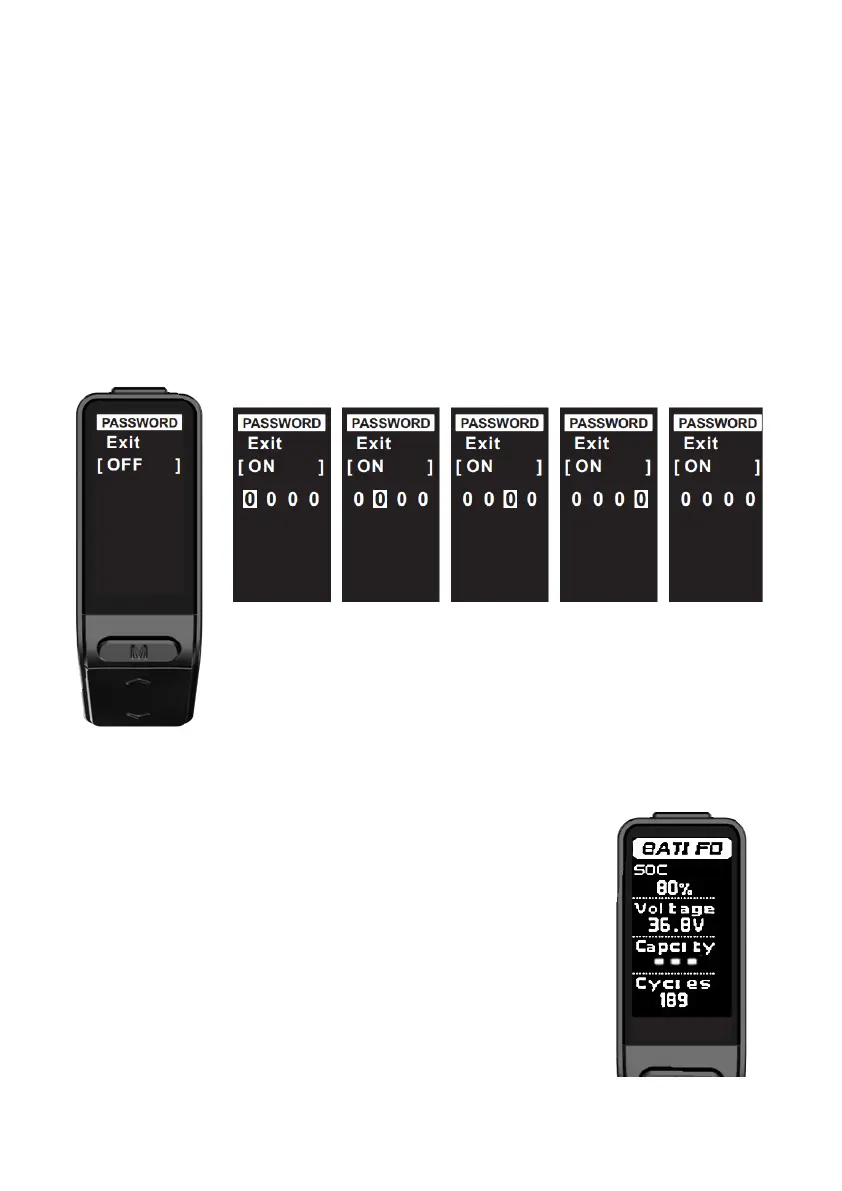
4.3. Password settings
To enter password settings, press Up button / Down button to select the setting; select
OFF/ON, and then short press Function button to select between ON or OFF. Select ON
and set a password if you need a power-on password; short press Function button to
change the position from left to right; short press Up button / Down button to change
each digit; select Exit to save the settings and return to the previous menu.
The interface is shown below.
4.4. Battery information
Short press Up button / Down button in the battery information
interface to return to the settings interface.
SOC : State of charge
Voltage : Battery voltage
Capacity : Remaining capacity
Cycles : The number of cycles that the battery has undergone
Some functions require BMS support.
The interface is shown on the right.



 To Next Page