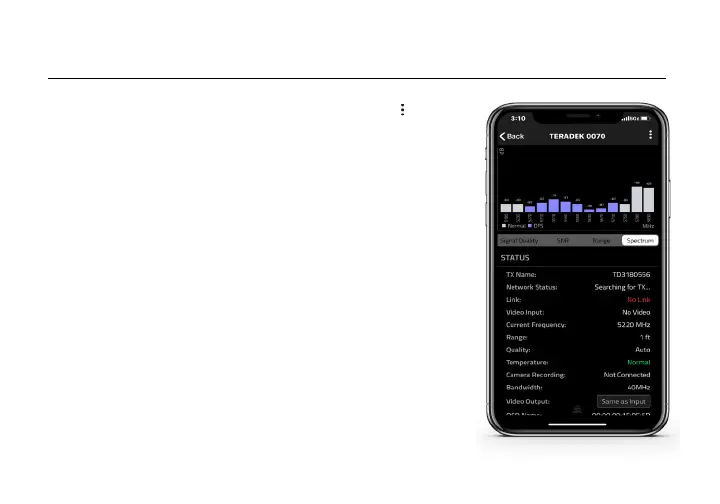
• Spectrum (Spectrum Analyzer) - Detect congestion in the area
and determine which frequencies are available to use.
• SNR (Signal to Noise Ratio) - Compare the signal power level
to the noise power level from the attached antennas.
• Range (Quality/Range Analyzer) - Displays the transmission
distance between the transmitter and receiver.
• Status - Displays the paired TX name, link status, current output
resolution, frequency, camera recording status, and temperature.
RECEIVER STATUS DISPLAY
• Settings (Shortcut to menu items listed on pg. 6) - Tap the button
at the top of the display to customize the receiver’s various settings
such as the output format, audio, display and OSD.
15
Teradek regularly releases new firmware versions to improve performance, add
new features, or to fix vulnerabilities. Visit teradek.com to update your device
with the latest firmware.
SUPPORT: http://support.teradek.com → Contains tips, information and all the
latest firmware & software updates.
TERADEK SUPPORT STAFF: support@teradek.com or call 888-941-2111 ext. 2
(Mon-Fri 6am to 6pm PST)
NEED MORE HELP?



 To Next Page