4
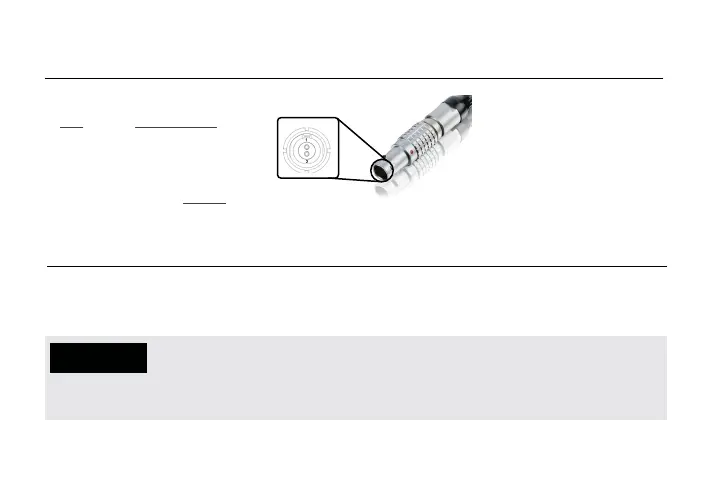
* Pin 1 is closest to the red dot on the connector
Pin Description
1* GND
2 +DC
Ranger uses a 2−pin power connector
• Test the power cable polarity with ONLY the power cable connected to Ranger. Do not connect
video cables.
• Check the power cable for shorts and proper grounding.
CAUTION:
Using a reverse polarity or improperly−constructed power cable can damage the
transmitter’s SDI inputs, and is not covered under warranty. To prevent the SDI inputs
from being damaged, best practice is to plug in the power cable first, THEN connect the video cable
from the camera before powering on the TX unit.
DC POWER INPUT CONNECTOR/PIN-OUT
CUSTOM/THIRD PARTY POWER CABLES



 To Next Page