14
LAUNCHPAD APP
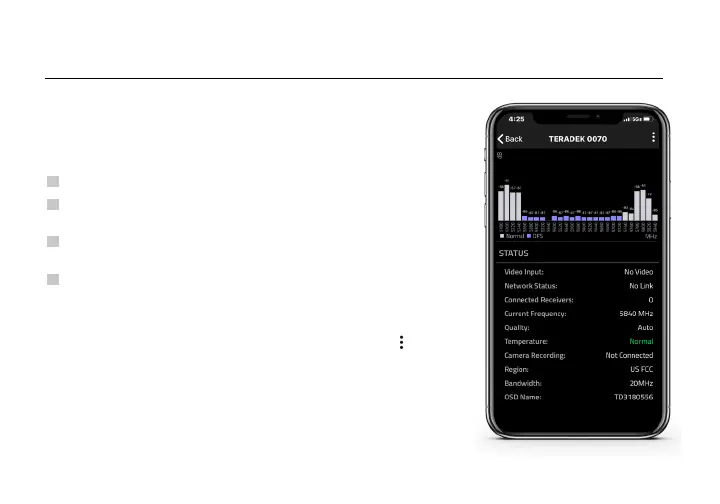
Use the Launchpad App to remotely manage and monitor every
parameter of the Ranger including pairing, channel selection, and 3D
LUTs.
• Status- Displays the current input resolution, frequency, camera
recording status, and temperature.
• Settings (Shortcut to menu items listed on pg. 8) - Tap the
button
at the top of the display to customize the transmitter’s various
settings.
TRANSMITTER STATUS DISPLAY
CONNECT VIA BLUETOOTH
1
2
Download Launchpad from the App Store.
Open Launchpad from your iOS device, then tap the Ranger Devices
button.
3
Navigate to the Bluetooth menu on both the transmitter and
receiver, then select Enable (see pages 6-8).
Select the device you want to monitor.
4



 To Next Page